Licman
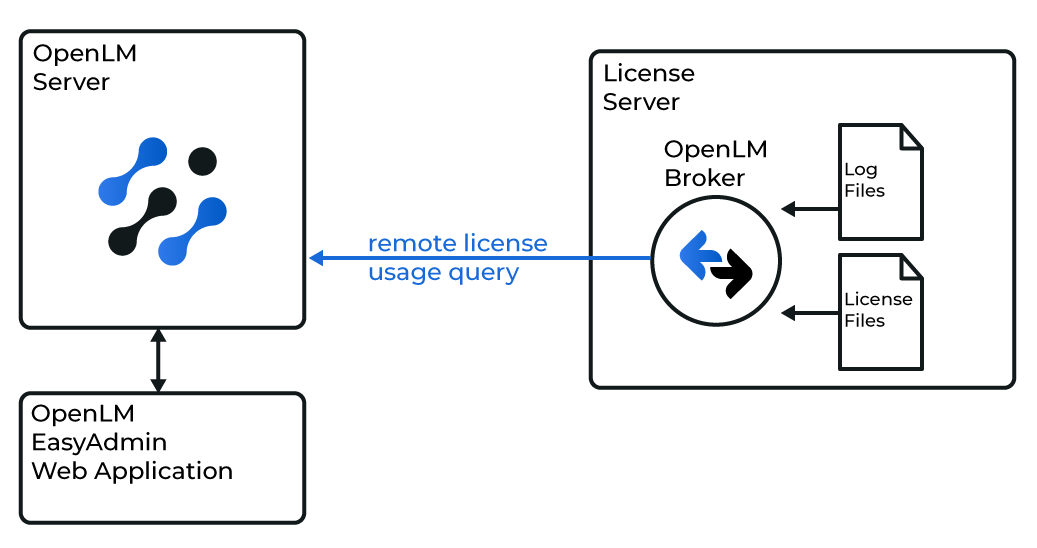
OpenLM can interface with Licman to monitor license usage and obtain statistics. The Licman server is queried locally by OpenLM Broker, which sends the data to OpenLM Server for monitoring and reporting.
Before you begin
- OpenLM Platform
- OpenLM Broker v25.x or higher installed on the same machine as Licman, and approve it in Broker Hub.
Monitoring capabilities
| LM Type in the Broker | Commands | Logs | Quantity | Expiration date | Denied | Borrowing | Allocations | Report resolution |
|---|---|---|---|---|---|---|---|---|
| Licman | Yes | No | Yes | Yes | No | No | No | Seconds |
Using the Broker also allows buffered communication and allows remote start and stop of the license manager service.
 Configuring through the Broker UI
-
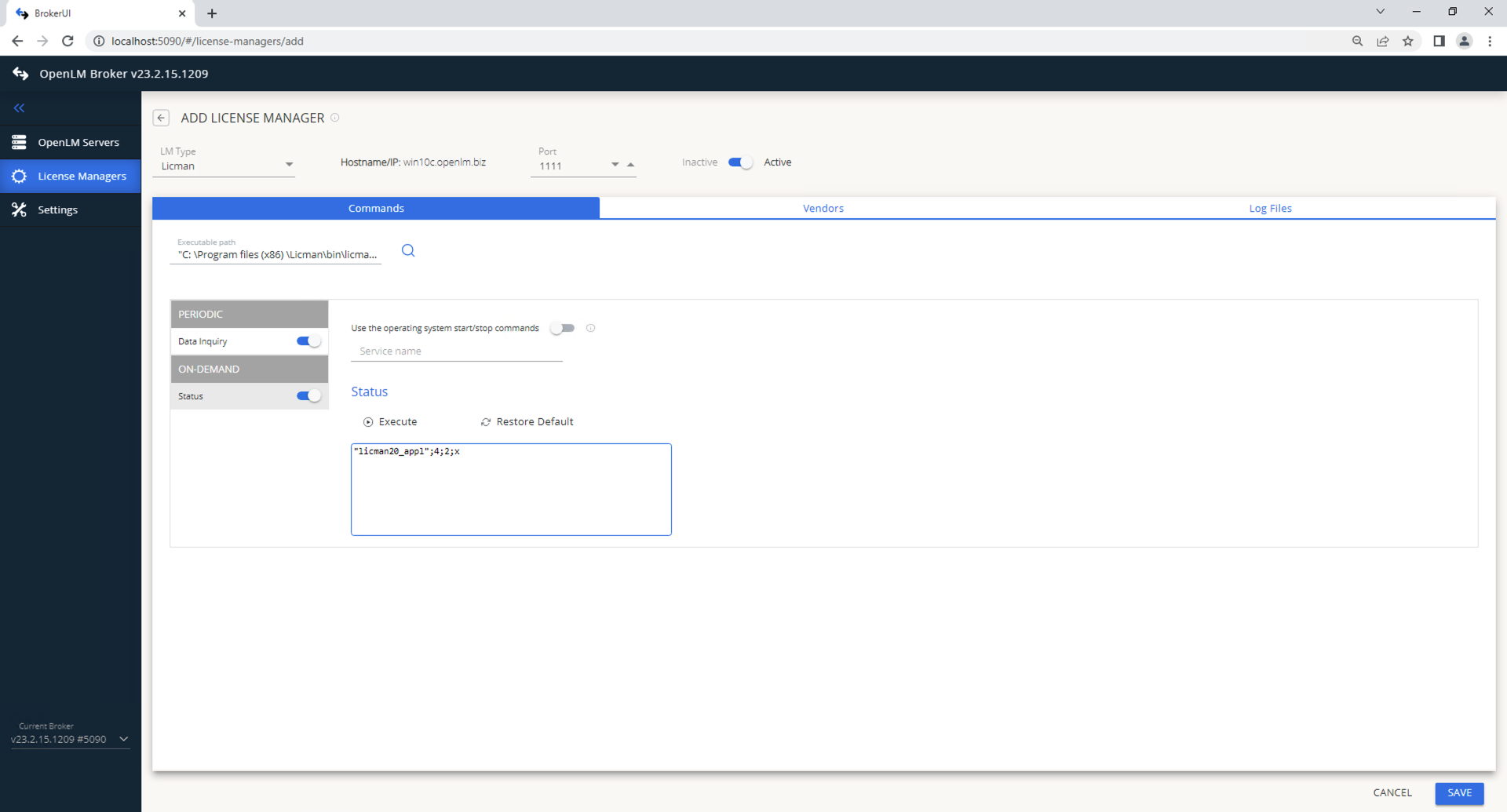
Open a browser and go to http://localhost:5090/.
-
Go to License Managers → Add License Manager.
-
Select Licman, enter a port, and select Add.
-
In Commands, set the path to licman20_appl.exe.
-
In Vendors, enter the Licman vendor name.
-
Select Save.
 Configure OpenLM Platform
Approve Licman in OpenLM Platform
- Sign in to OpenLM Platform.
- From the menu, go to License Servers → Pending Server.
- Select the Licman license manager, then select Approve and Merge.
Verify the integration
- In OpenLM Platform, go to License Servers Live → Server Statistics.
- Confirm Licman appears with a green status indicator.
note
It can take up to 3 minutes for the status to update for a new connection.