Mnova Bruker Chemist Suite
Follow these steps to configure OpenLM to monitor license usage and retrieve statistics from the Mnova Bruker Chemist Suite License Manager.
Before you begin
Before starting, install:
- OpenLM Platform
- OpenLM Broker v25.x or higher installed on the same machine as Mnova, and approve it in Broker Hub.
Monitoring capabilities
| LM Type in the Broker | License totals | License usage | Denials | Borrowing | Expiration date | Redundancy | Report resolution |
|---|---|---|---|---|---|---|---|
| MlicAdmin | No | No | No | No | Yes (if the license file for the feature is provided) | No | Seconds |
Using the Broker also allows buffered communication and allows remote start and stop of the license manager service.
Configure OpenLM Broker
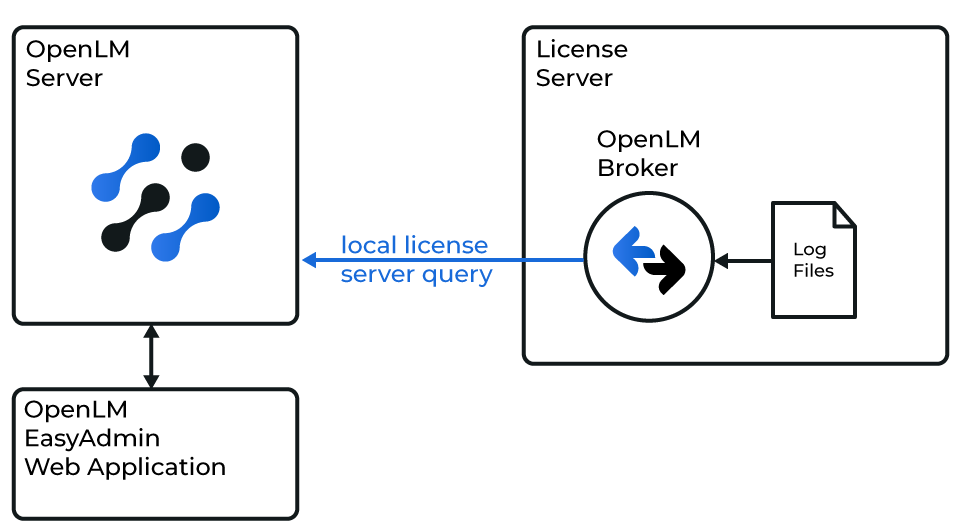 Diagram of how OpenLM interfaces with the Mnova License Manager
OpenLM Broker must be installed and configured to report to OpenLM before proceeding.
Add manually
-
Open the Broker web UI at http://localhost:5090. If the default port is in use, try 5091 or 5092.
-
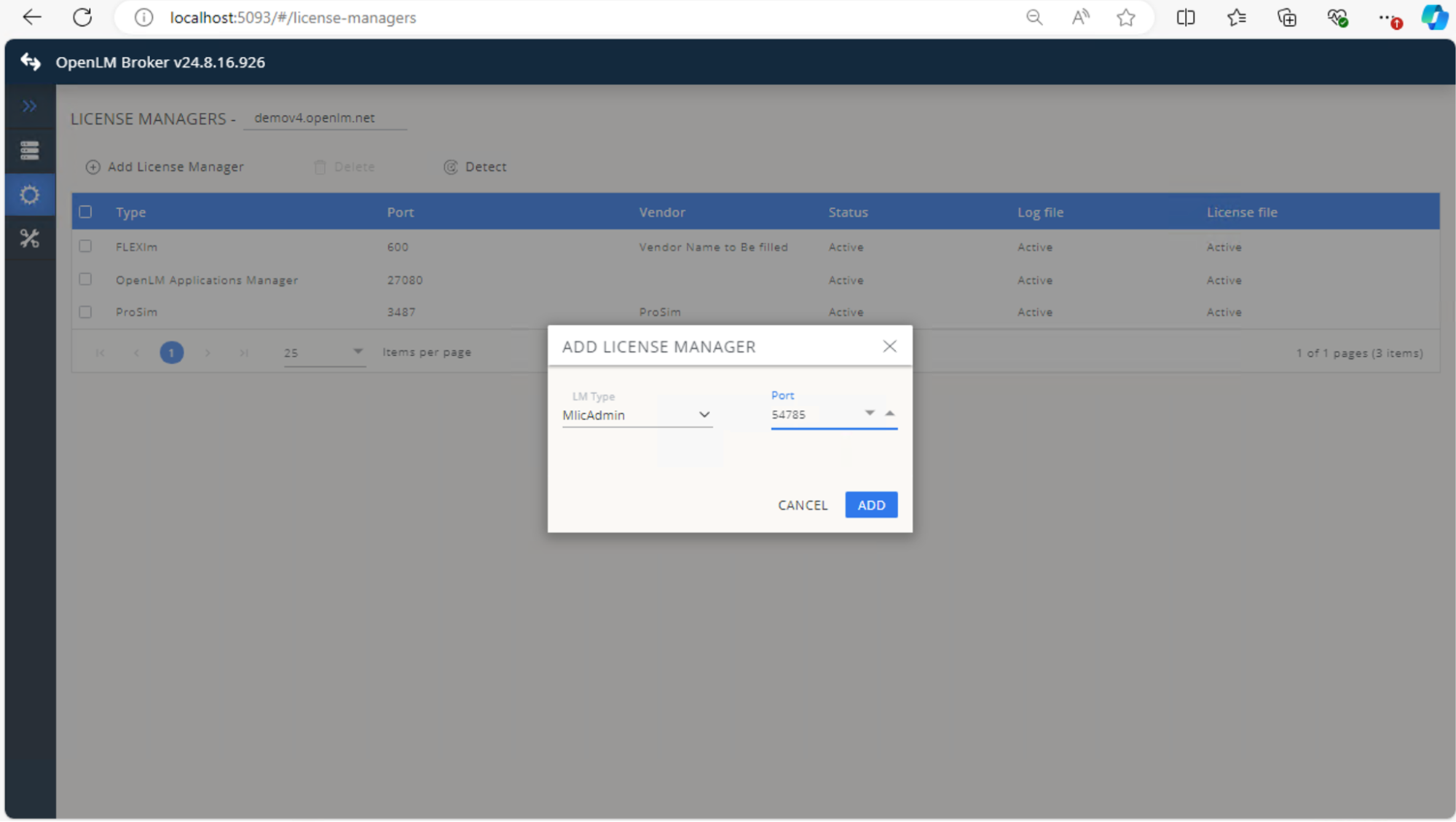
Go to License Managers → Add License Manager.
-
Select MlicAdmin from the drop-down list, enter the port number (for example, 888), and select Add.
 In Settings, configure license files:
- Select Detect license file automatically, or
- Select Set license file path manually for each feature.
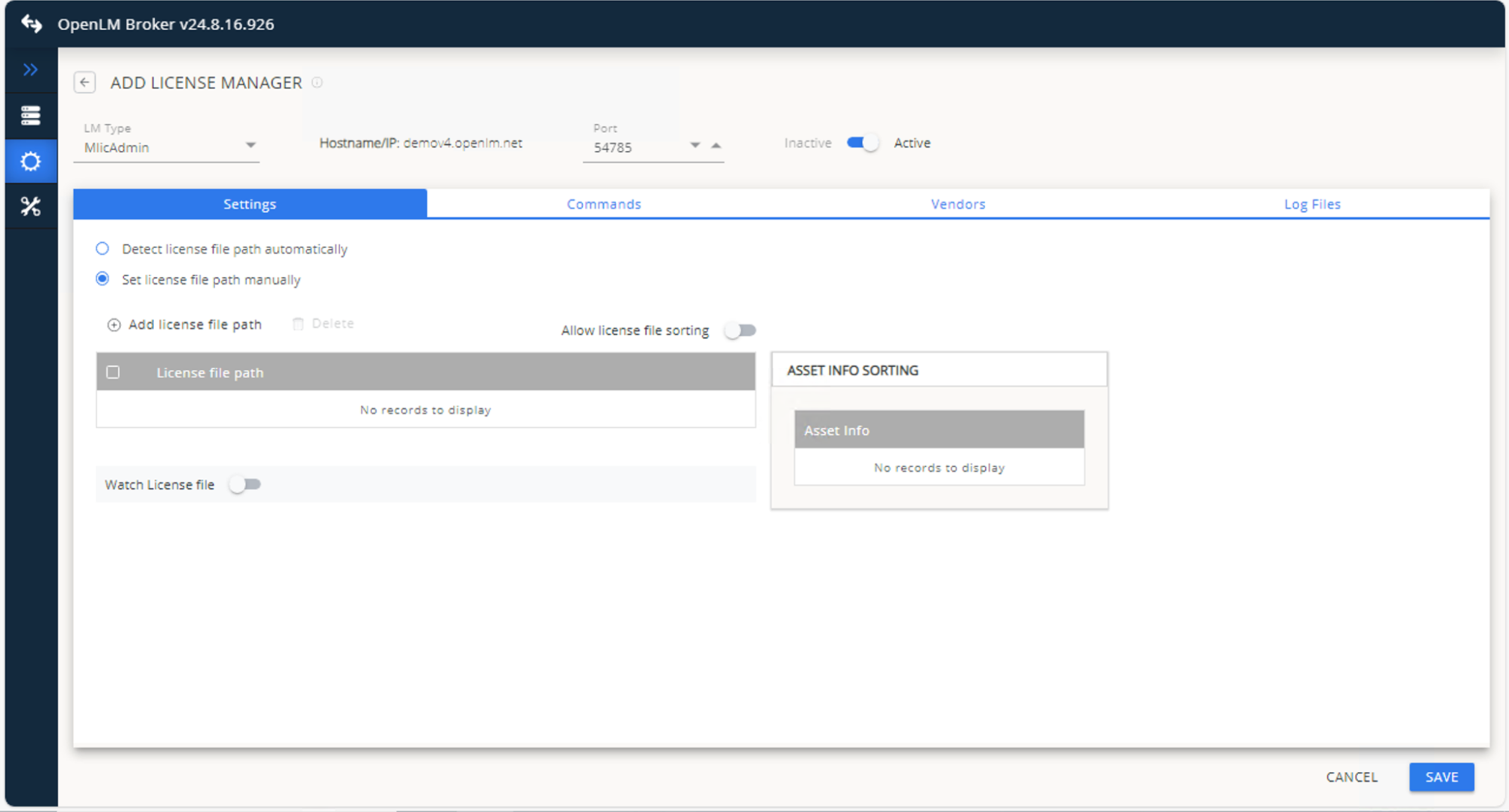 If adding manually, select Add license file path and browse to each feature's license file.
 -
Ensure Allow license file sorting and Watch license file are turned off.
-
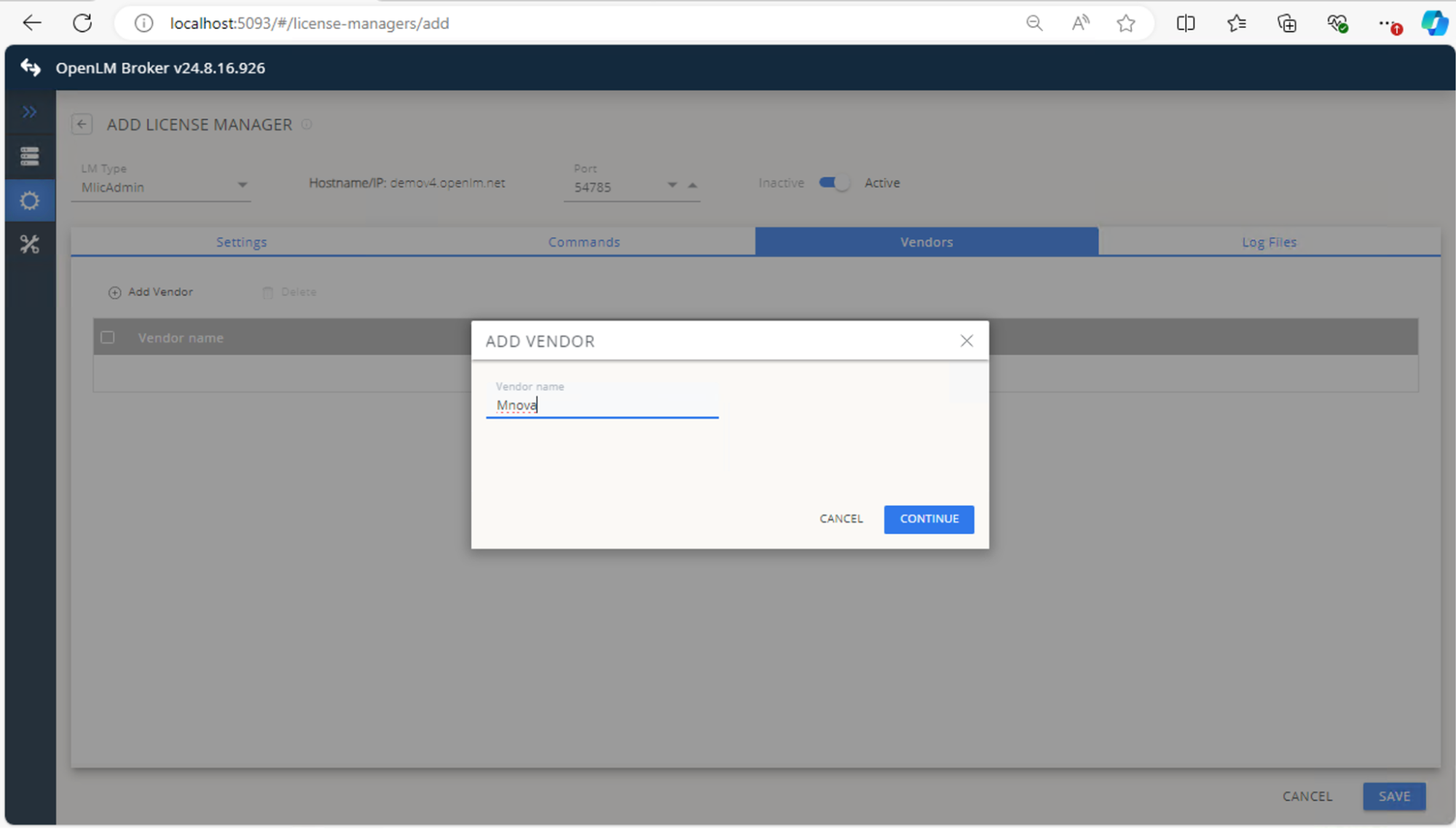
In Vendors, select Add Vendor, enter Mnova, and select Continue.
 In Log Files, select Add Log File, ensure Watch file by pattern is off, then select Continue.
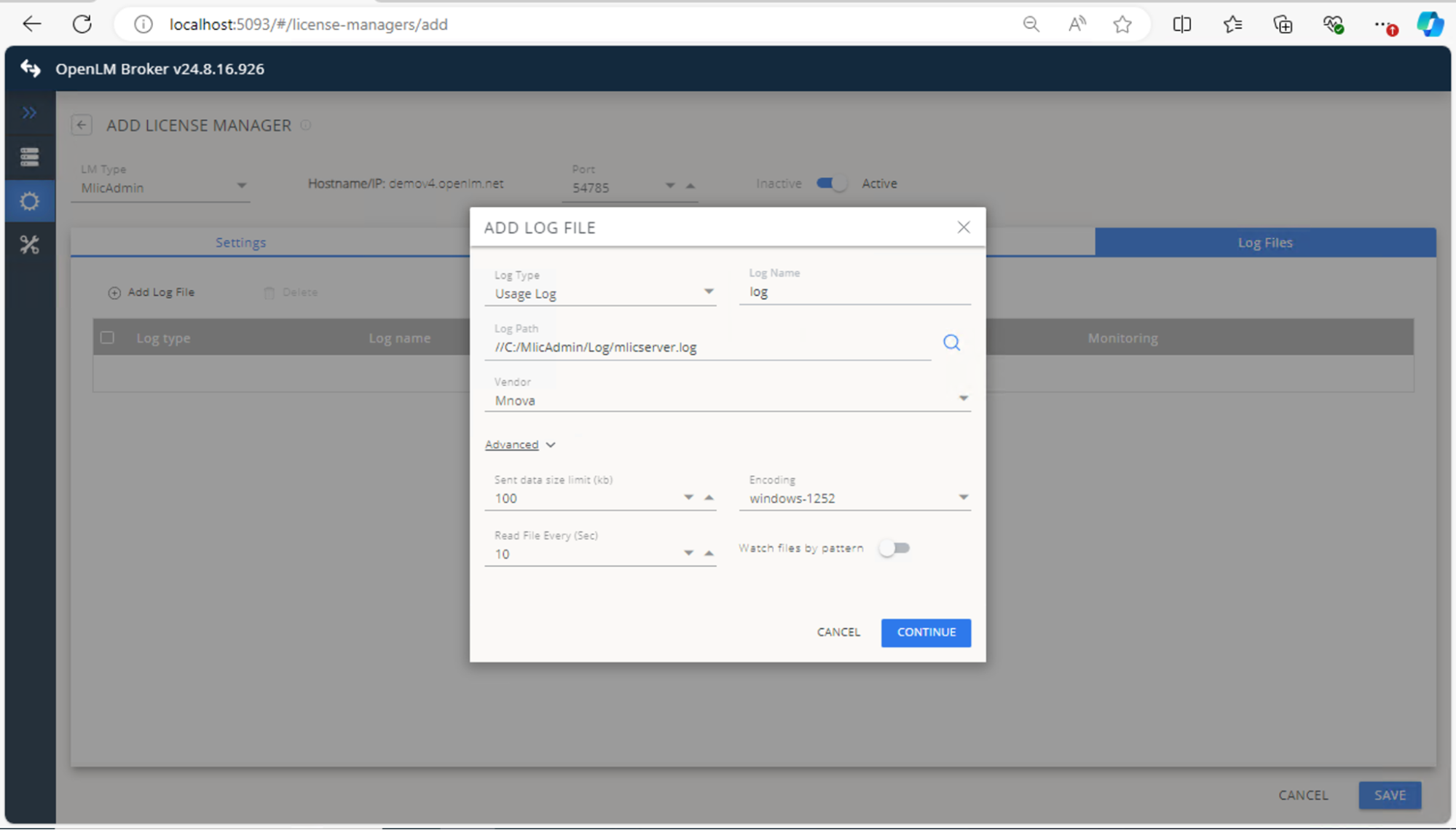 Select Save.
Approve Mnova Bruker Chemist Suite in OpenLM Platform
- Sign in to OpenLM Platform.
- From the menu, go to License Servers → Pending Server.
- Select the Mnova Bruker Chemist Suite license manager, then select Approve and Merge.
Verify the integration
- In OpenLM Platform, go to License Servers Live → Server Statistics.
- Confirm Mnova Bruker Chemist Suite appears with a green status indicator.
It can take up to 3 minutes for the status to update for a new connection.