ESPRIT
備考
ESPRIT は OpenLM がサポートするライセンスマネージャーの 1 つです。本ガイドでは、DPTC ESPRIT License Manager を監視し、ライセンス使用状況と統計情報を取得するための設定方法を説明します。
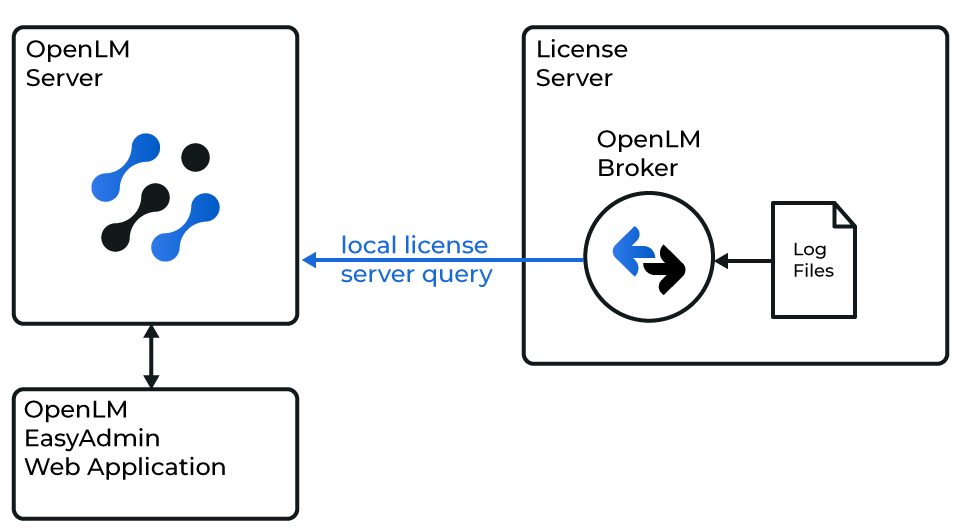 OpenLM Broker と ESPRIT License Manager、OpenLM Server の連携図
要件
- ESPRIT ライセンスマネージャーマシンに OpenLM Broker v4.10 以降をインストールし、設定済み。
- ネットワーク上のマシンに OpenLM Server v4.6 以降をインストールし、設定済み。
ライセンスマッピング詳細の出力
Broker には ESPRIT のライセンス印刷ファイルから取得したマッピング詳細が必要です。
- DP Technology Server Security Manager を起動します。
- 左パネルの LocalHost ノードでライセンス(例:
E1009703_872223)を探し、右クリック → Print。
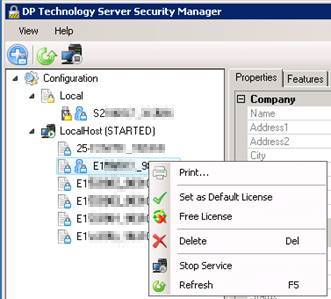
- Microsoft Print to PDF または Generic / Text Only Printer(推奨)を選択します。
- ファイルを保存します。PDF の場合は内容をテキストファイル(
.txt)にコピーします。 - 各ライセンスで繰り返します。
印刷例:
********** E1009703_872223 **********
Company
Name: WAYNE ENTERPRISES, INC
Company
Name: WAYNE ENTERPRISES, INC
Address1: 123 BAT RD
Address2:
City: GOTHAM CITY
State/Region: NY
Country: US
Postal Code: 102109
Customer Code: wayneent
General
Name: 2_Axis_Lathe(1)
Product: ESPRIT 20xx Series
Serial Number: E1009703
Activation Id: 872223
Status: eLicenseInUse
Client Id: bwayne@TLC-2ZQABC2
License Details
Lock Code: S5580101
Expiration Date: N/A
SMC Expiration Date: Saturday, October 31, 2020
Borrowable: True
Lease Expiration Date: N/A
License Type: eLicenseTypeNormal
Lock Device: eLockDpFloat
OEM: DP Technology
Miscellaneous
File Path: C:\ProgramData\D.P.Technology\Security\Licenses\2_Axis_Lathe(1).dptlic
Comments:
Features
1-Base License
2-Editor
3-DNC
10-Surface Modeler
11-SolidTurn Traditional
21-Post Processor
22-DWG / DXF
23-IGES
24-STEP
25-VDA-FS
27-Solid Modeler
29-VBA
30-Machine Simulation
31-STL
36-Cutting Tool KB
38-Parasolid SE SW 3DM
Generic / Text Only Printer のインストール(Windows)
Generic / Text Only Printer を使うと出力を .txt として保存できます。
- Windows で add printer を検索します。
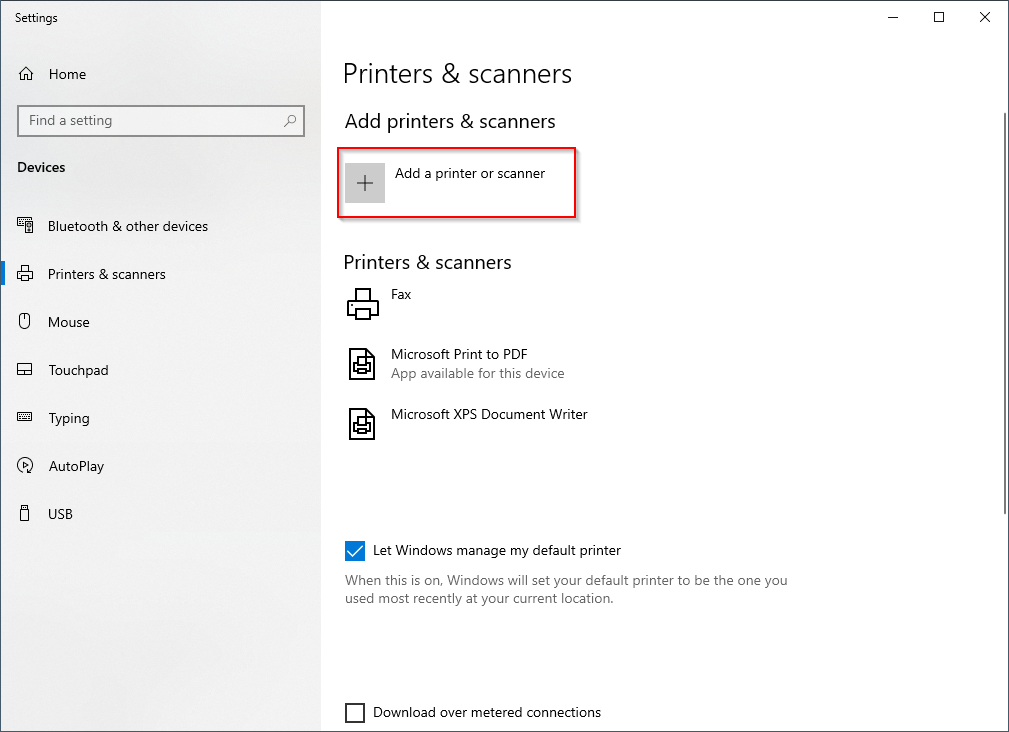
- Add printer or scanner を選択します。
- 画面で Add a printer or scanner をクリックします。
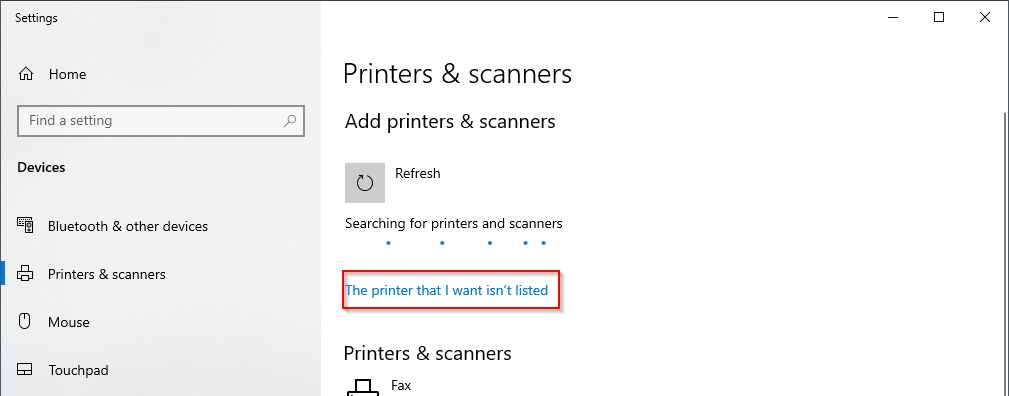
- しばらく待って The printer that I want isn’t listed をクリックします。
- Add a local printer with manual settings → Next。
- 既存ポート
FILE: (Print to File)を使用します。 - Generic → Generic / Text Only ドライバーを選択 → Next。
- Use the driver that is currently installed を保持 → Next。
- プリンター名を入力 → Next。
- Do not share this printer → Next。
- セットアップを完了します。
このデバイスで印刷するたびに、Windows が出力ファイルの保存先を尋ねます。
OpenLM Broker の設定
- OpenLM Broker Web UI(
http://localhost:5090/#/license-managers)を開き、License Managers タブに移動します。 - Add License Manager をクリックします。
- 任意のポート番号を入力し、ライセンスマネージャーの種類に ESPRIT を選択します。
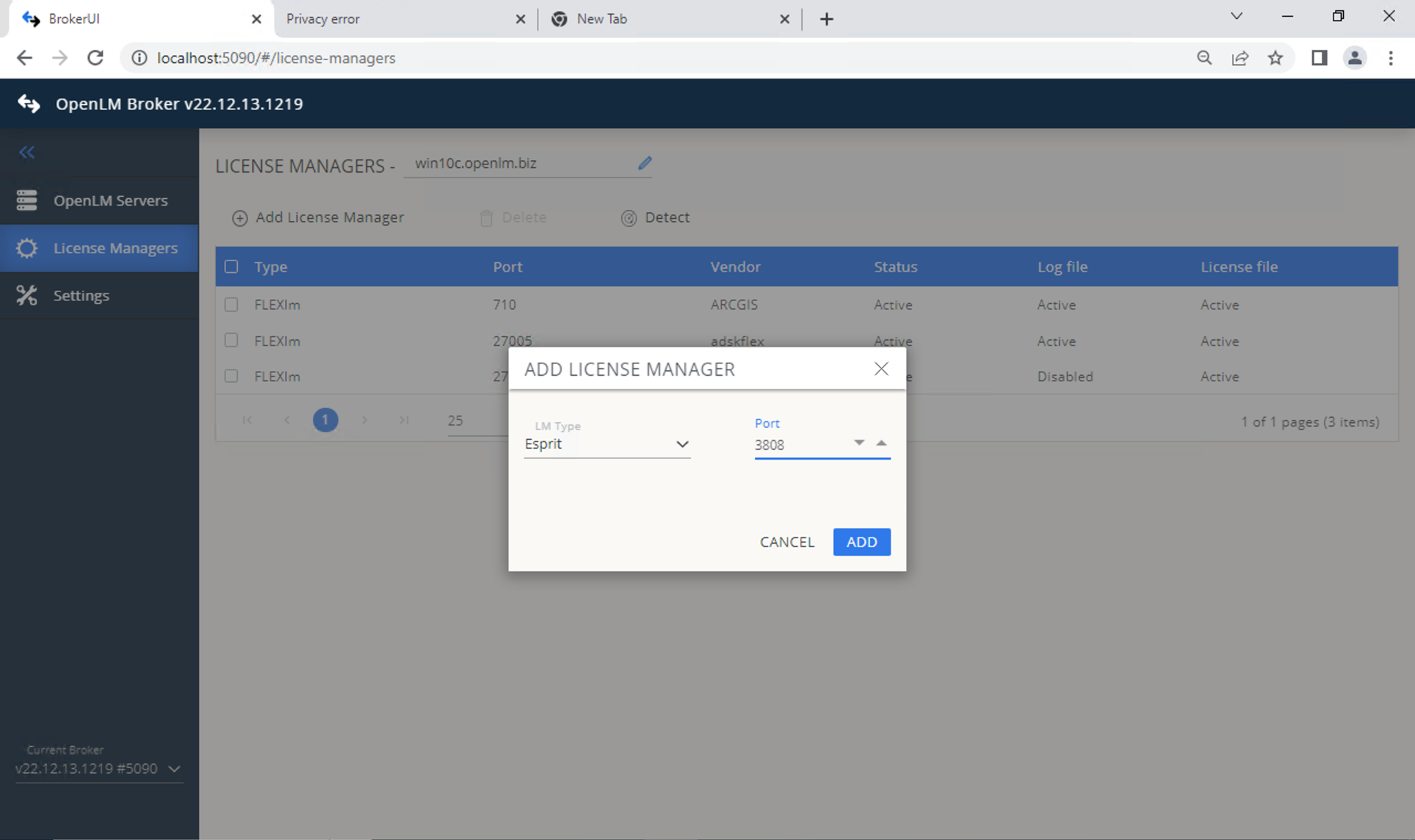
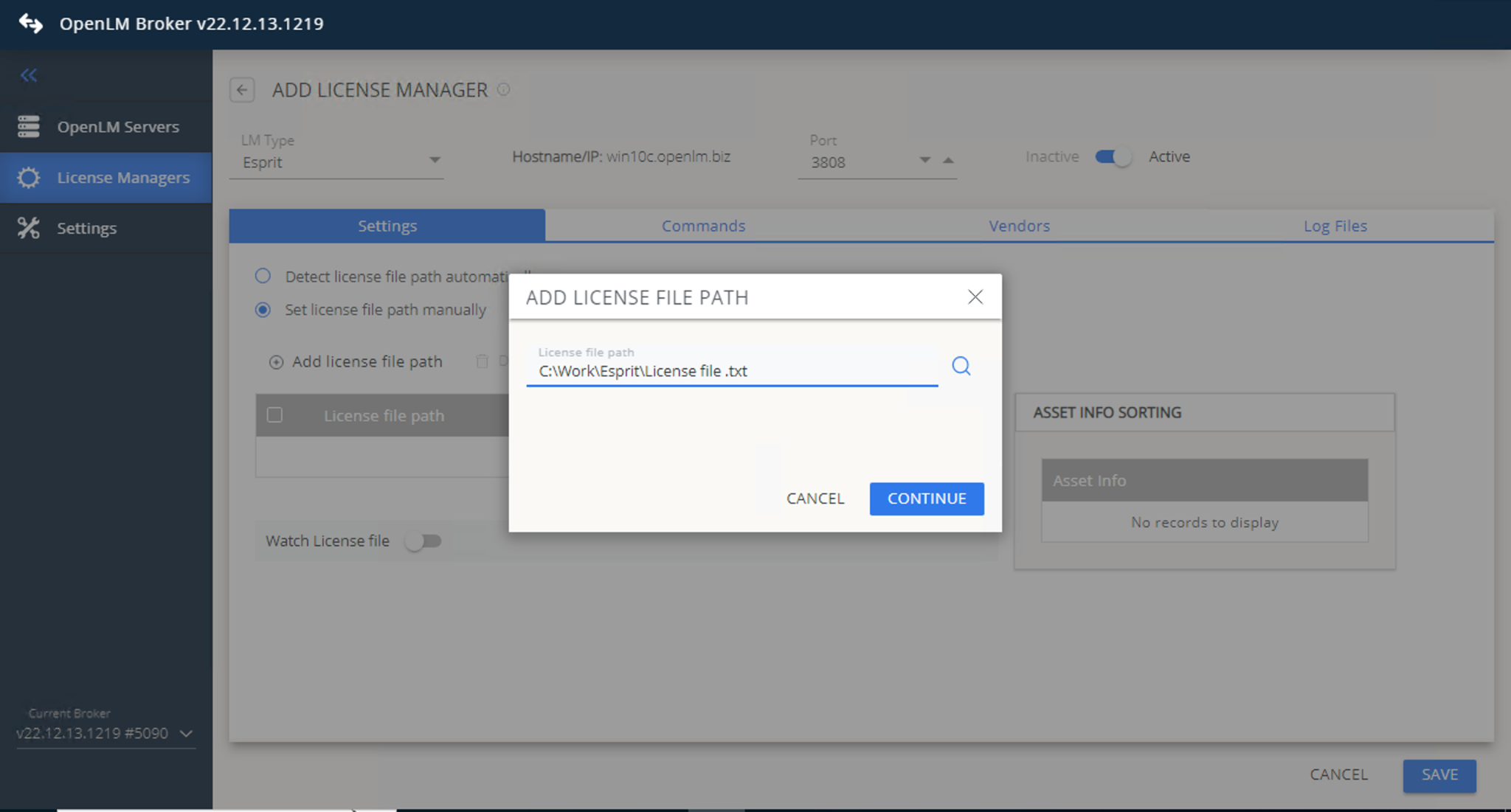
- Settings タブでライセンスファイルパスを設定します:
- 自動検出
- もしくは手動設定 → Continue
警鐘Watch License File はオフのままにしてください。
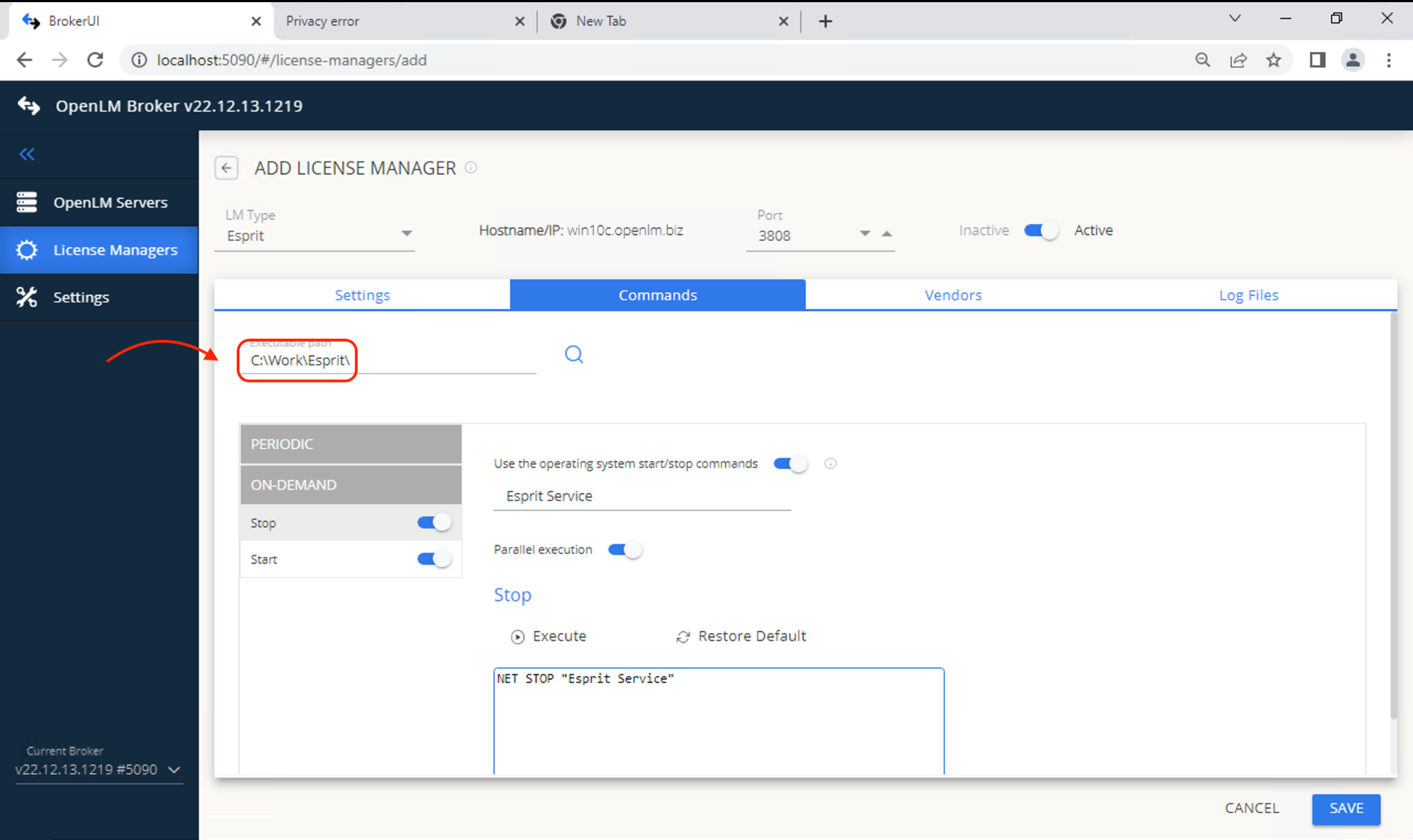
- Commands タブに移動して ESPRIT 実行ファイルのパスを設定します。
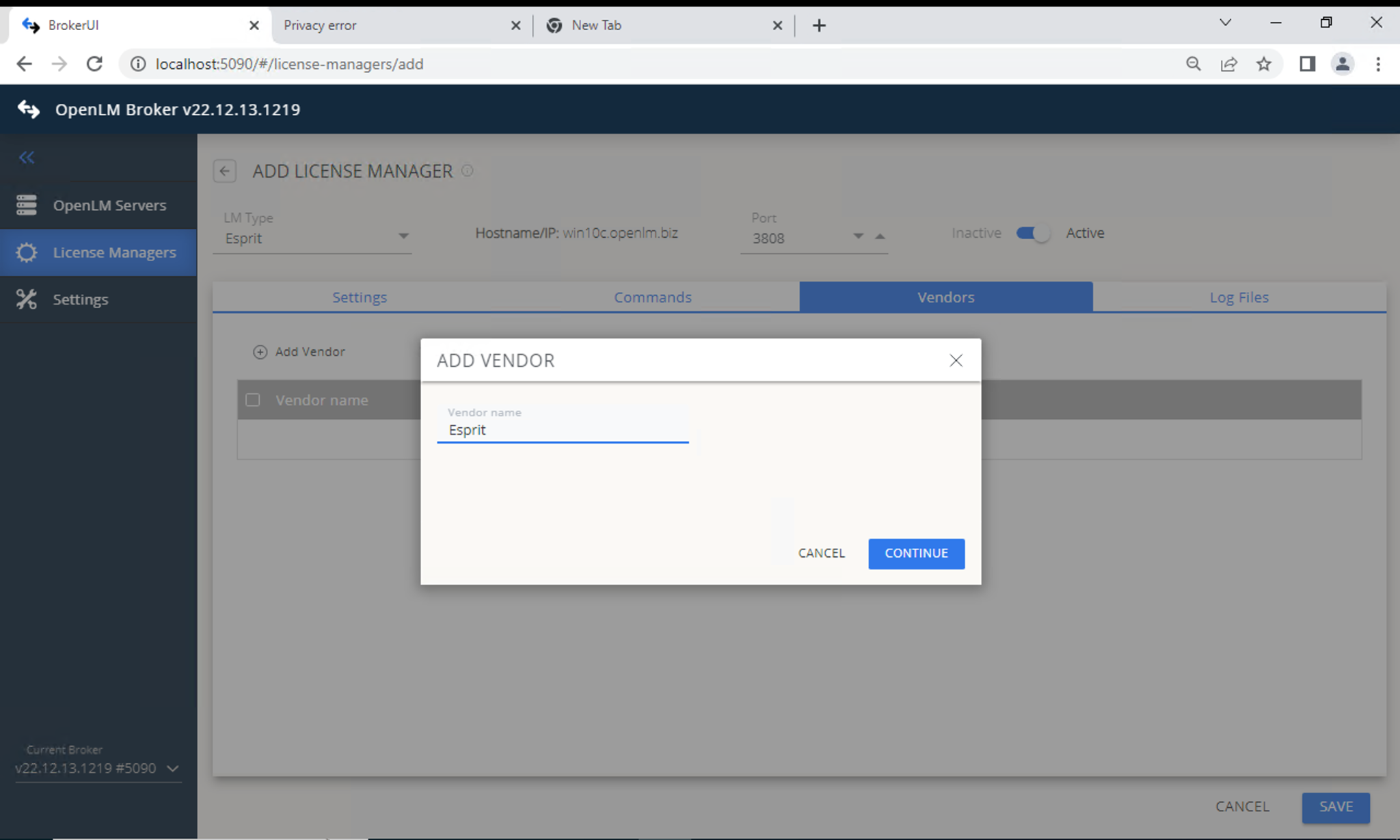
- Vendors タブ → Add Vendor。わかりやすい名前を入力します。
- Log File タブ → Add Log File。次を設定します:
- Type: ESPRIT Server Usage
- Log (Descriptive): ログを識別する名前
- Path:
DptSecLogServerUsage.txt(ESPRIT のログフォルダ内) - Vendor: 前ステップで指定したベンダー
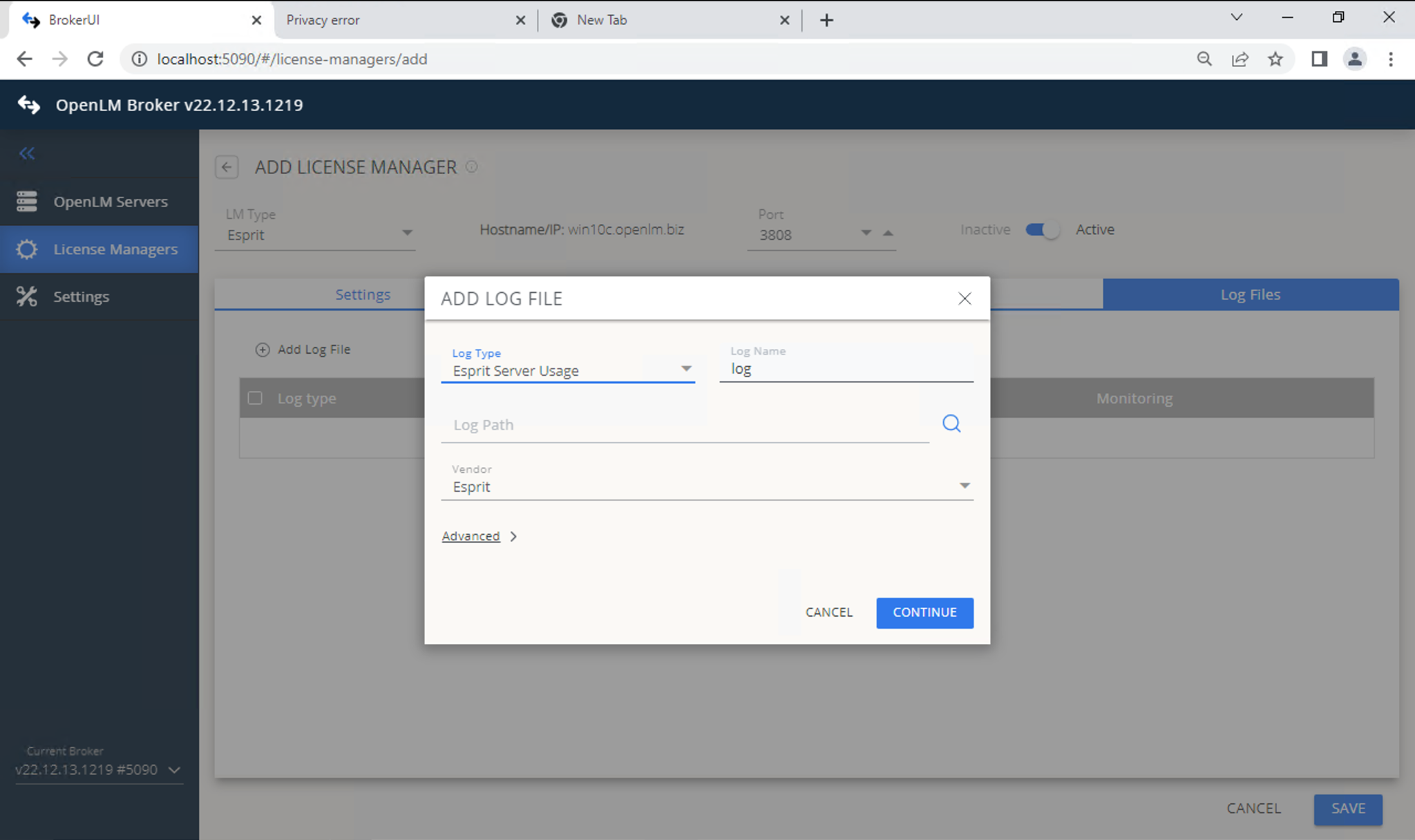
- 設定を保存します。
- EasyAdmin(
http://<Server IP>:5015)を開きます。 - License Managers Pending Approval の ESPRIT エントリを承認します。
ESPRIT License Manager の設定確認
- EasyAdmin(
http://<Server IP>:5015)を開きます。 - EasyAdmin Start → Widgets → License Servers に移動します。
- 一覧に ESPRIT が表示されることを確認します。
- 緑色の丸アイコンは接続が有効であることを示します。
既知の制限
- ライセンス拒否は現在監視されません。
- ライセンス数は読み取れないため、Unlimited と表示されます。