FlexNet Embedded
このガイドでは、OpenLM を設定して FlexNet Embedded ライセンスマネージャーを監視し、使用状況の統計を収集する方法を説明します。
仕組み
OpenLM Server は FlexNet Embedded サーバーの XML API を問い合わせ、ライセンス使用状況と統計を取得します。データは集計され、EasyAdmin のレポートに表示されます。
詳細は What is FlexNet Embedded? を参照してください。
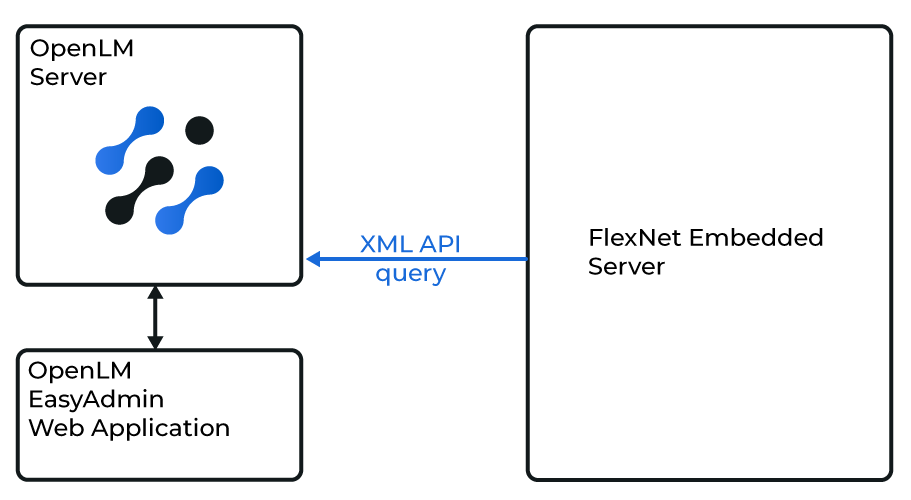
Diagram of how OpenLM Server interfaces with a FlexNet Embedded server
OpenLM Server の設定
-
EasyAdmin で Administration → License Manager servers に移動します。
-
LM Servers タブを選択します。
-
+ Add LM をクリックします。
-
次の項目を入力します:
- Type: FlexNet Embedded
- Description: 分かりやすい名前(例: FlexNet Embedded server)
- Time zone: ライセンスサーバーの場所に合わせる
- Hostname: サーバーのホスト名または IP
- Port: 下記の手順を参照
- Vendor name: 例: Avid、NVIDIA
-
Test をクリックして確認します。
-
Apply をクリックし、続いて Save をクリックします。
FlexNet Embedded のポート番号を確認
- Web UI を開きます(例:
http://win10:8888/FneServer/)。 - Properties and status をクリックします。
- Listen port を確認します。
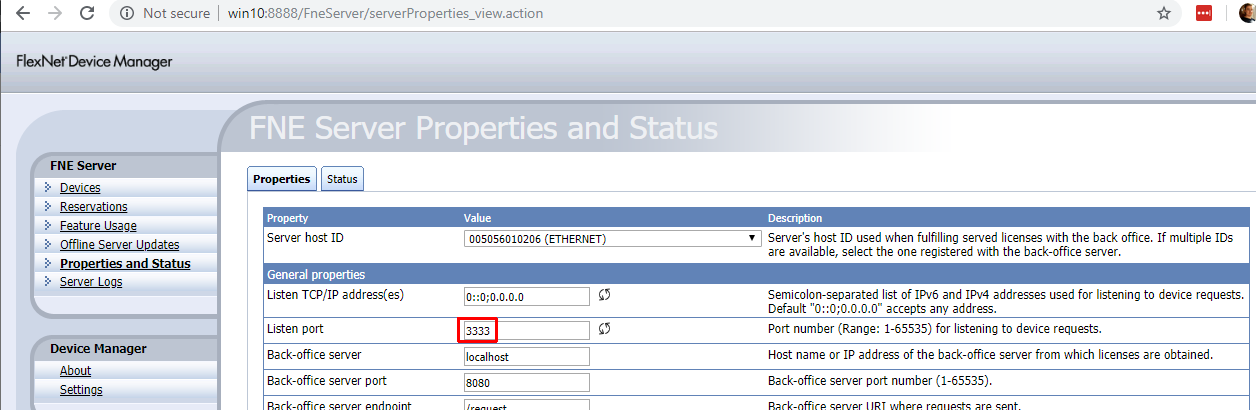
Locate the listening port in the web UI.
NVIDIA を利用する場合
XML API をリモートから問い合わせできない場合:
- Edit
translator-config.properties(e.g.,C:\Program Files (x86)\NVIDIA\License Server\Tomcat\webapps\fne\WEB-INF\classes\translator-config.properties). - Change:
RESTRICT_TO_LOCALHOST=false
- 保存して FlexNet Embedded サーバーを再起動します。
設定の確認
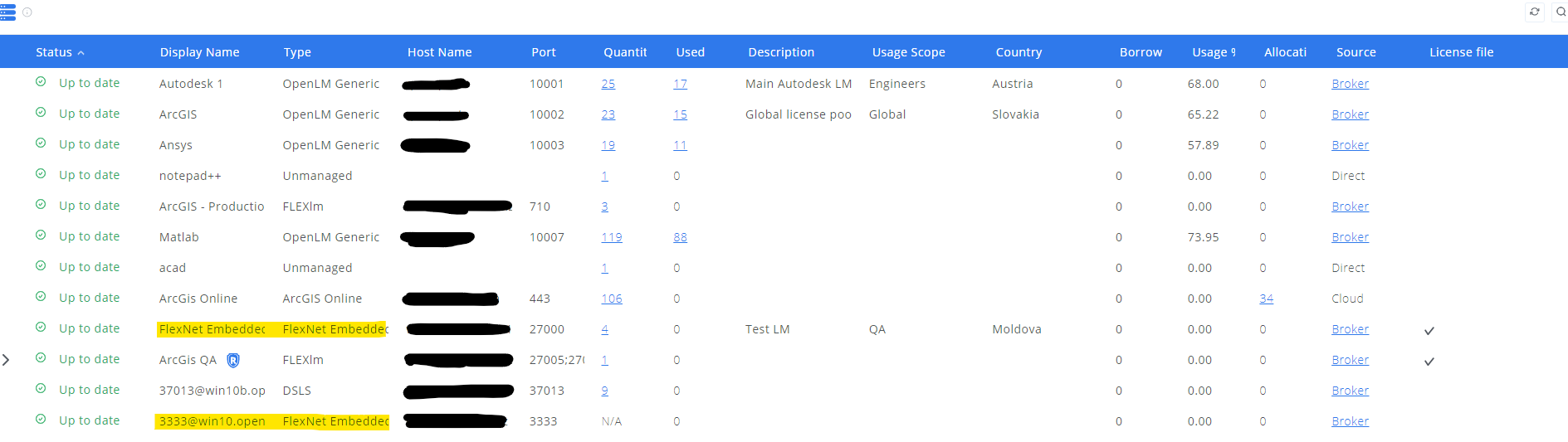
- EasyAdmin を開きます(
http://<OpenLM Server FQDN>:5015またはhttps://cloud.openlm.com)。 - Start → Widgets → License Manager servers に移動します。
- FlexNet Embedded サーバーが 緑色 のステータスで表示されることを確認します。
既知の制限
- ライセンス拒否は監視されません
- 複数サーバー冗長に対応しません