IBM Jazz
IBM Jazz is supported through the Broker using the JAZZ LM Type and OpenLM Generic format on the OpenLM Server.
Requirements
- OpenLM Server / SLMC environment (24.0 or later) with permissions to approve new OpenLM Generic license managers.
- OpenLM Broker 24.3.1 or later installed on the IBM ELM (Jazz) license server with access to the
IBM_ELM_floatingLicenseLogFile.csvfile. - Network access from the Broker to the Jazz administration endpoint on port 9443 and to OpenLM Server (default port 5015).
- Activate the "Enable Floating License Logging" advanced property in your license server settings.
Monitoring capabilities
| LM type | Commands | Logs | Quantity | Expiration date | Denied | Borrowing | Allocations | Report resolution |
|---|---|---|---|---|---|---|---|---|
| IBM ELM (Jazz) | No | Yes | No | No | No | No | No | Per second |
Configure the OpenLM Broker
- Select Add a license manager and select JAZZ as the license type.
Use port 9443.
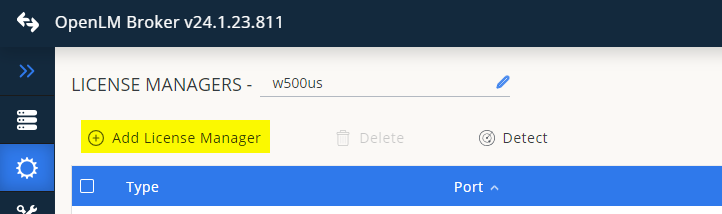
Add JAZZ as the license type.

JAZZ license manager configuration view.
- Select the Vendors tab and select Add vendor.
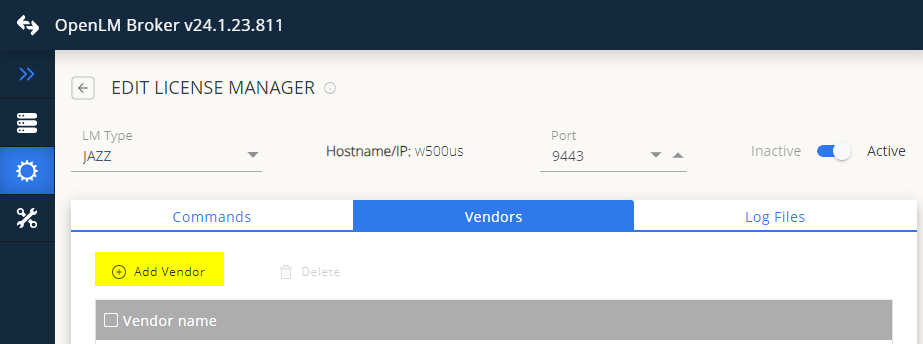
Add a new vendor.
- Enter the vendor name and select Continue.

Enter the vendor name.
- Go to the Log files tab and select Add log file.
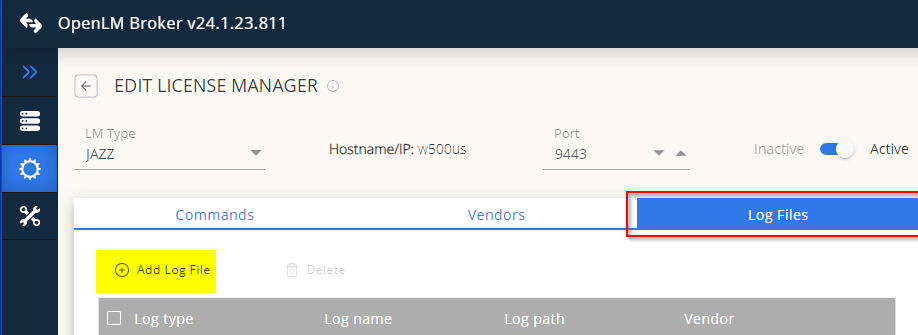
- Enter the path to the
IBM_ELM_floatingLicenseLogFile.csvfile and select Continue.
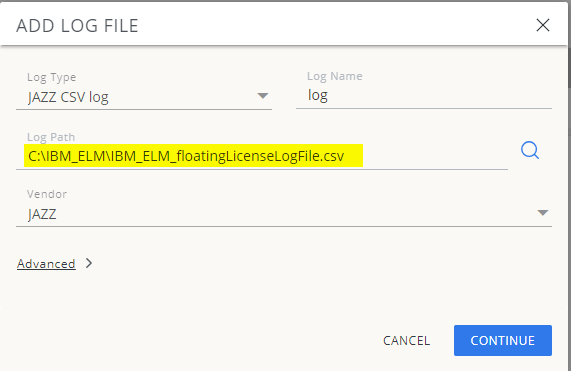
Specify the log file path.
- Select Save.
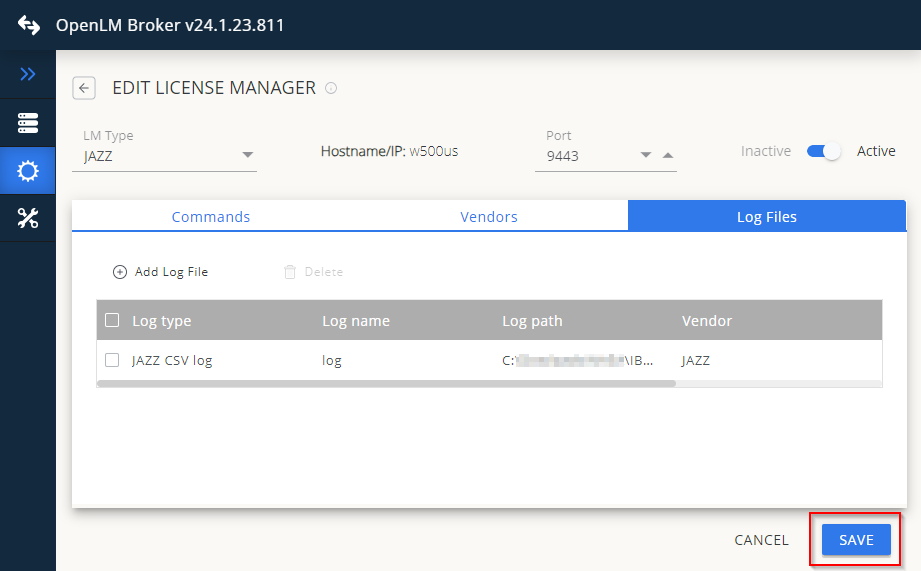
Save the configuration.
Approve the license manager on the OpenLM Server
When the Broker connects, the Server displays the message:
"There are 1 servers pending approval" in the License Manager > Servers screen.

Pending approval message.
- Select Pending approvals.
- Double-click the pending license manager to open it.

Approve the pending license server.
- Update the display name to something meaningful and select Approve.
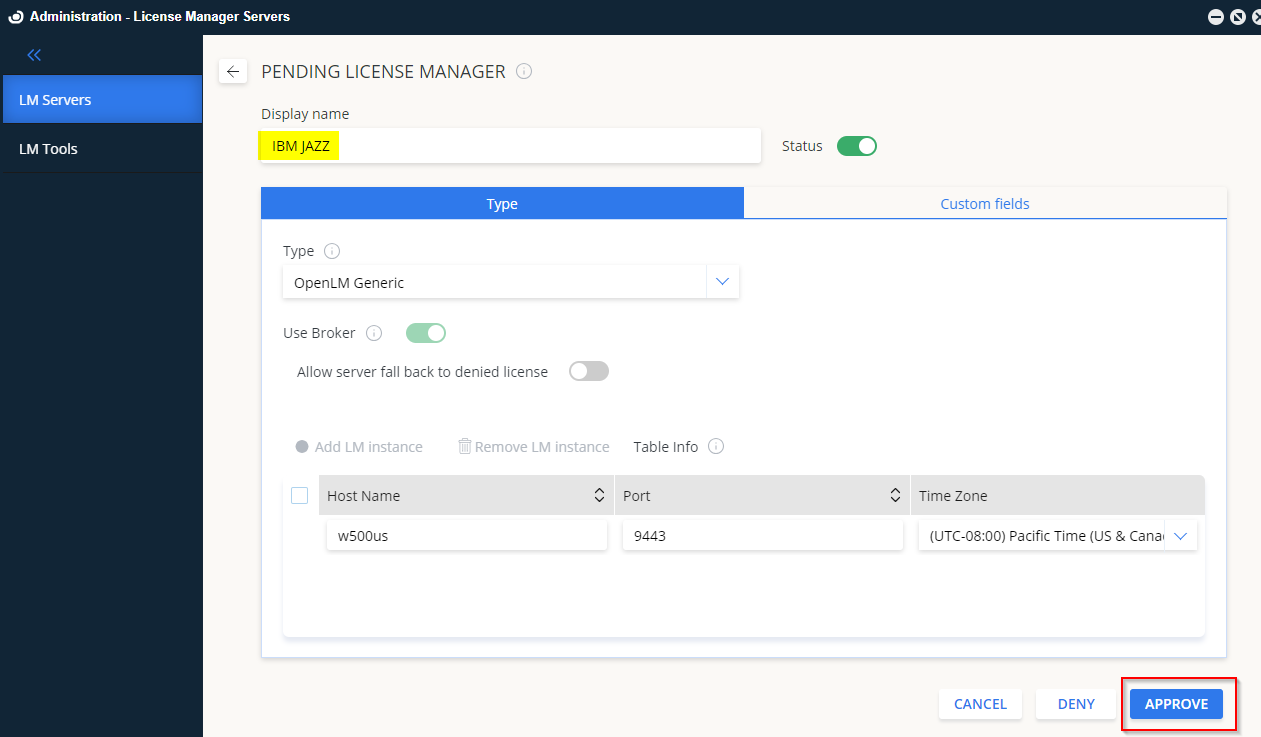
Update the display name and approve.
After approval, the license manager appears in the License Manager > Servers screen as OpenLM Generic.

The license manager appears as OpenLM Generic.