OpenLM usability report files
General
OpenLM deals with pieces of license usage information that originate from multiple sources, and may prove contradictory to each other. OpenLM reconciles such contradictions to present valid license usage reports.
Usability reports
In the event that such a contradiction is encountered, a usability report file will be created, and the EasyAdmin User Interface web application will present it as a system message (envelope icon), as shown in the following image.
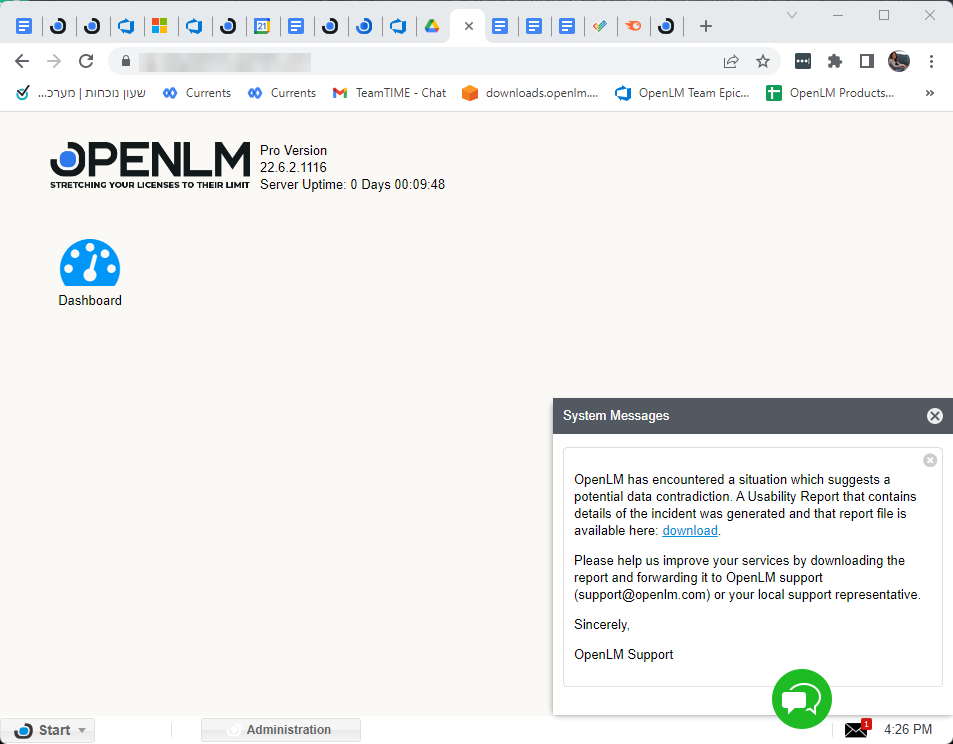
The user will be prompted to download the report and send it by mail to the OpenLM support team, at support@openlm.com
Usability report files will be saved in the download folder as zip files, and their name will contain the day of week; for example, usability_report_sunday.zip.
The system notification (envelope icon) indication will persist as long as zipped usability report files exist in the download folder.
What to do when you get a usability report
A usability report means that the license server reported figures for a feature that OpenLM can't reconcile. For example, more licenses are in use than the server's total, or the in-use count doesn't match the open sessions. For that polling cycle, OpenLM keeps the license server's figures and drops the feature's sessions, so the feature's usage can have a gap.
- Download the report from the system message (envelope icon) and open the zip file.
MemoryData.jsonlists each incident with the feature, its sessions, and their users and hosts.LicenseOutput_OutputStream.jsonholds the raw license manager output. - Compare that output with the license manager's own status for the feature. A common cause is a stale session that the license server still reports. Restarting the license manager clears it.
- If reports keep coming back, send the zip file to OpenLM Support (support@openlm.com).
Files policies
The OpenLM SLM implements the following policy on the downloaded usability report files:
- Usability report files will be kept in the folder for 3 days.
- There will be no more than 2 reports downloaded per day.
- The size of zipped files are not expected to exceed a few Megabytes.
In case the EasyAdmin user selects to designate a folder other than the default for downloading usability report files, they would need to ensure the OpenLM Server service possesses the appropriate access permissions to the said folder.
Email notification
Administrators may be notified regarding the existence of report files to be downloaded through email. The email account for such notifications is set up in the EasyAdmin User Interface Start → Administration → Email window, as depicted below.

The documentation team might draft this page using a large language model. A technical writer reviews every page and verifies it against the product before publishing it. A human makes the final decision.