Logs Uploader
The logs uploader is what we call the "Manual" method of interfacing with a Flexlm license manager. The license manager files must be uploaded manually to the EasyAdmin User interface.
Make sure to have the necessary admin roles for this procedure.
Configuration
-
Navigate to the EasyAdmin User Interface:
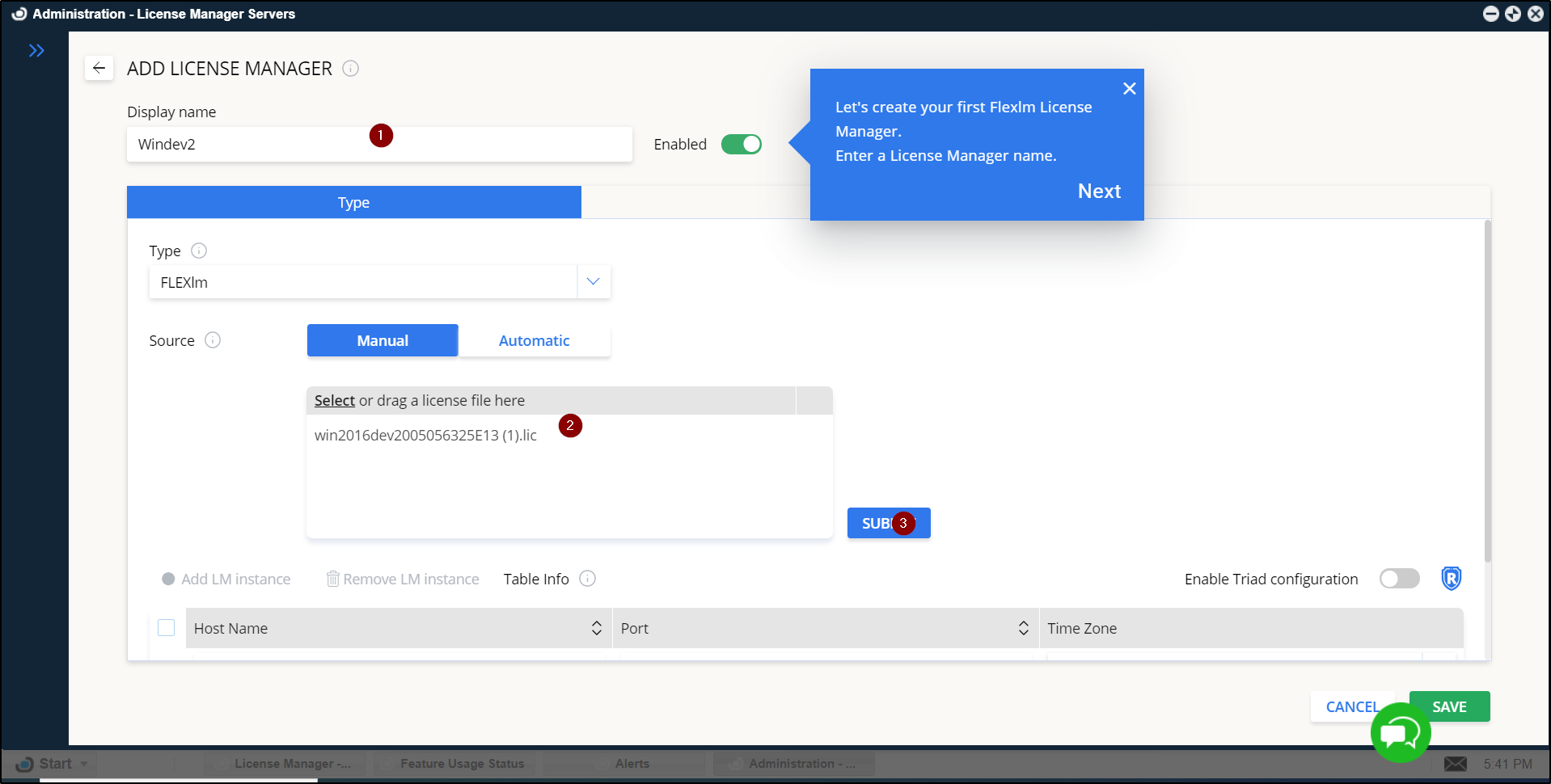
- Go to Start → Administration → License Manager Servers → Add LM.
-
Set Up License Manager Details:
- Unique Name: Enter a unique name to identify the License Manager. (1)
- License File: Drag and drop the license file into the designated area. (2)
-
Submit the License File:
- Select [Submit]. (3)
-
Configure Connection Settings:
- Port Number: Define the port number for the License Manager. (4)
- Time Zone: Select the appropriate time zone for the License Manager. (5)
-
Select [Save] to finalize the setup.

-
The next step is to upload the debug log. To do so, select on the Cloud Icon on the upper right side:
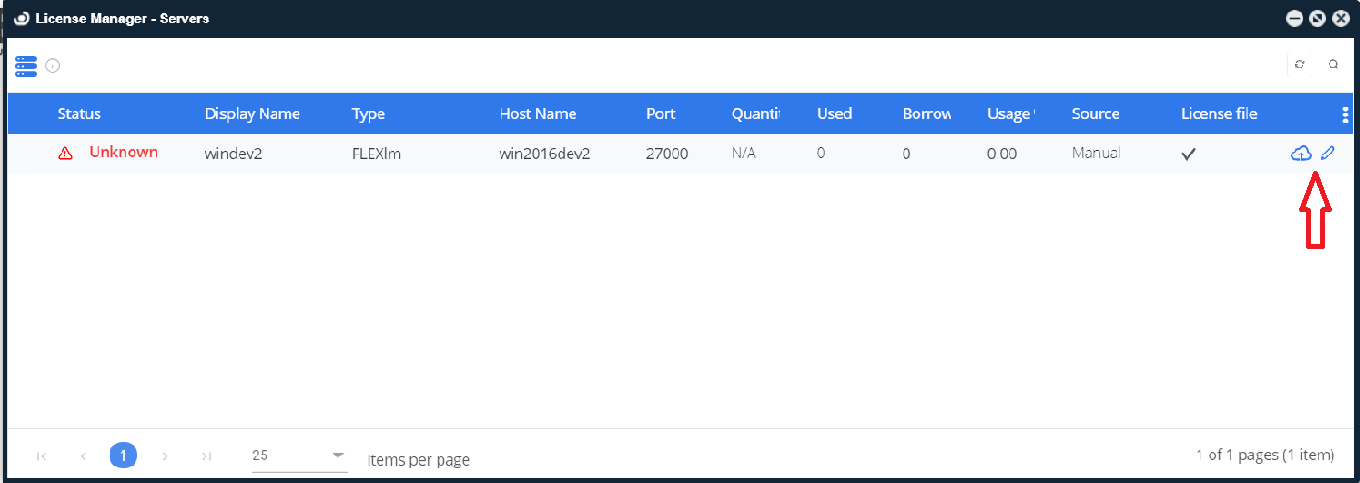
Figure 2: Debug log upload icon
-
Drag and drop the debug log, then select [Upload].
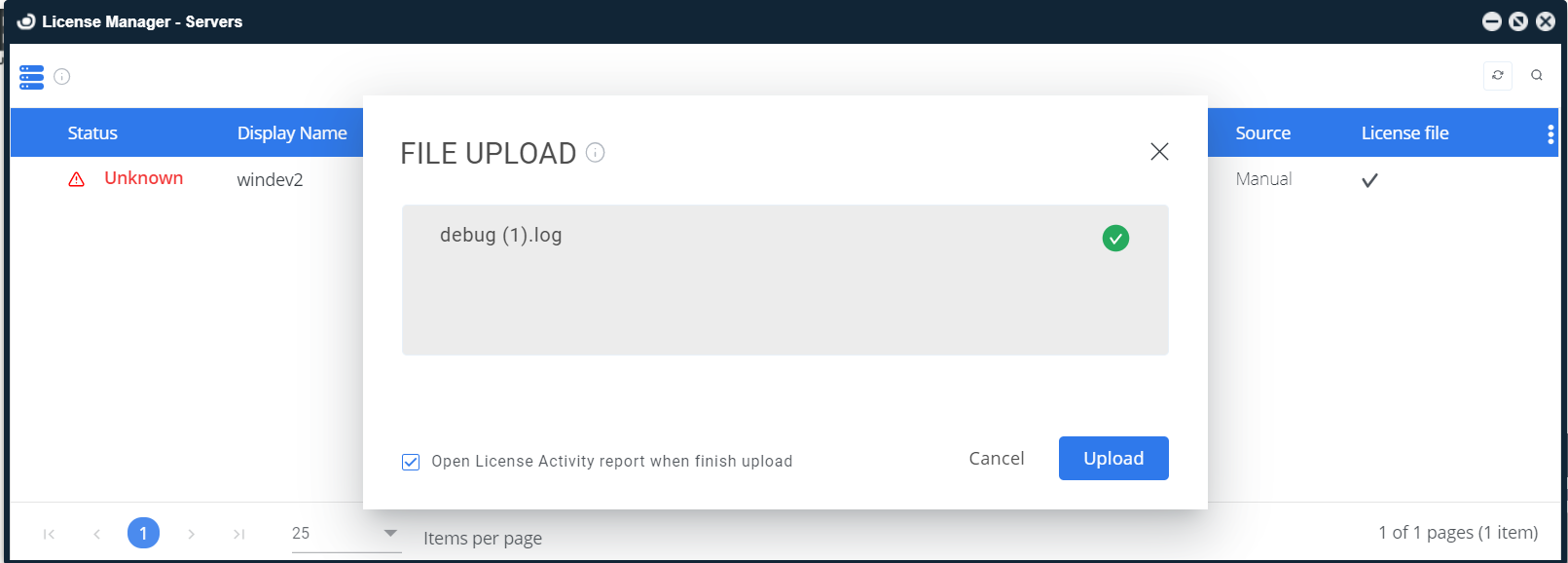
Figure 3: Drag and drop the debug log prompt
-
Then, the licensing data will be displayed in various OpenLM reports, such as License Activity.
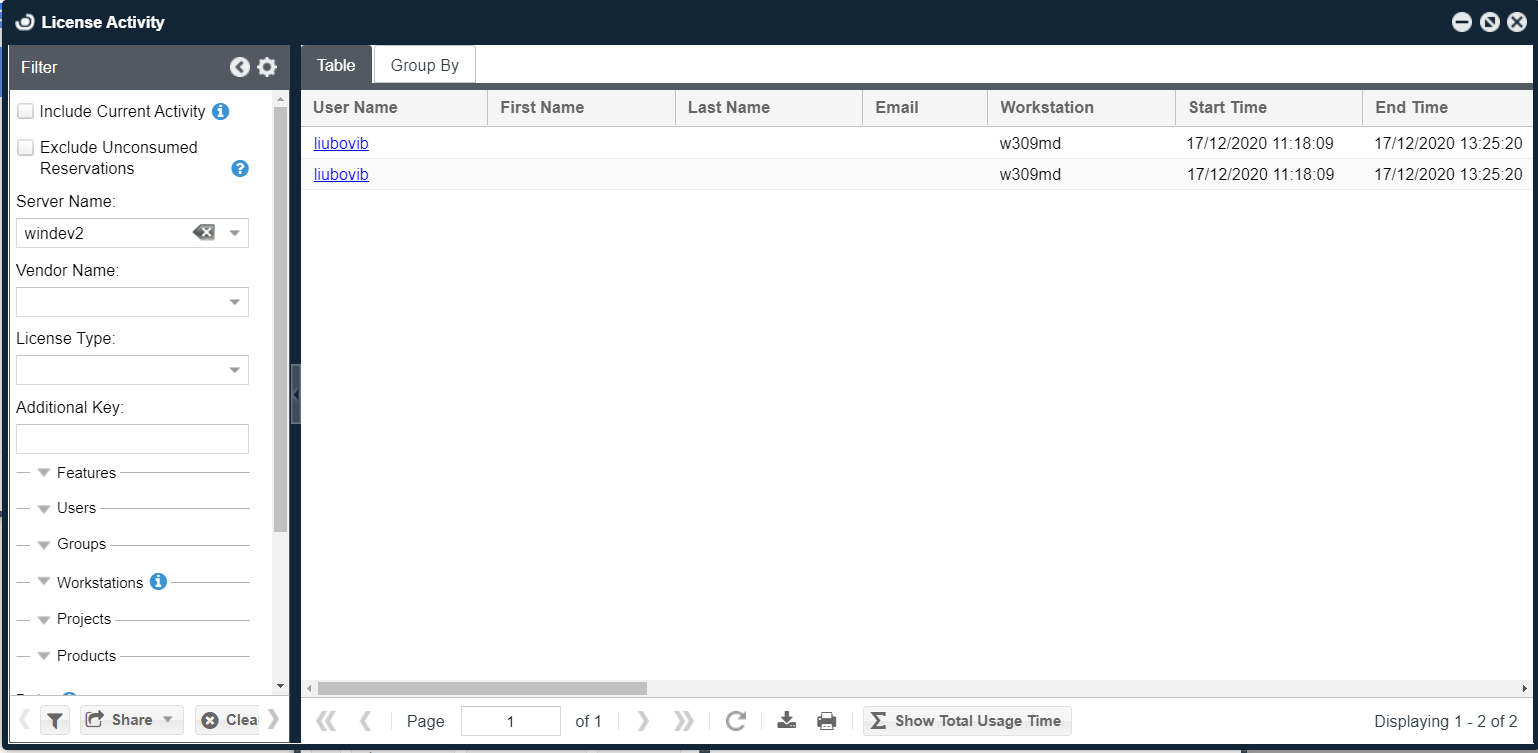
Figure 4: License activity window