Configuring threshold alerts in Amazon Quick Suite
Use Amazon Quick Suite threshold alerts to monitor business metrics on published dashboards. Amazon Quick Suite sends alert emails after the dataset refresh evaluates the rule.
Who can create alerts
The alert belongs to the signed-in user account. Readers, authors, and admins can create their own alerts if they can open the published dashboard.
Supported visual types
You can create threshold alerts on these visual types:
- KPI visuals
- Gauge charts
- Tables
- Pivot tables
Create alerts from a published dashboard. Amazon Quick Suite does not support threshold alerts in analysis mode.
Create an alert
Step 1: Open the published dashboard
Open the published dashboard that contains the metric that you want to monitor.
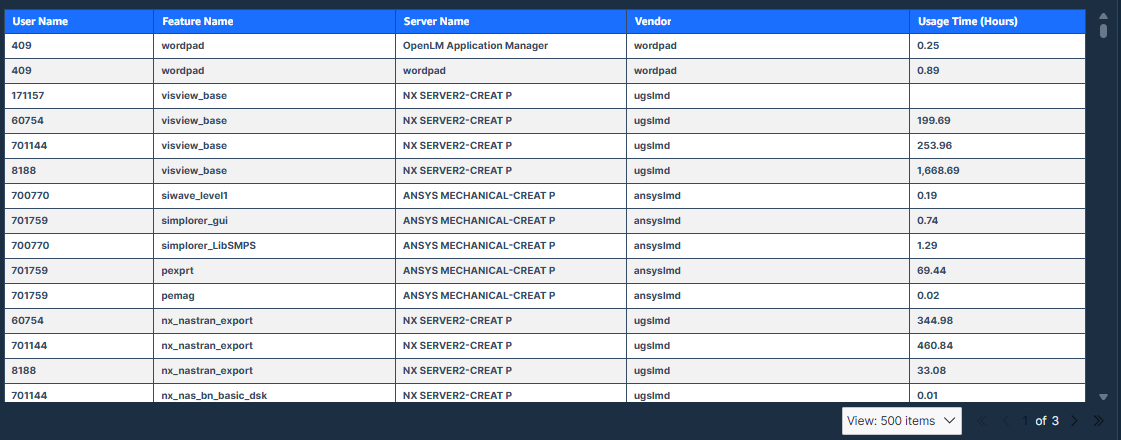
Step 2: Select the target numeric value
Select the numeric value that you want to monitor. Select the value cell instead of a text field such as the username or feature name.
Step 3: Open the alert pane
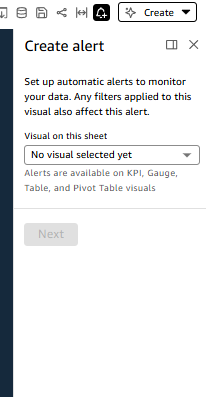
In the action menu, select the bell icon to open the Create alert pane.
Step 4: Configure the rule
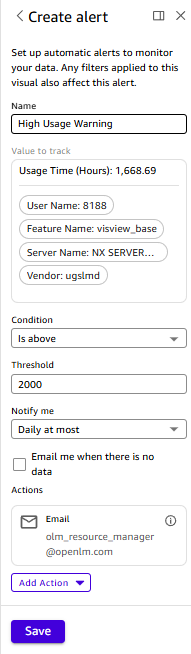
In the alert pane:
- Enter an alert name.
- Verify the metric in Value to track.
- Select a condition:
- Higher than the threshold
- Lower than the threshold
- Equal to the threshold
- Enter the threshold value.
- Optional: Select the missing data option to receive an email when the dataset returns no value.
Step 5: Select the schedule and save
In the same pane, select how often Amazon Quick Suite evaluates the alert:
- As frequently as possible
- Daily
- Weekly
Then save the alert.
Example
To monitor Usage Time (Hours) for a specific user, select the numeric cell in the table instead of the username or feature name cell.
Alert behavior
- Alerts are personal to the signed-in Amazon Quick Suite account.
- Amazon Quick Suite sends the notification to the email address associated with that account.
- The alert tracks the value displayed in the selected visual.
Amazon Quick Suite does not evaluate alerts in real time. It checks the rule after the dataset refresh. If the dataset refresh runs each morning, the alert email arrives after that refresh when the value crosses the threshold.
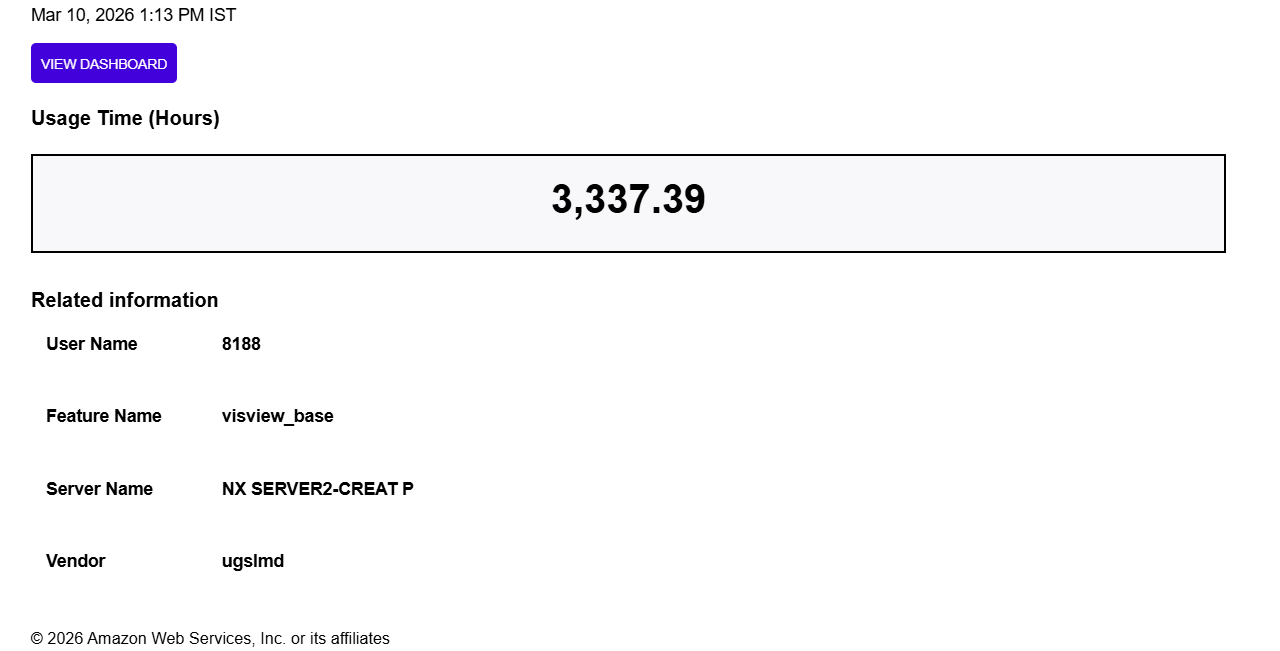
Example email notification
The email notification includes the current metric value and the related dimension values from the visual.