Agent Activity Manager
Overview
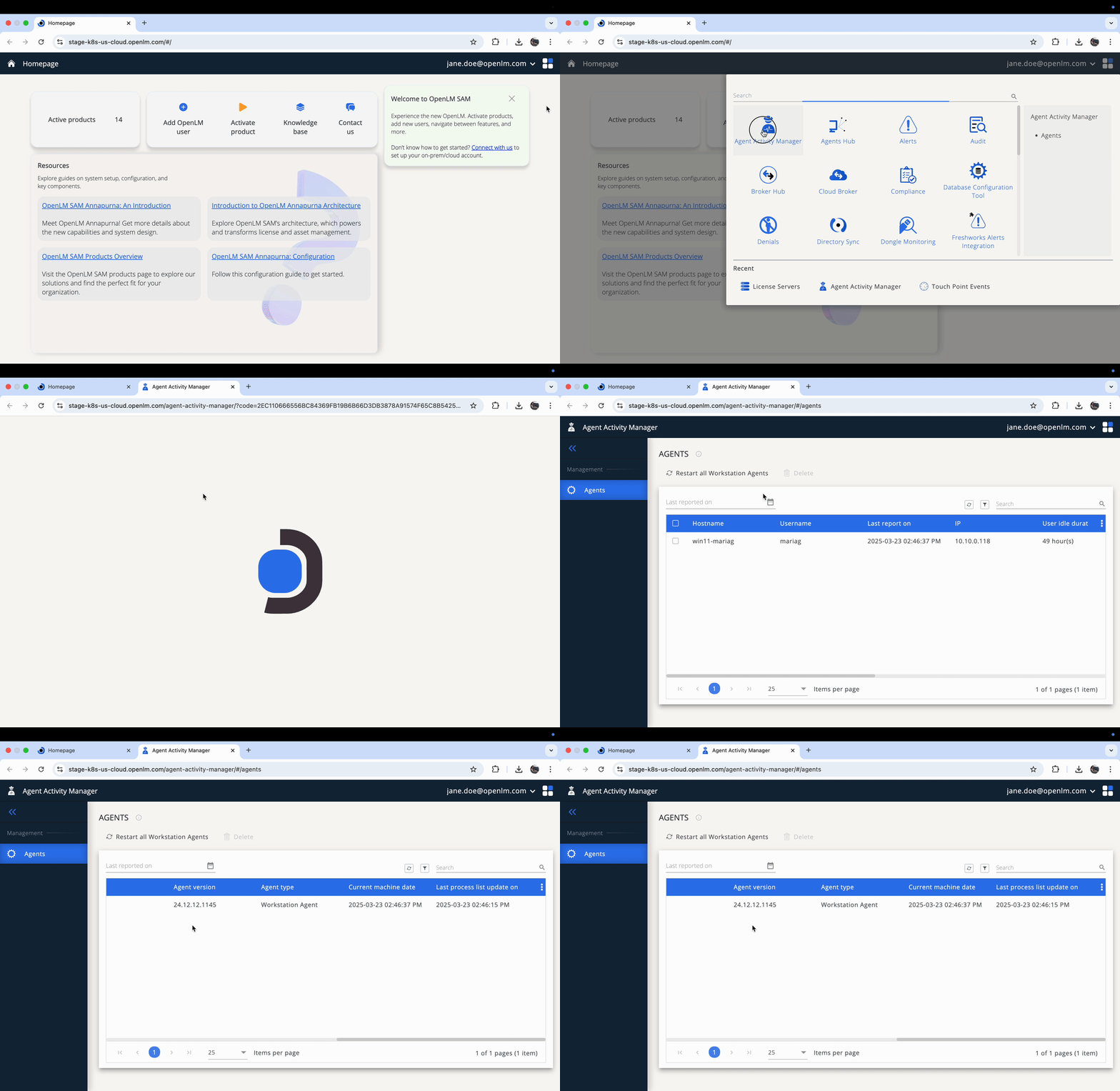
Use Agent Activity Manager to monitor connected Workstation Agents on end-user devices. Restart agents remotely and remove any that are obsolete or no longer needed.
Prerequisites
- Install and connect at least 1 Workstation Agent.
Install and connect Workstation Agents
Follow these steps to install Workstation Agent and connect it to your system:
- Prepare the end-user workstation according to system requirements (url tbd).
- Download Workstation Agent from the OpenLM Downloads page.
- Run Workstation Agent installers and accept the License Agreement, then select Next.
- Select extensions relevant to your installed applications (leave unchecked if none apply), then select Next.
- Select an installation path or keep the default (recommended), then select Next.
- Select your deployment type (Cloud or On-Premise), then select Next.
For both Cloud and On-Premise deployments:
- Select whether to allow end-users to access their Personal Dashboard (such as the license repository), then select Next.
For On-Premise deployments only:
- Select whether to activate Dongle Monitoring, then select Next.
- Enter your system's Fully Qualified Domain Name (FQDN) followed by
/agents-hubin the host name field, and ensure connectivity through Port 443.
For both Cloud and On-Premise deployments:
- Import the Agent Authorization File issued from Identity, then select Next.
- Select Finish to complete installation.
Prepare the agent authorization file
Your system uses OAuth authentication and requires each component to authenticate before connecting:
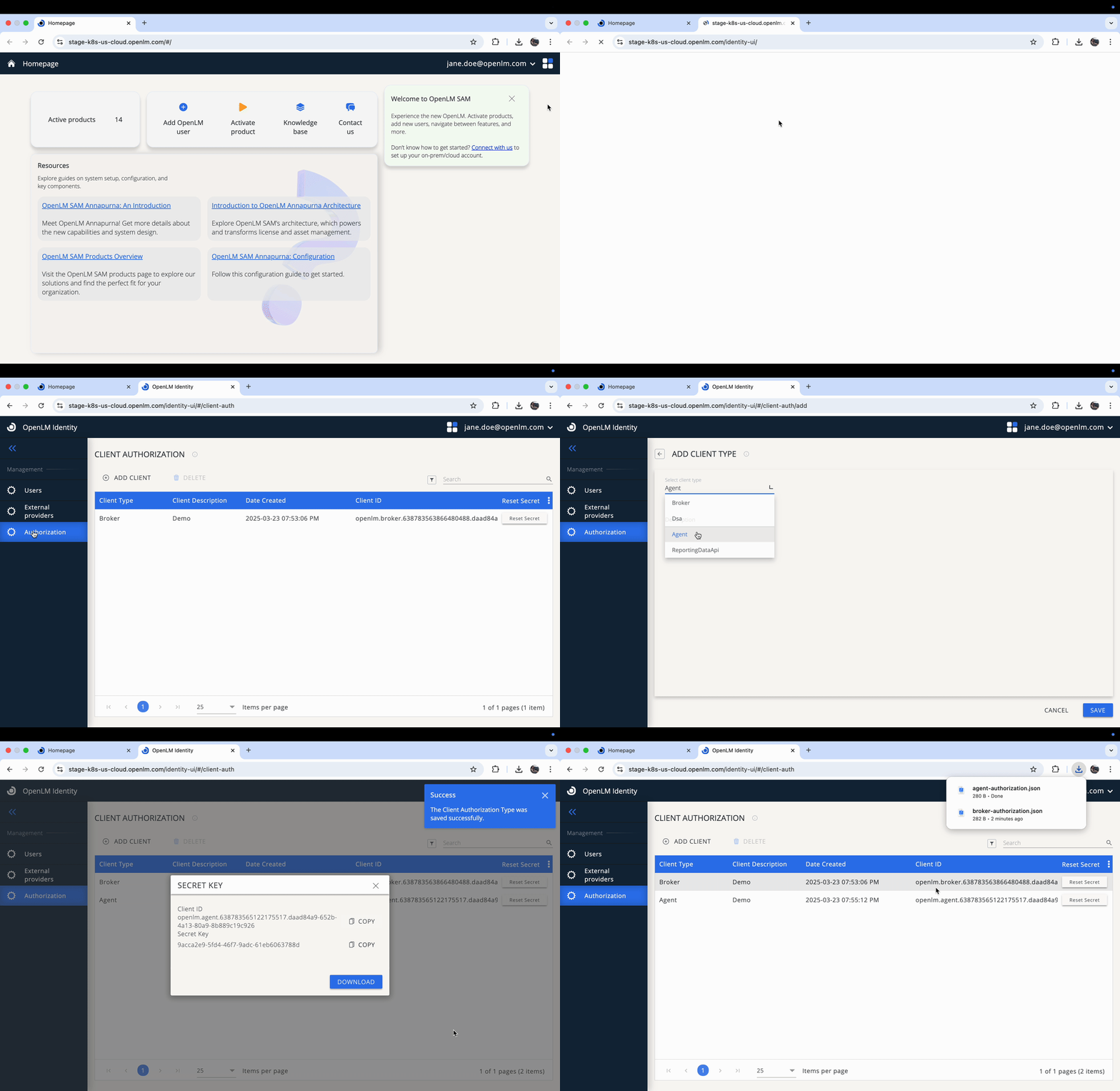
- On the Home Page, select Identity.
- Select Add Client, then select Agent as the client type.
- Select Save, then download the generated Agent Authorization File.
Manage connected Workstation Agents
After the Workstation Agents installation, you can:
- View information for all connected agents, including:
- Host Name
- User Name
- IP Address
- Agent Version
- Monitor the online/offline status of each agent.
- Remotely restart agents.
- Delete obsolete or unnecessary agents.