EasyCopy
Scope
OpenLM is a license management and monitoring system for a wide variety of network license types, such as Flexera FLEXnet Publisher (FLEXlm) and Sentinel RMS.
EasyCopy provides graphic solutions for engineering, geoscience, and life sciences. OpenLM is an EasyCopy business partner.
This article explains how to configure OpenLM to monitor the EasyCopy License Manager and generate license usage reports. This capability is available for EasyCopy version 8.7.12 and later.
Requirements
-
OpenLM Platform
-
OpenLM Broker v25.x or higher installed on the same machine as EasyCopy, and approve it in Broker Hub.
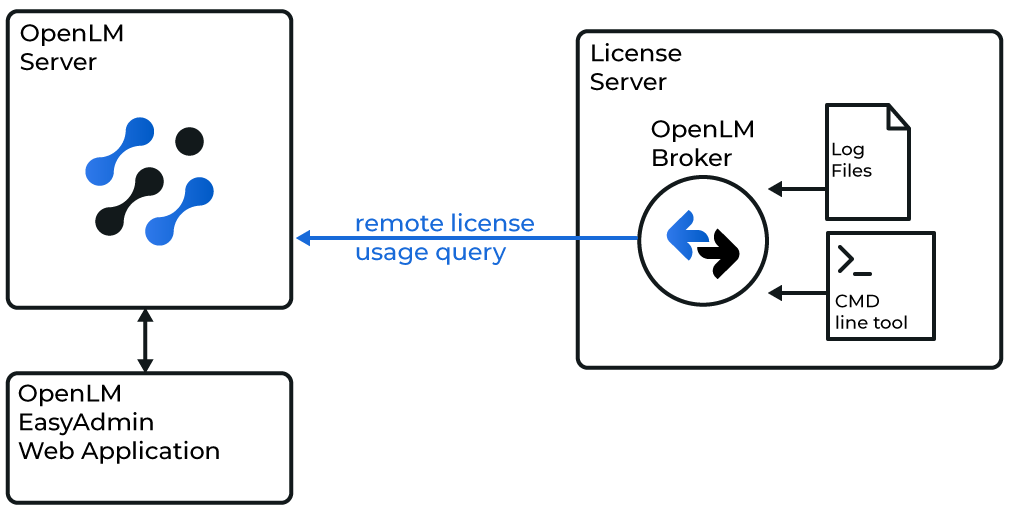
Configuring via Broker UI
-
Open Broker UI at http://localhost:5090/.
-
Go to License Managers -> Add License Manager.
-
Click Add License Manager. From the LM type list, select OpenLM Generic. Enter the port (for example, 123) and click Add.
-
In the Commands tab, enter the path to eclic.exe openlm. Click Execute to verify output.
-
In the Vendors tab, click Add Vendor and enter EasyCopy.
-
Click Save.
Configure OpenLM Platform
-
Log in to OpenLM Platform.
-
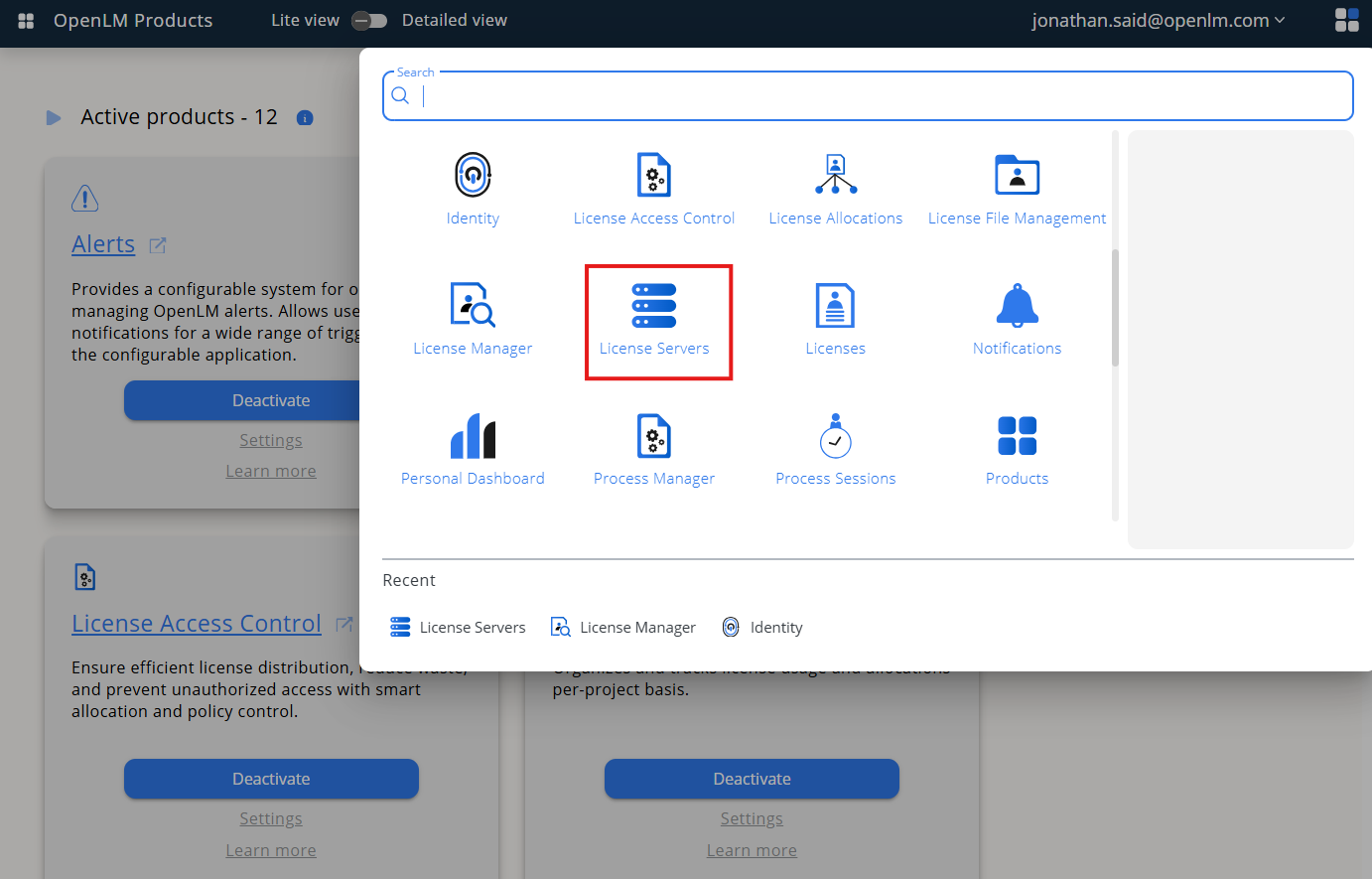
From Menu, go to License Servers.
-
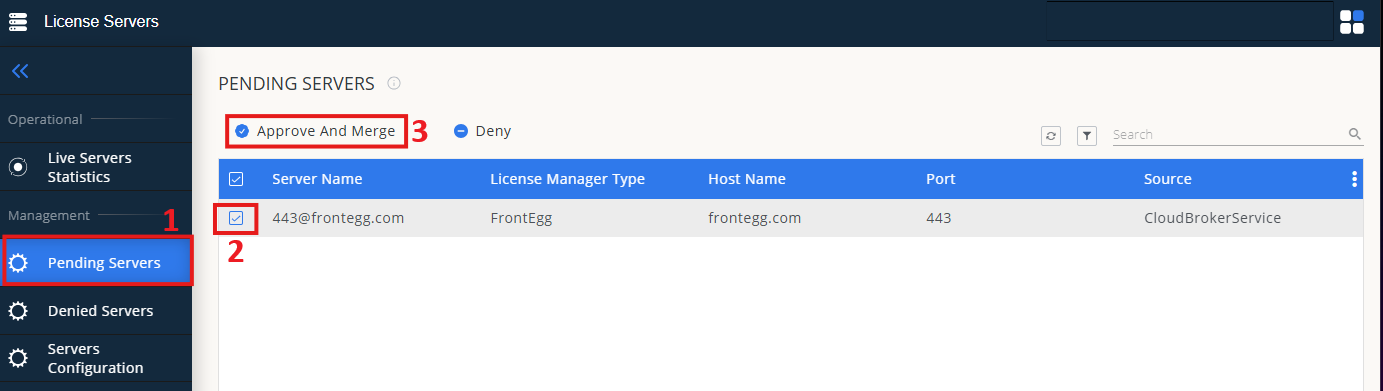
On left menu, select Pending Server
-
On the list, select the EasyCopy license manager and click on Approve and Merge
-
In OpenLM Web Interface -> Menu -> License Servers Live -> Server Statistics.
-
Ensure EasyCopy appears in the list with a green status indicator.
Note: It can take up to 3 minutes for the status to update for new connections.