Flexnet Embedded (FNE)
This guide explains how to configure OpenLM to monitor a FlexNet Embedded license manager and collect usage statistics.
How it works
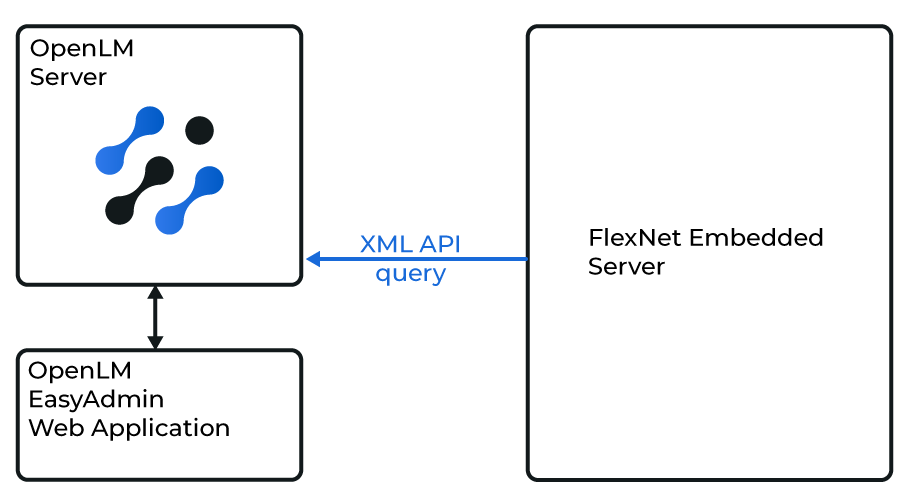
OpenLM Server queries the FlexNet Embedded server's XML API to retrieve license usage and statistics. The data is aggregated and displayed in OpenLM Web Interface reports. For more details, see What is FlexNet Embedded?.
Requirements
- OpenLM Platform
- OpenLM Broker v25.x or higher installed on the same machine as Flexnet Embedded, and approve it in Broker Hub.
Configuring via Broker UI
-
Open Broker UI at http://localhost:5090/.
-
Go to License Managers -> Add License Manager.
-
Select Flexnet Embedded, enter the port number, and click Add.
-
Fill in the fields:
- Type: FlexNet Embedded
- Description: recognizable name (e.g., FlexNet Embedded server)
- Time zone: match the license server's location
- Hostname: server hostname or IP
- Port: see instructions below
- Vendor name: e.g., Avid, NVIDIA
-
Click Test to verify.
-
Click Apply, then Save.
Configure OpenLM Platform
-
Log in to OpenLM Platform.
-
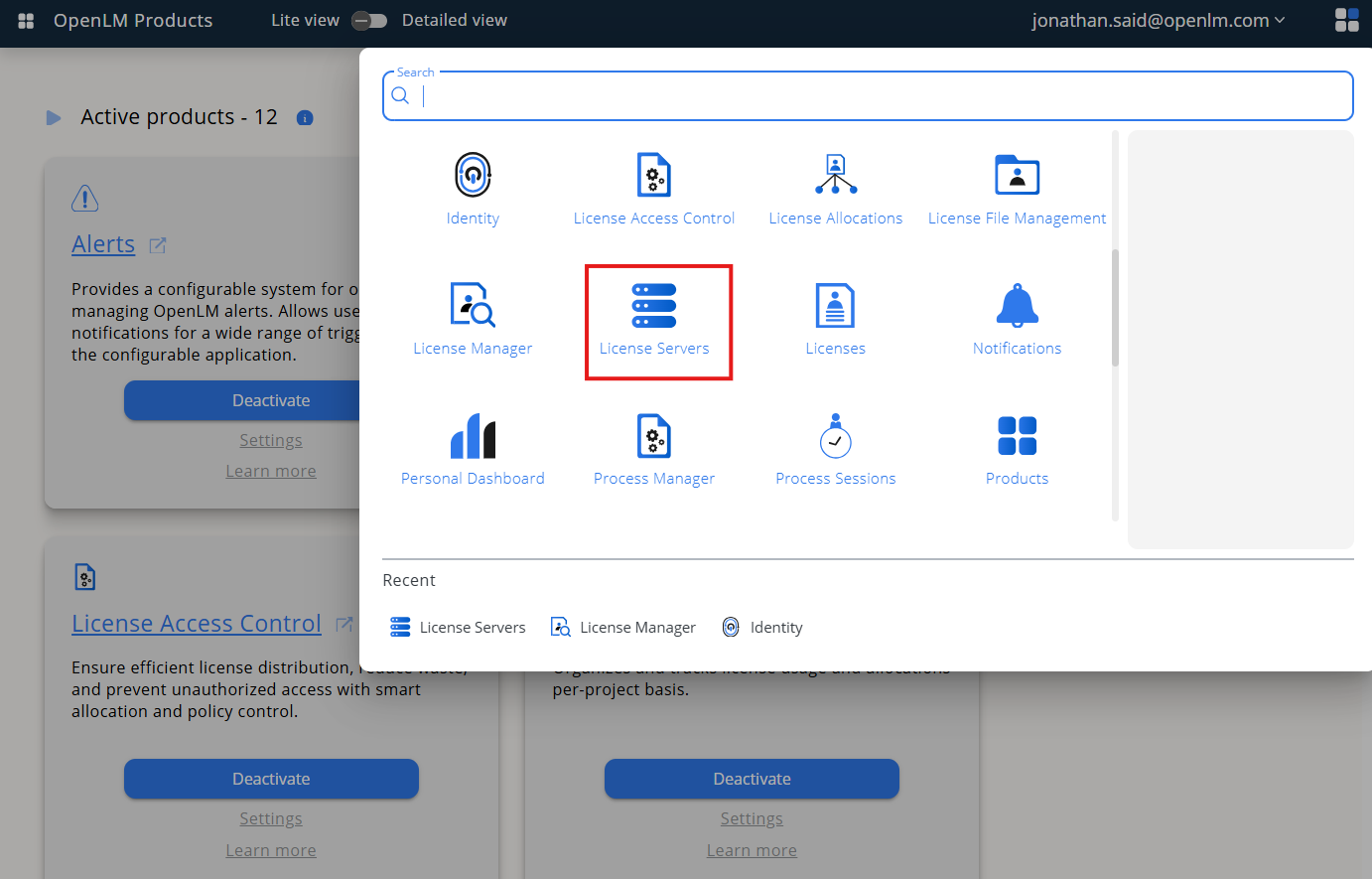
From Menu, go to License Servers.
-
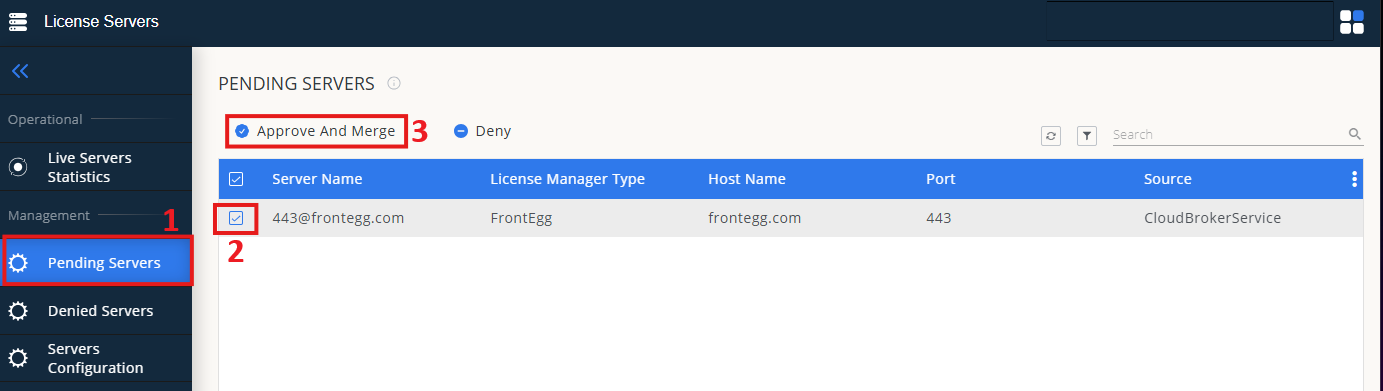
On left menu, select Pending Server
-
On the list, select the FlexLM license manager and click on Approve and Merge
-
In OpenLM Web Interface -> Menu -> License Servers Live -> Server Statistics.
-
Ensure AEScripts appears in the list with a green status indicator.
Note: It can take up to 3 minutes for the status to update for new connections.