OpenText (Spicer)
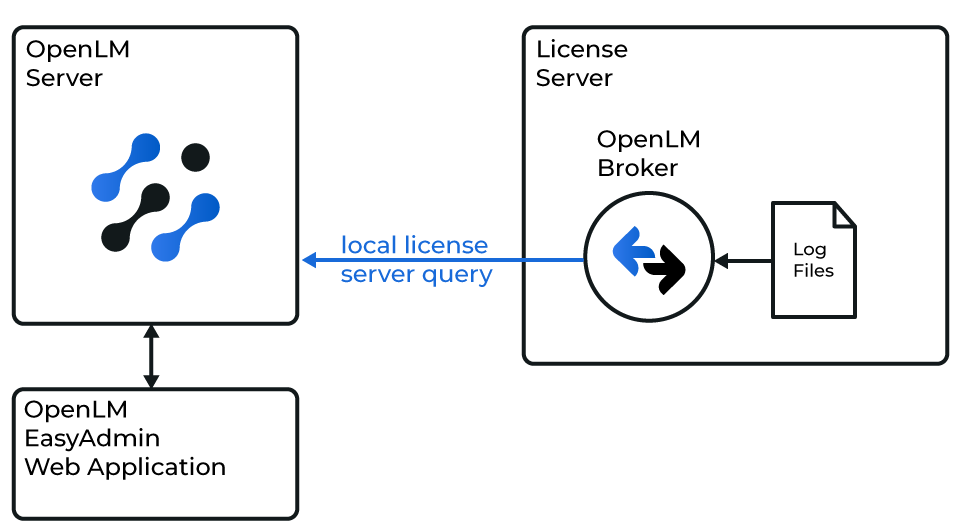
OpenLM can interface with OpenText to monitor license usage and obtain statistics. This guide is based on integration with OpenLM Broker v4.8.8 or higher. For older Broker versions using the EventLog Monitor tool, see this KB.
Requirements
- OpenLM Platform
- OpenLM Broker v25.x or higher installed on the same machine as OpenText, and approve it in Broker Hub.
Monitoring capabilities and features
| Item | Value |
|---|---|
| Report resolution | By second |
| License totals | Yes |
| License usage | Yes |
| Denials reporting | Yes |
| Borrowed license reporting | No |
| Expiration date reporting | Yes |
| Multiple server redundancy | No |
Using Broker also allows buffered communication and remote start/stop of the license manager service.
Configuring via Broker UI
-
Open Broker UI at http://localhost:5090/.
-
Go to License Managers -> Add License Manager.
-
In License Manager Type, select OpenText. Click Apply.
-
In Vendors, enter the name you want shown in reports (e.g., OpenText).
-
In Log Files, click Add Log File and browse to the OpenText log file path (e.g., C:\OpenText\ImgLM_######.txt).
-
Click Advanced and enable Watch Files by Pattern.
-
Click Apply.
-
Open the opentext@PORT.properties file in the Broker installation folder and adjust settings:
-
monitored.log.next: newest (default) or newer for testing.
-
date.format: default MM/dd/yyyy HH:mm:ss.
-
opentext.feature.name: feature to monitor (e.g., OpenText Desktop Viewer).
-
total.<FeatureName>: total licenses for that feature (e.g., total. OpenText Desktop Viewer=10).
-
-
Save changes and Restart Broker.
Configure OpenLM Platform
-
Log in to OpenLM Platform.
-
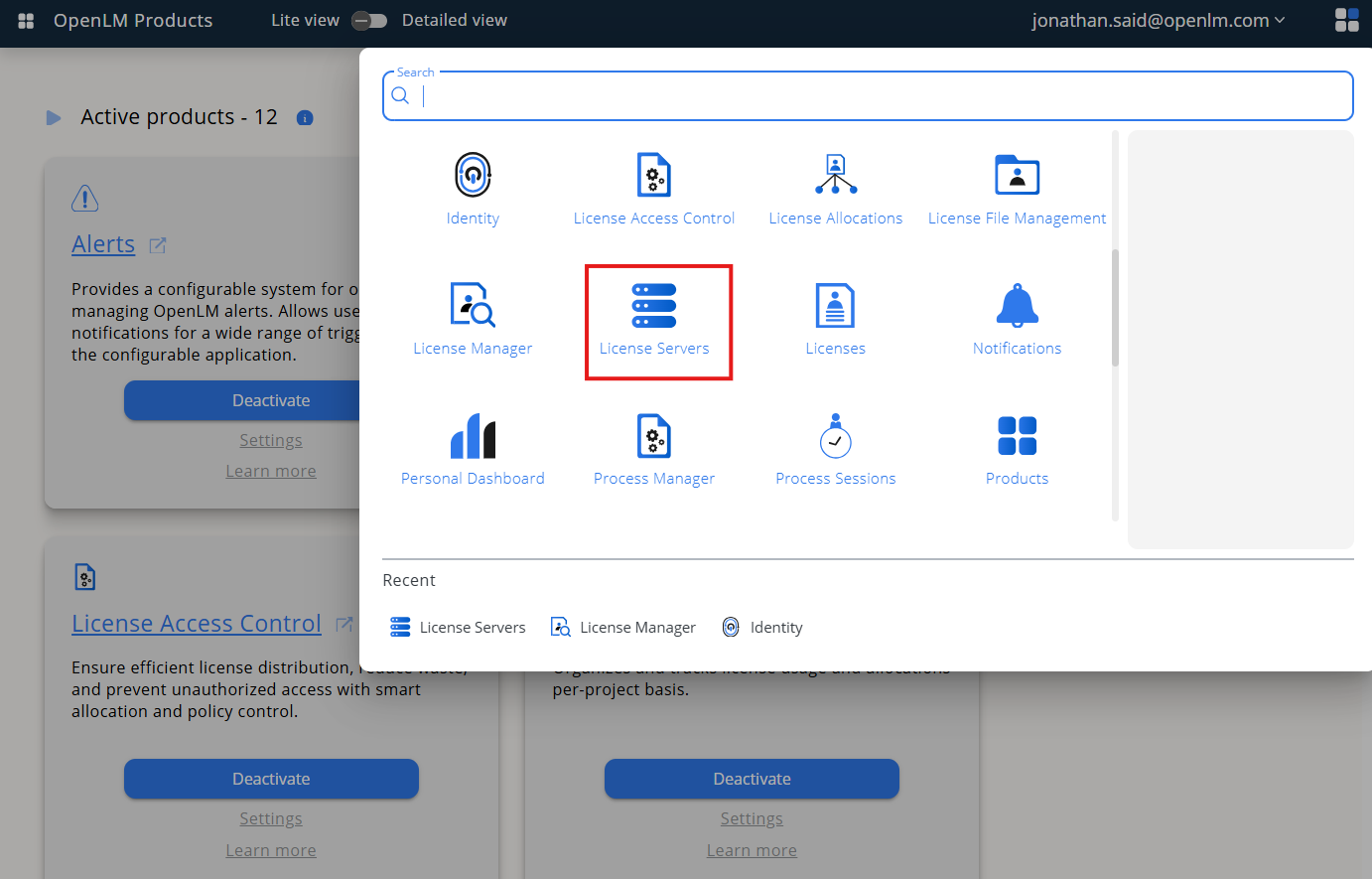
From Menu, go to License Servers.
-
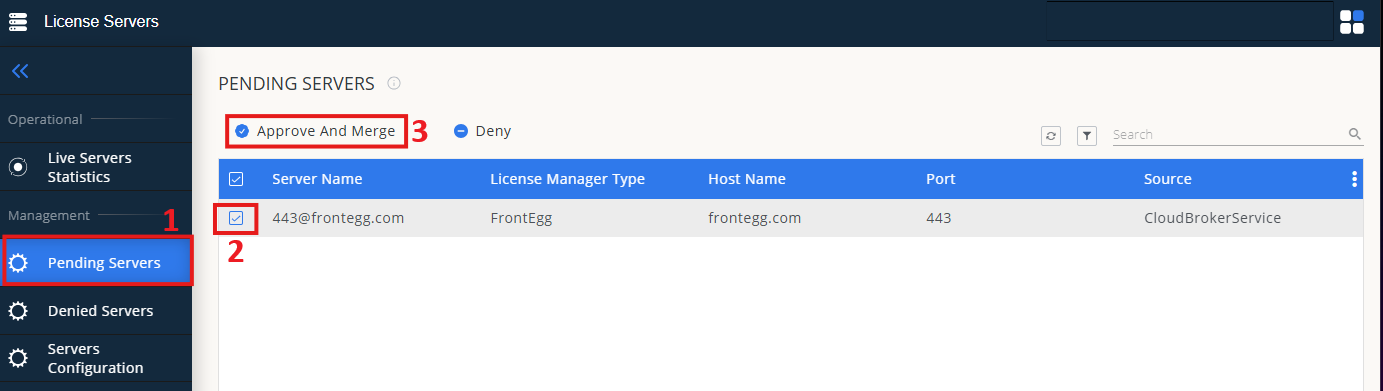
On left menu, select Pending Server
-
On the list, select the Oracle Enterprise Manager license manager and click on Approve and Merge
-
In OpenLM Web Interface -> Menu -> License Servers Live -> Server Statistics.
-
Ensure Oracle Enterprise Manager appears in the list with a green status indicator.
Note: It can take up to 3 minutes for the status to update for new connections.