Introducing OpenLM Analytics
Granular. Proactive. Real-time.
Delivering impact at every scale
See our partners in growth, trusted by leading innovators​


Seamless BI Integration—Access your data your way
View and analyze your OpenLM reports in the Business Intelligence (BI) tool of your choice. OpenLM Analytics integrates seamlessly with:
A new era of analytics: Cloud and on-premise
Analytics and Automation Hub (Cloud offering)
Available exclusively for cloud customers, the OpenLM Analytics and Automation Hub replaces the legacy “Reporting Hub.” It is an integrated environment designed to transform high-fidelity data into decisive action.
Note: Our current cloud offering is built on Amazon Quick Suite. Support for Microsoft Power BI is planned as a future capability to provide flexibility for customers in different cloud environments. We will ensure feature parity between the platforms.
Core capabilities

Interactive dashboards
Access a modern, embedded viewing experience.

Conversational AI
Query your data using natural language.

Automated research
Receive AI-generated summaries and trend forecasting.

Workflow automation
Create scheduled reports and trigger actions in external systems based on license events.
Platform technology and equivalency
The Hub relies on market-leading technology to ensure flexibility and performance.
OpenLM package | Amazon Quick Suite license | Microsoft Power BI equivalent | Key capabilities provided |
Viewer | Embedded Viewer | Power BI Embedded | Interactive dashboard viewing. |
Analytics Pro | Professional License | Power BI Pro | Report scheduling, data table export, and dashboard interactivity. |
Analytics Enterprise | Enterprise License | Power BI Premium Per User | Full dashboard authoring, advanced AI QnA, and complex automation. |
Complimentary licenses for Cloud accounts
To ensure a seamless transition from legacy platforms, we provide complimentary ‘Analytics Pro’ licenses based on your monthly subscription value.
Subscription value (monthly) | Complimentary grant |
Below $500 | None (Purchase add-ons as needed) |
$500 – $999 | 1 free ‘Analytics Pro’ license |
$1,000 – $1,999 | 2 free ‘Analytics Pro’ licenses |
$2,000+ | 3 free ‘Analytics Pro’ licenses |
> Note: This grant applies exclusively to ‘Analytics Pro’ licenses. ‘Analytics Enterprise’ licenses are available as a paid add-on.
Â
Pricing and licensing
For all cloud customers, basic interactive dashboard viewing via the Hub is included as part of the core OpenLM Platform subscription.
For users requiring advanced analysis, authoring, and automation, we offer two premium add-on packages:
Add-on package | Target user | Recommended add-on price (USD) |
Analytics Pro | Manager, team lead, power business user | $60 – $90 / User / Month |
Analytics Enterprise | IT admin, data analyst, license manager | $120 – $180 / User / Month |
Fair usage policy
To manage variable costs such as data egress and automation agent hours, complimentary ‘Analytics Pro’ licenses adhere to the following Fair Usage Policy:
- Tier 1 ($500 – $999/mo): Up to 10 Scheduled Reports and 25 Data Exports per month.
- Tier 2 ($1,000 – $1,999/mo): Up to 25 Scheduled Reports and 50 Data Exports per month.
- Tier 3 ($2,000+/mo): Up to 50 Scheduled Reports and 100 Data Exports per month.
Standard Advanced Reporting (On-premise offering)
For on-premise customers, we offer OpenLM Standard Advanced Reporting. Powered by Apache Superset, this solution addresses virtually all reporting requirements for on-premise deployments without the complexity of cloud-native AI features.
Capabilities
ncludes our complete suite of pre-built, interactive dashboards and replaces the export/scheduling functionality previously provided by V25 EasyAdmin.

Pricing
Included with your subscription.

Upsell path
Customers requiring AI-powered analytics and automation can discuss migration to the OpenLM Cloud Platform to unlock the Analytics and Automation Hub.
OpenLM Reports explained
Executive Summary
This report provides an overview of the entire dashboard.Â
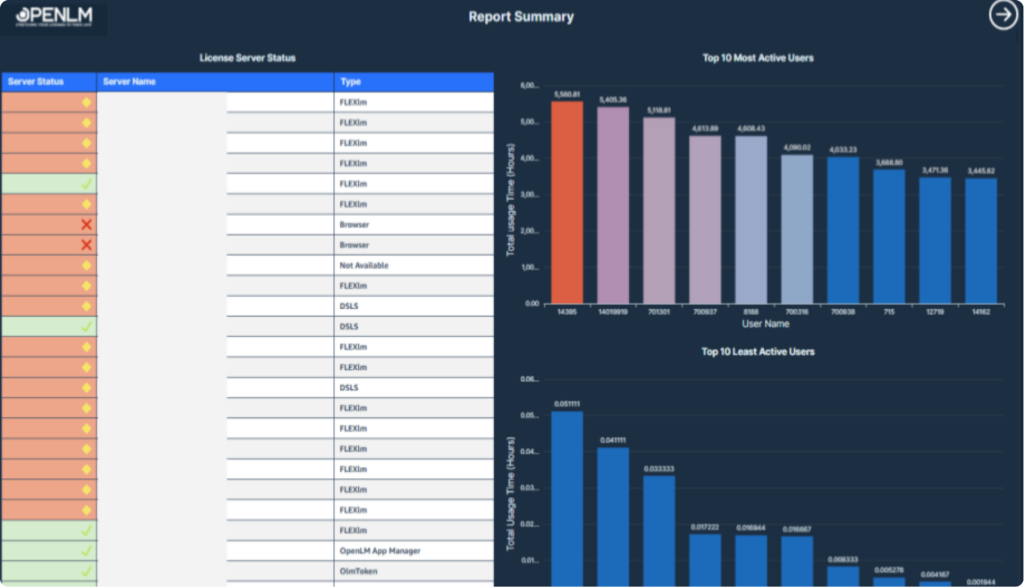
The Top 10 Report page provides a comprehensive overview of the most and least utilized features, users, products, and vendors, along with key insights into usage patterns and license denials.
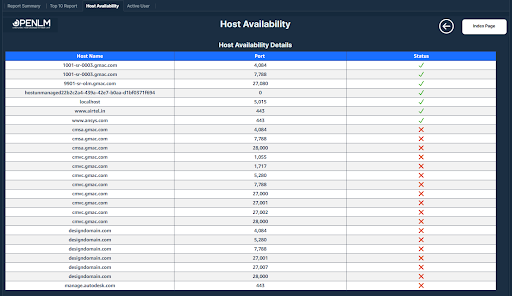
Host availability overview showing server name, port, and real-time status with green for available and red for unavailable hosts.
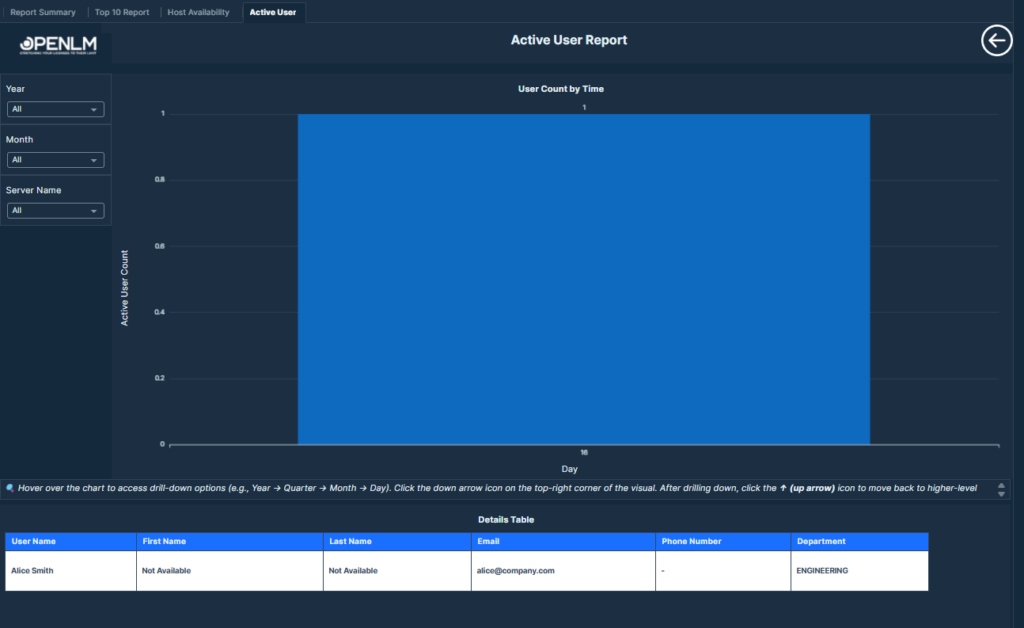
Active User Report showing time-wise active user count and detailed user session data for license usage monitoring and analysis.
License Management
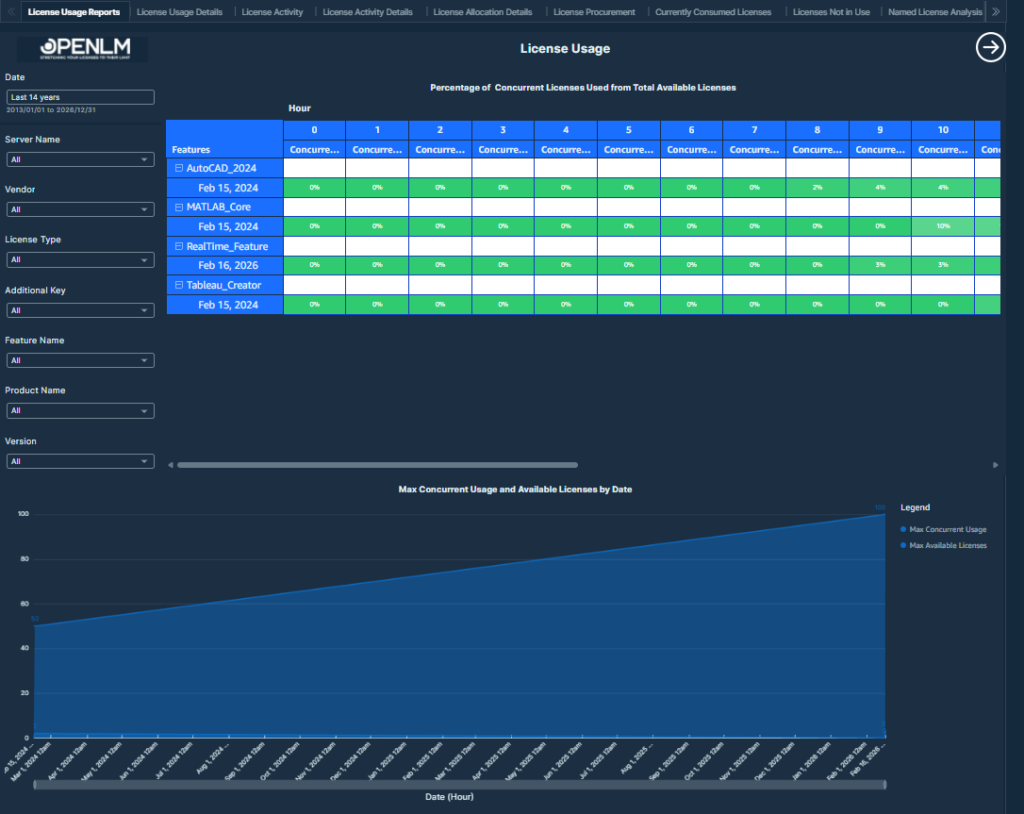
This table displays the feature-wise maximum concurrent license usage and as a percentage of total available licenses, with drill-down capability to assess license utilization efficiency.
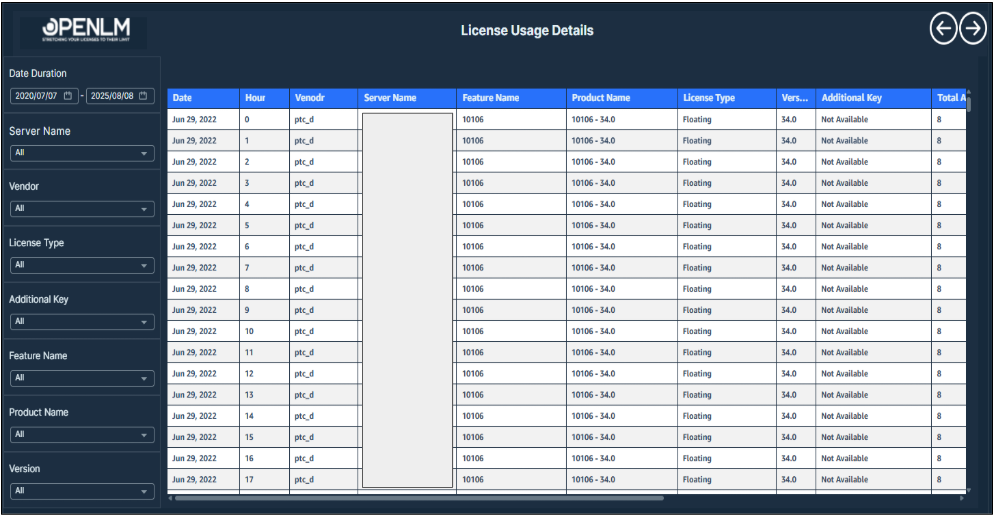
This report provides a table-formatted concurrent usage overview of a specific feature from the License Usage Report.
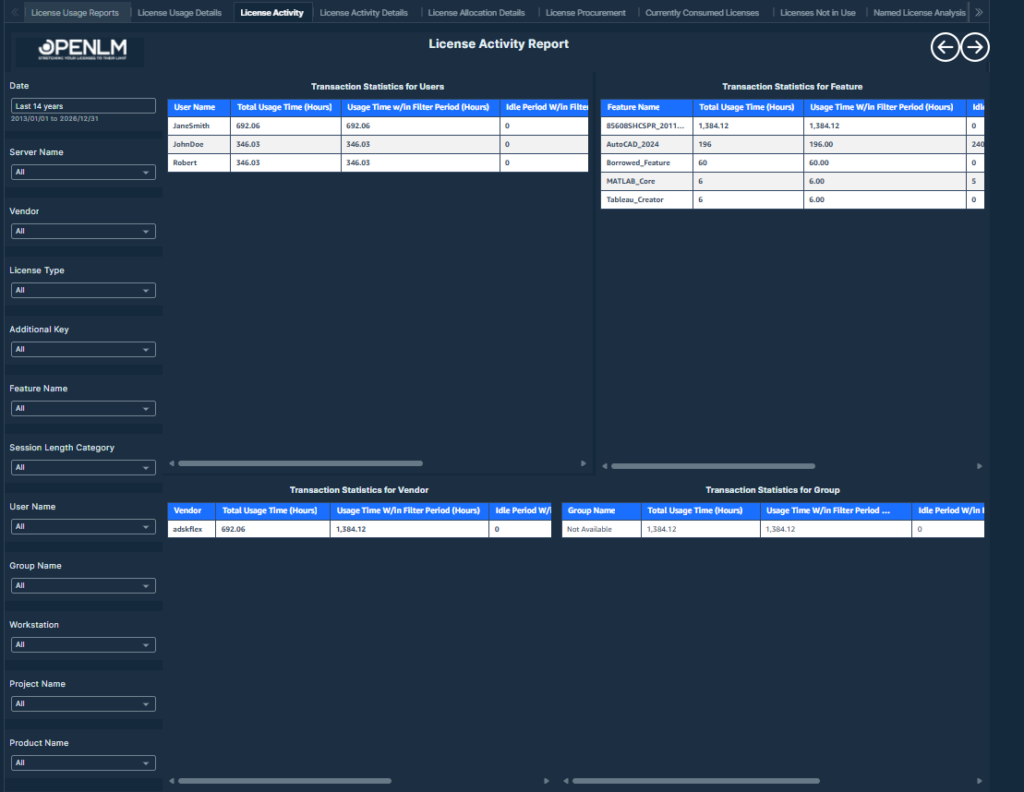
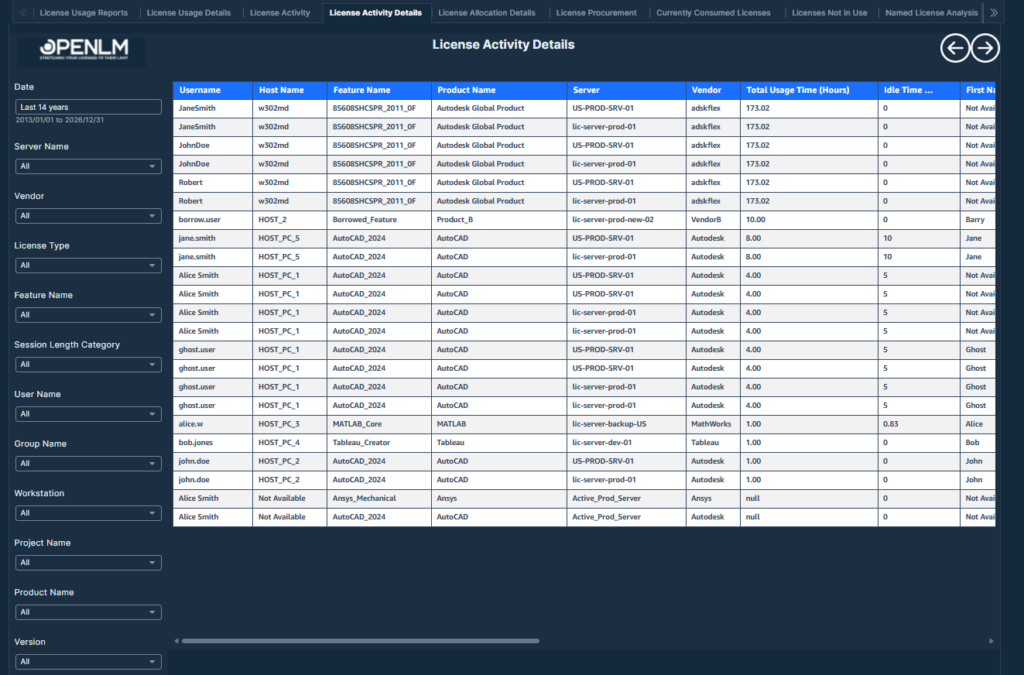
Displays detailed session data showing total usage (with and without filter period), idle time, and actual usage time (in hours) for each grouped user or session, helping analyze efficiency and utilization trends.
This report includes several visualizations depicting various aspects of license usage.
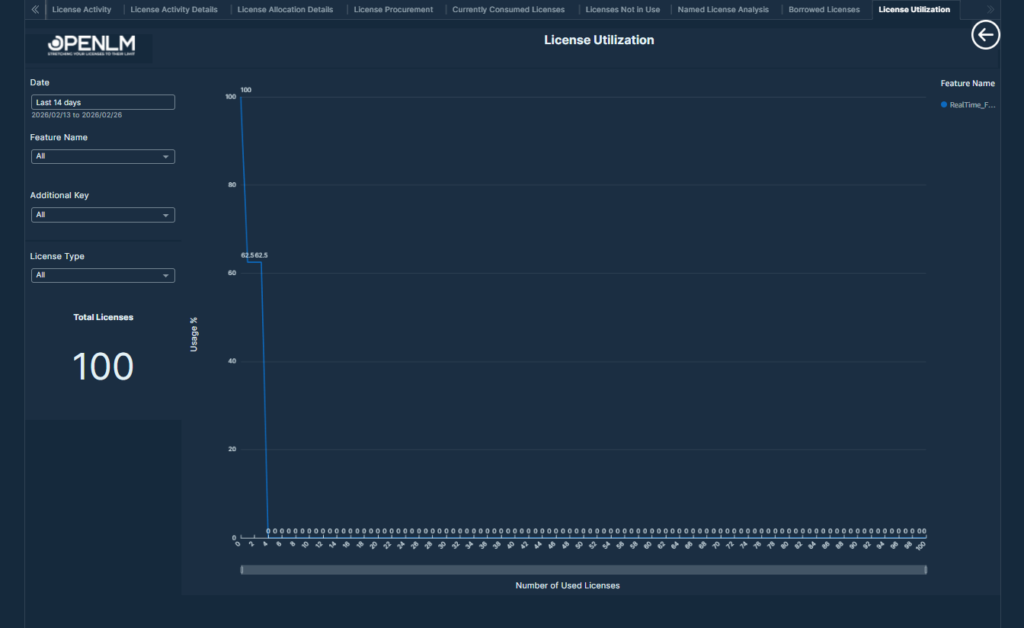
License Utilization Insight report showing required vs. purchased licenses to ensure service quality and optimize license procurement.
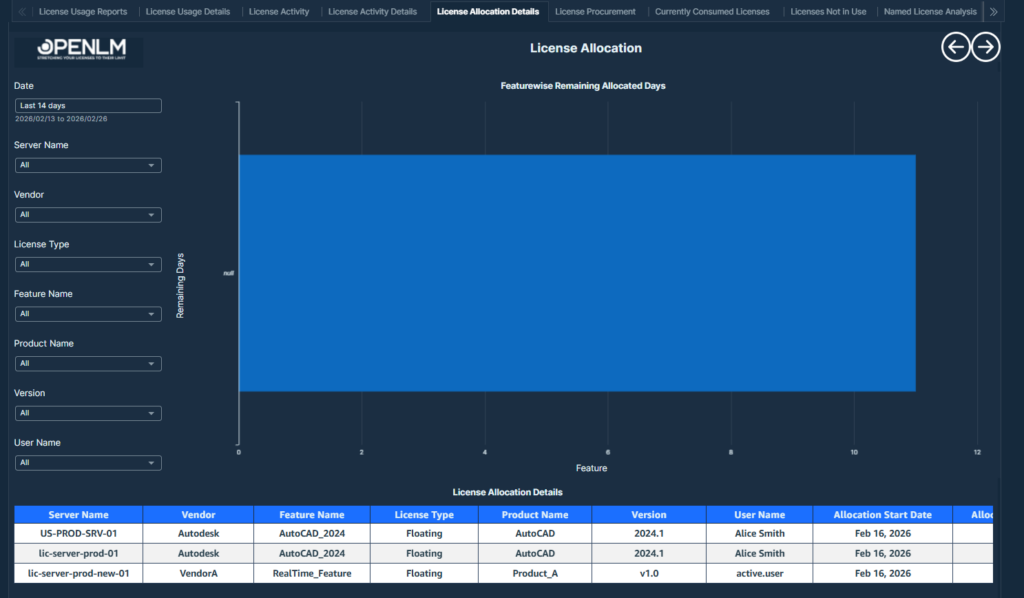
The License Allocation Overview Table displays detailed information about license assignments
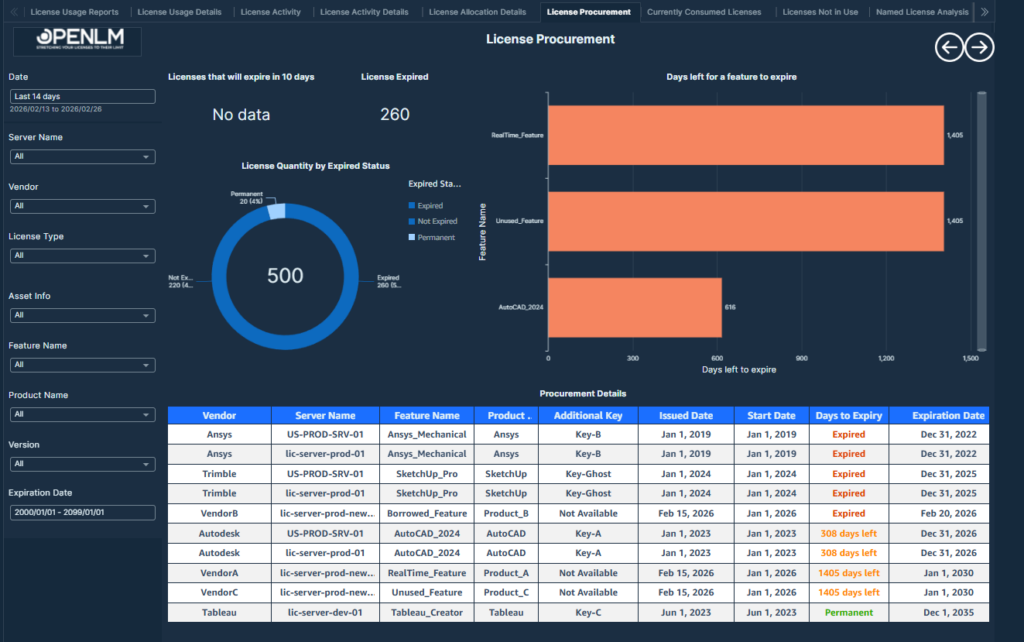
This table presents key information related to license procurement
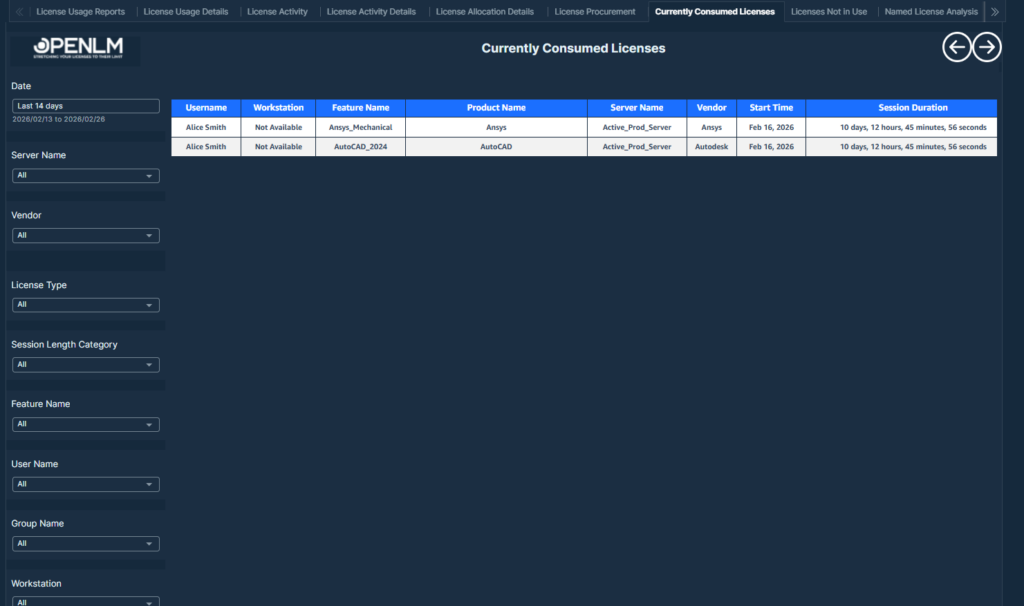
This table displays the current license consumption details, including user activity, license attributes, and usage duration. Further, Top 10 Active Sessions by Duration (Minutes) are mapped to users for high-usage insight.
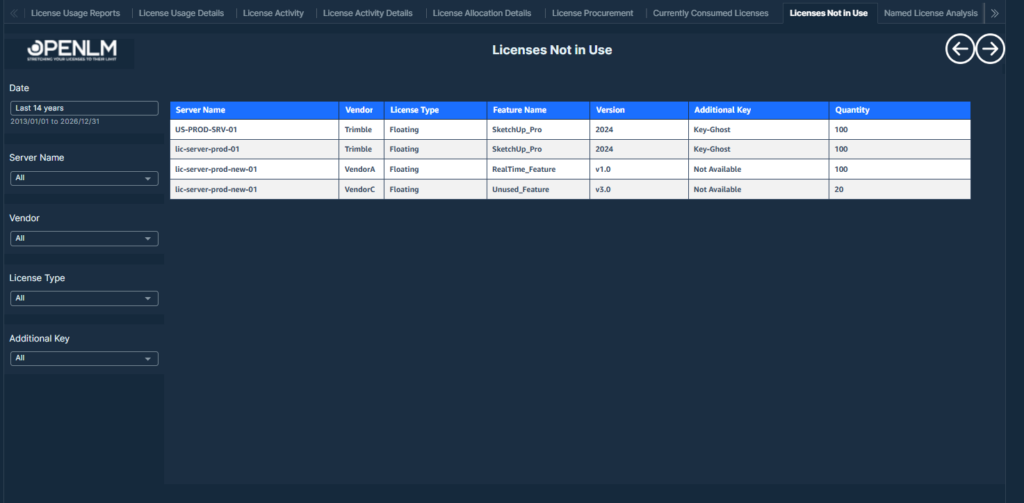
Table displaying unused licenses with transaction count zero, showing server, vendor, feature details, version, additional key, and available quantity.
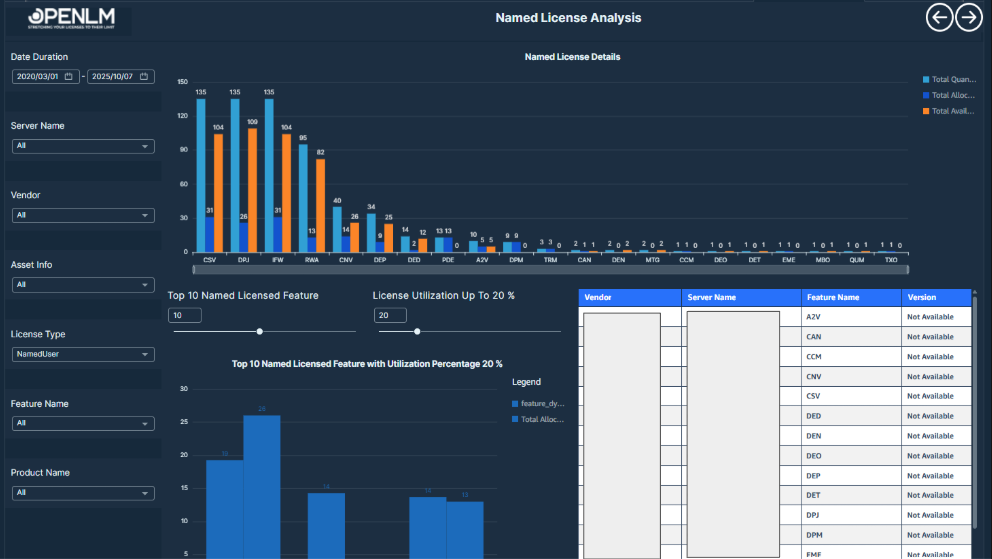
Table displaying Named License Analysis with user-specific allocation details, including license type, feature, server, vendor, start and end dates, and usage metrics.
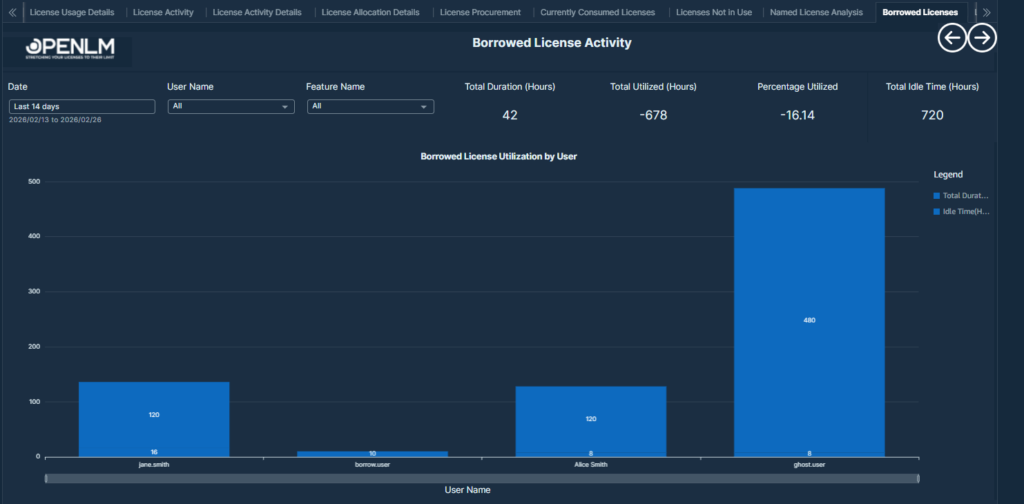
The Borrowed License Activity Report provides an overview of how borrowed software licenses are being used within the organization.
Feature Insights
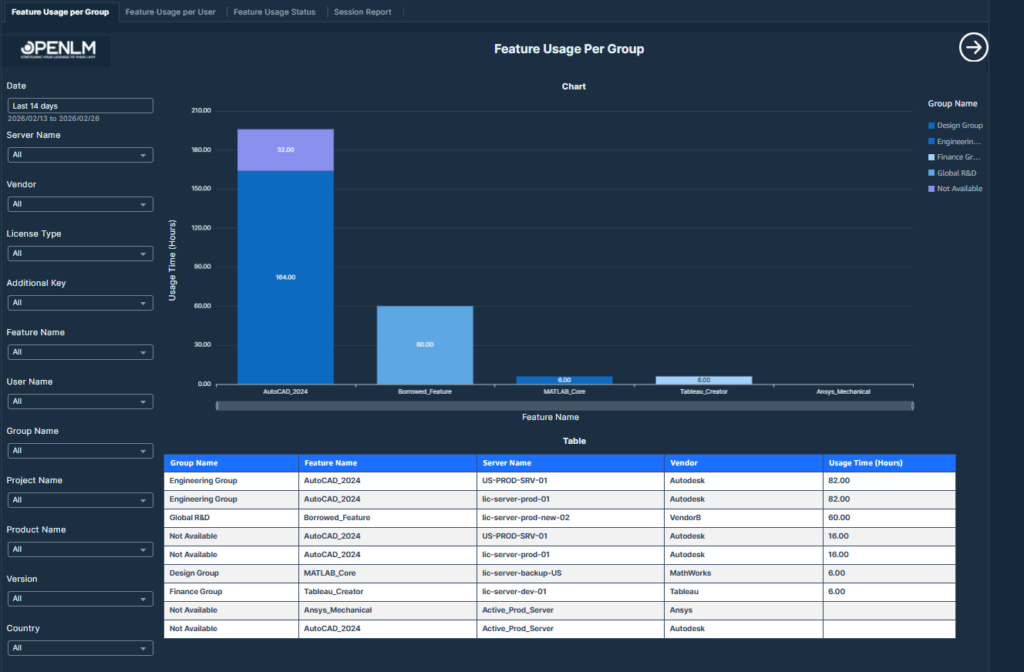
Feature usage breakdown by user group for targeted group-level analysis.
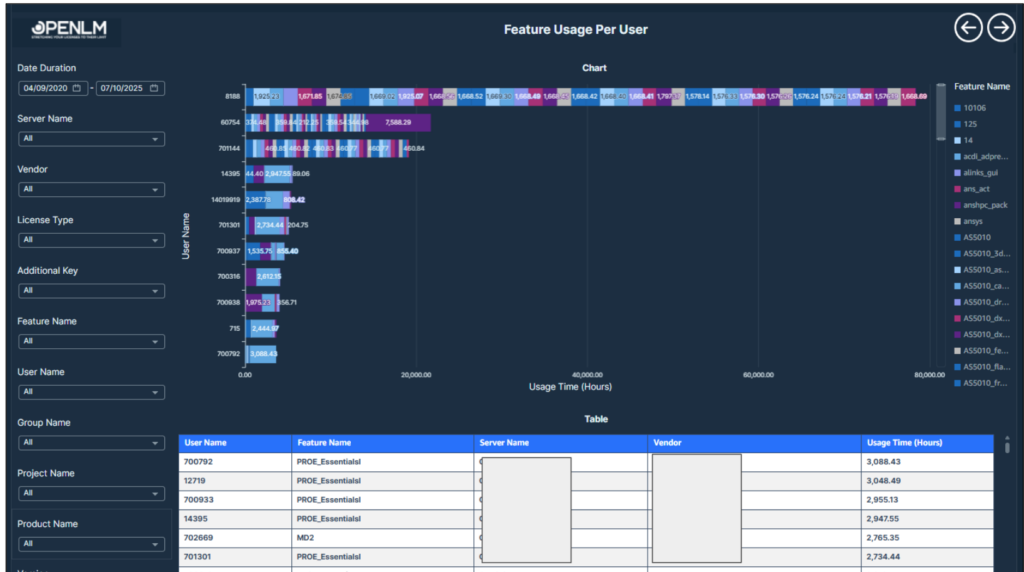
Feature usage breakdown by user group for targeted user-level analysis.
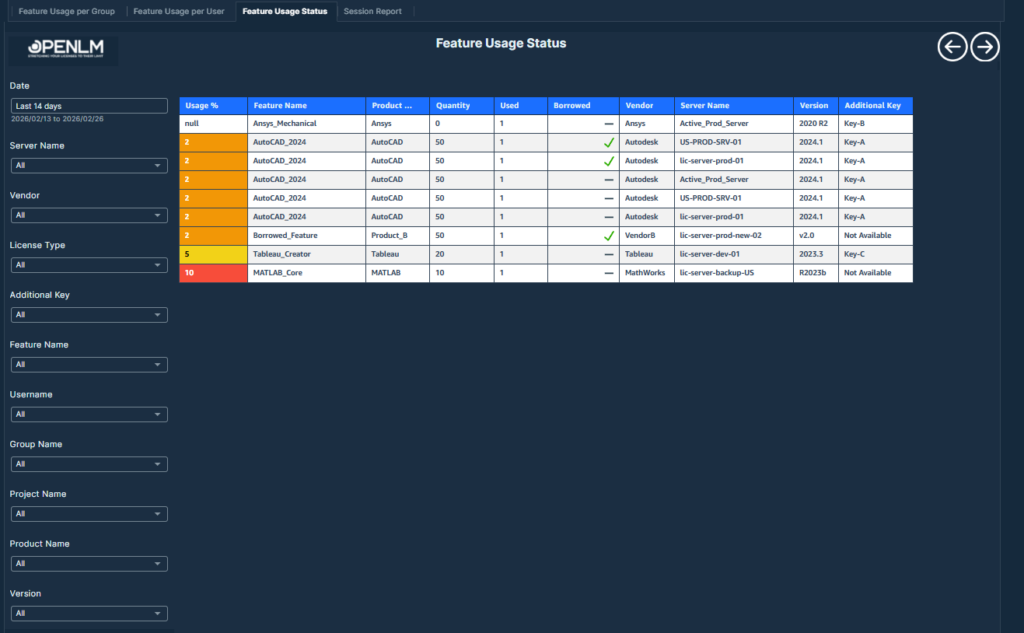
Feature Usage Status – Displays current license usage percentages, borrowed counts, and feature-level licensing details.
Total number of license sessions tracked by feature, user, group, and project to monitor usage patterns and support capacity planning.
Denial Analysis
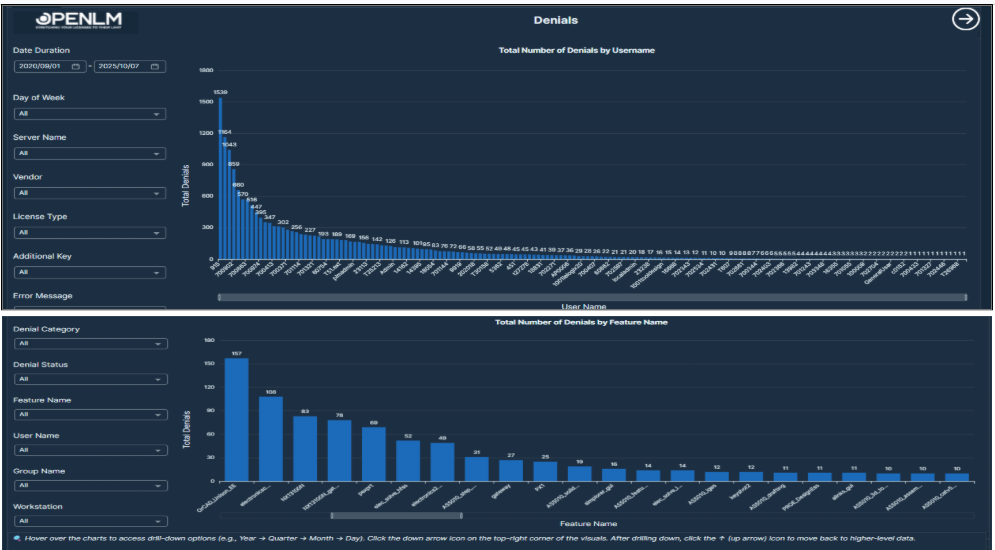
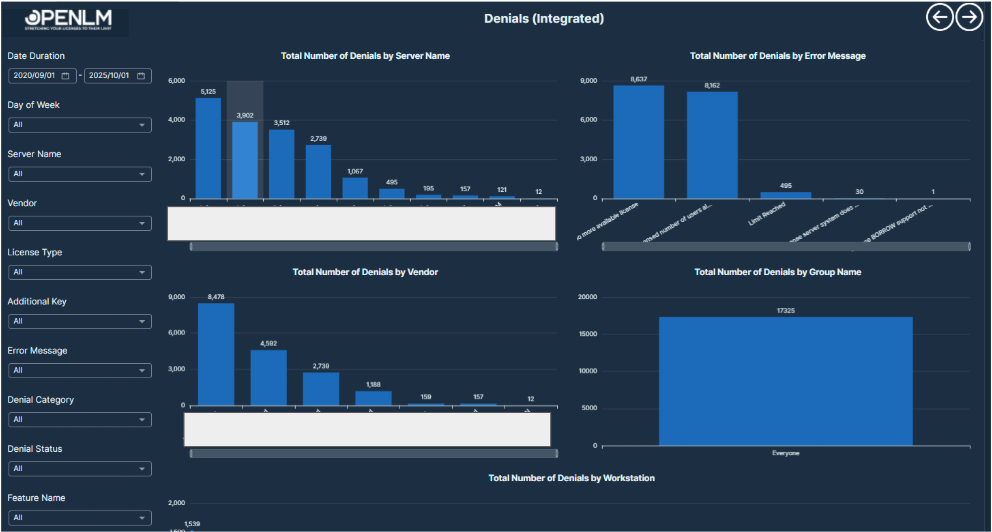
This report shows where users couldn’t get a license because none were available. It helps pinpoint licensing shortfalls and peak demand challenges.
This report provides various denial statistics.
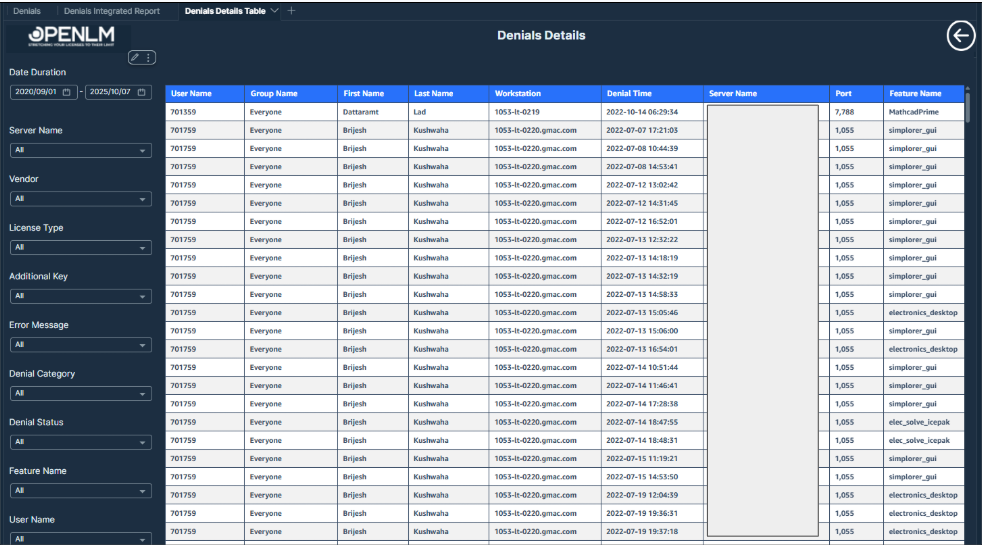
Detailed Table View of License Denials (Accessed via Drill-through)
User, Group, and Project Insights
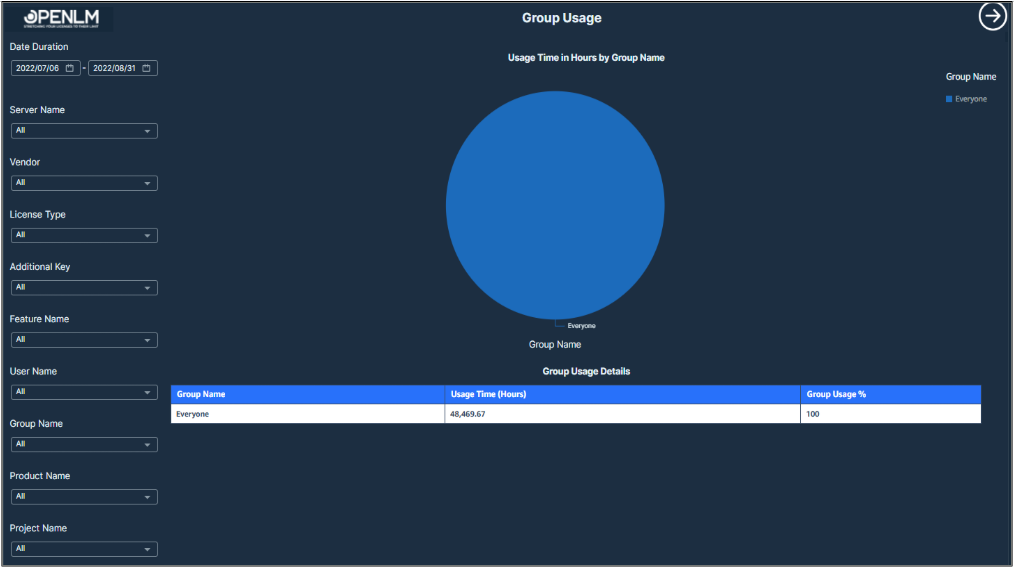
License consumption categorized by group for group-based resource planning
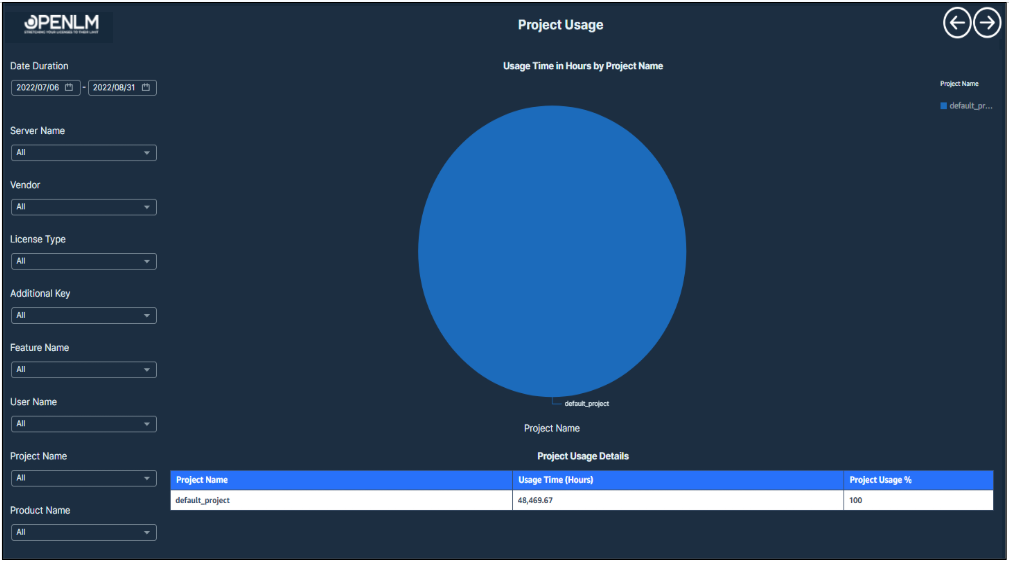
License consumption categorized by project for project-based resource planning.
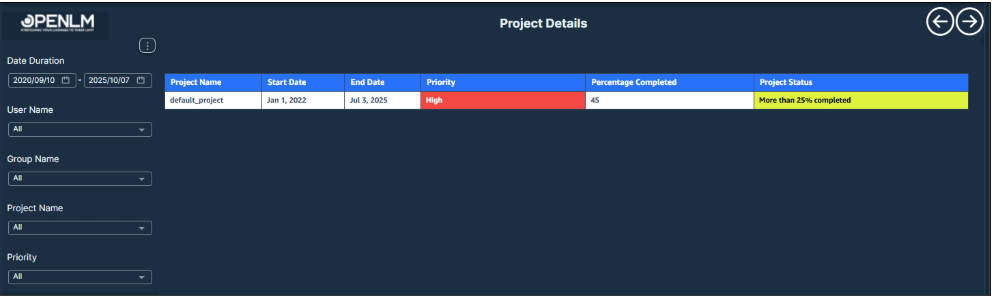
Project Report Table with Status, Dates, and Priority for Effective Tracking.
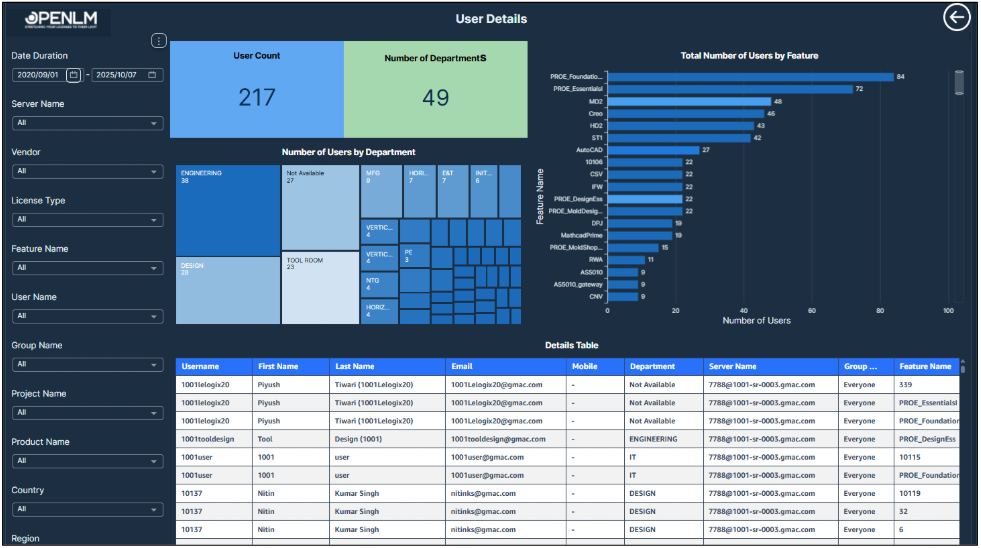
This report depicts various user details in various aspects.
System Monitoring
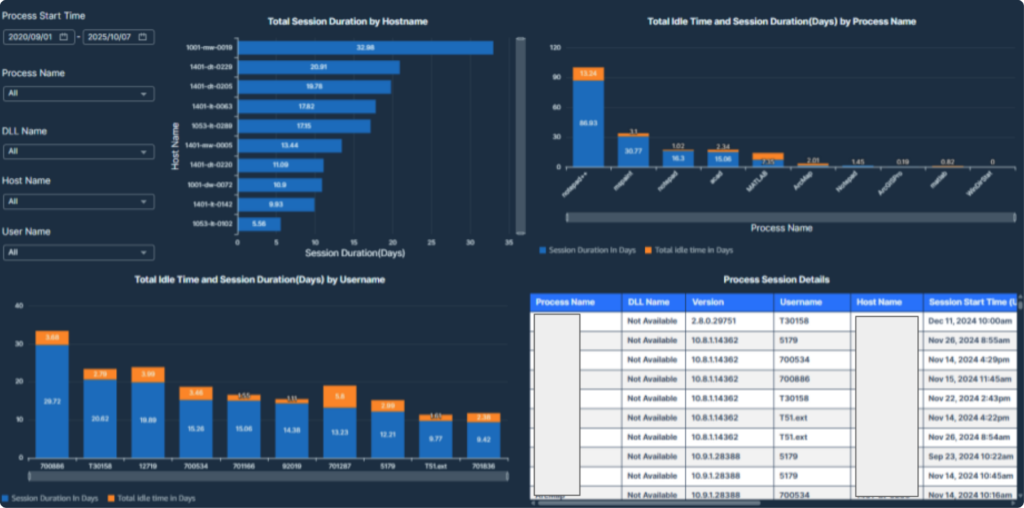
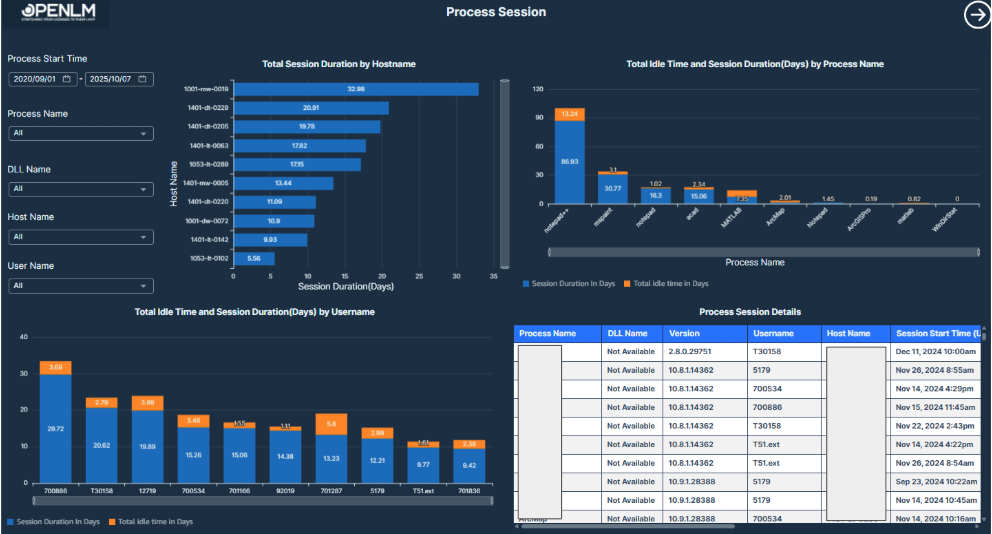
This report visualizes process-level license session durations, idle times, and user-machine activity for detailed process usage monitoring.
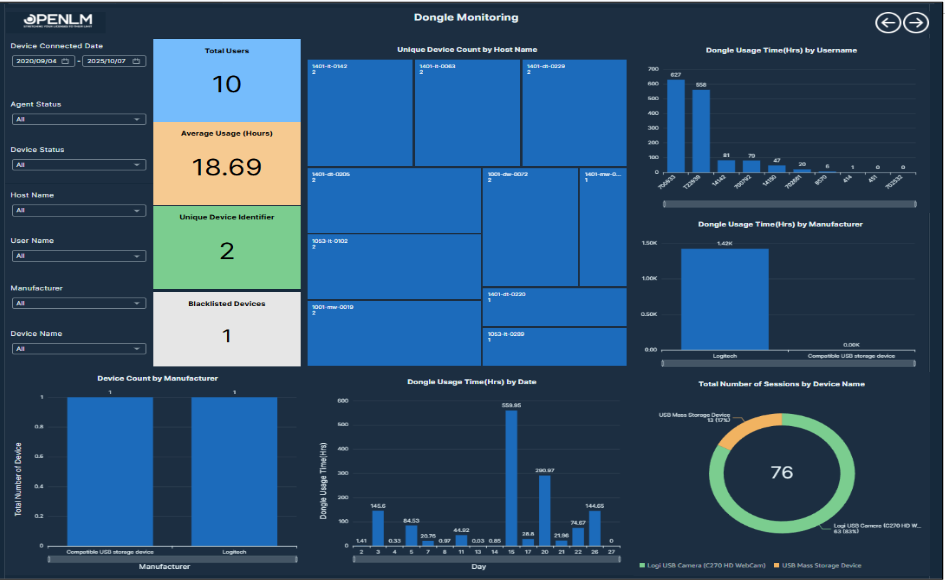
This report monitors dongle device usage, identifying user behavior, hardware distribution, and security compliance through real-time and historical tracking.
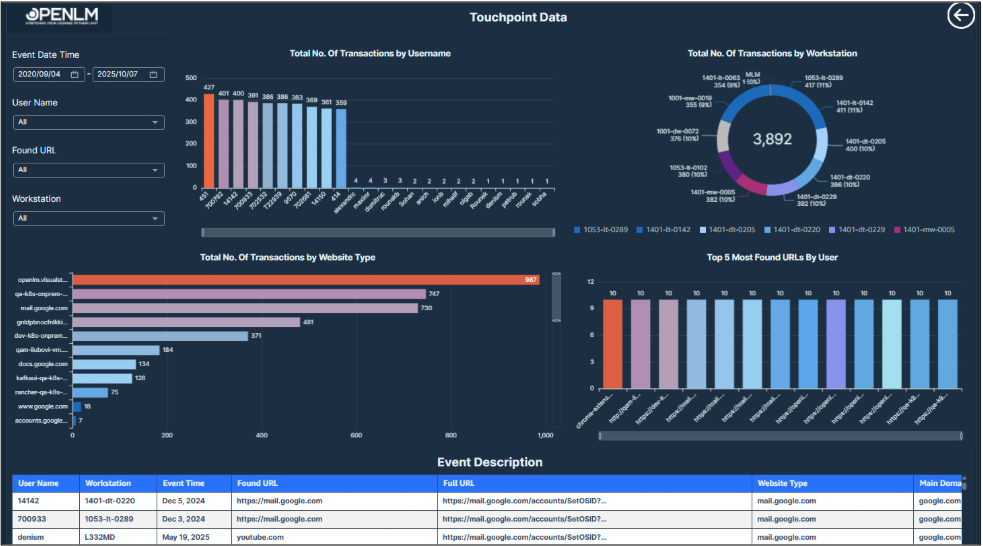
A comprehensive report visualizing user web interactions, workstation activity, and frequently accessed URLs for browser-based monitoring.
Token Usage Report
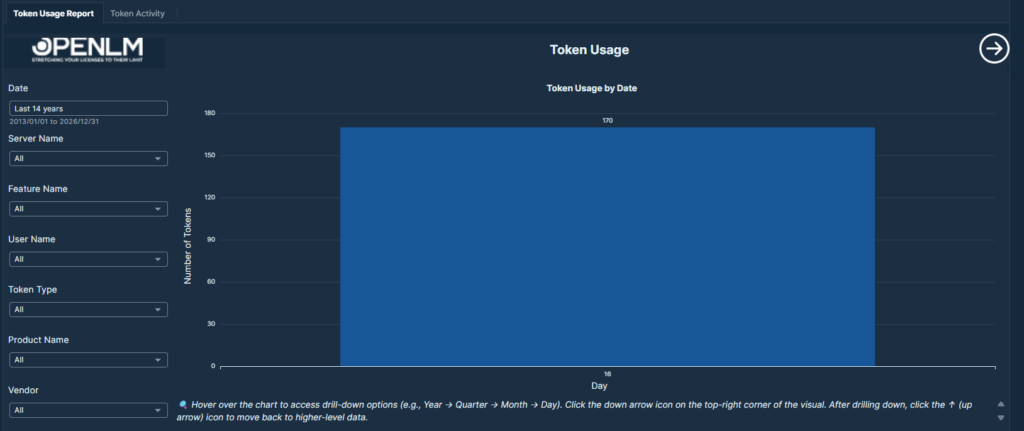
A detailed report visualizing token consumption trends across dates, users, and features for efficient license resource management.
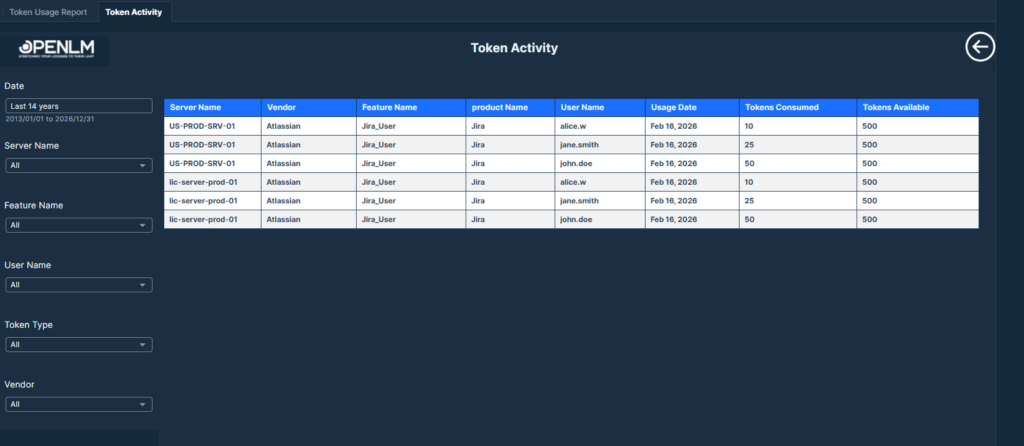
A detailed log view that tracks each token consumption event by user, feature, and date for transparent licensing audits.
Cost and Financial Analysis
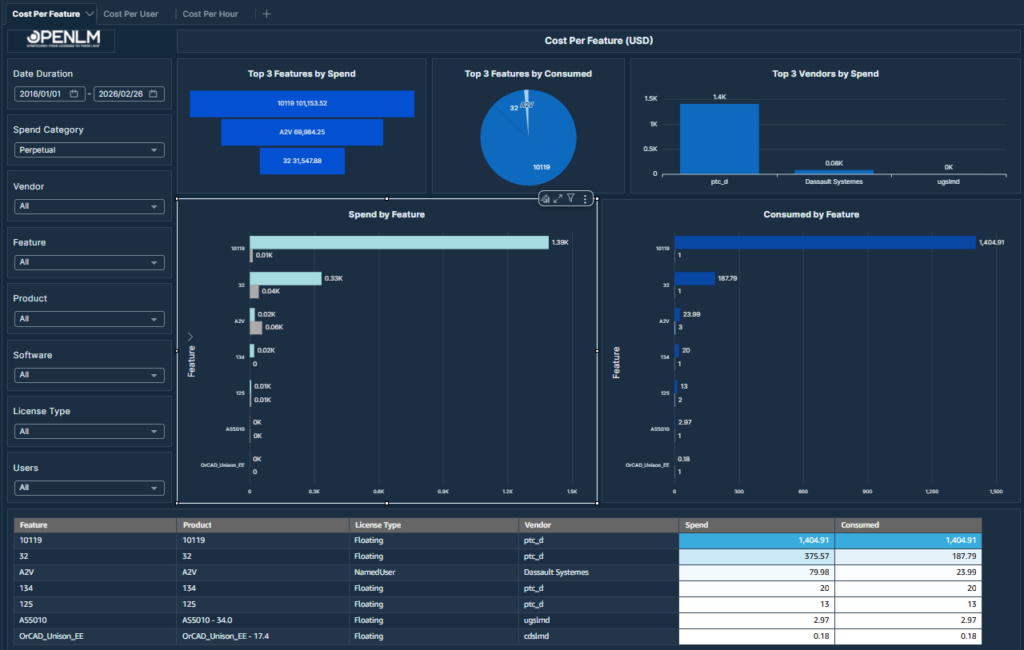
Analyze spending by software feature. Provides a comprehensive view of licensing costs and consumption per feature.
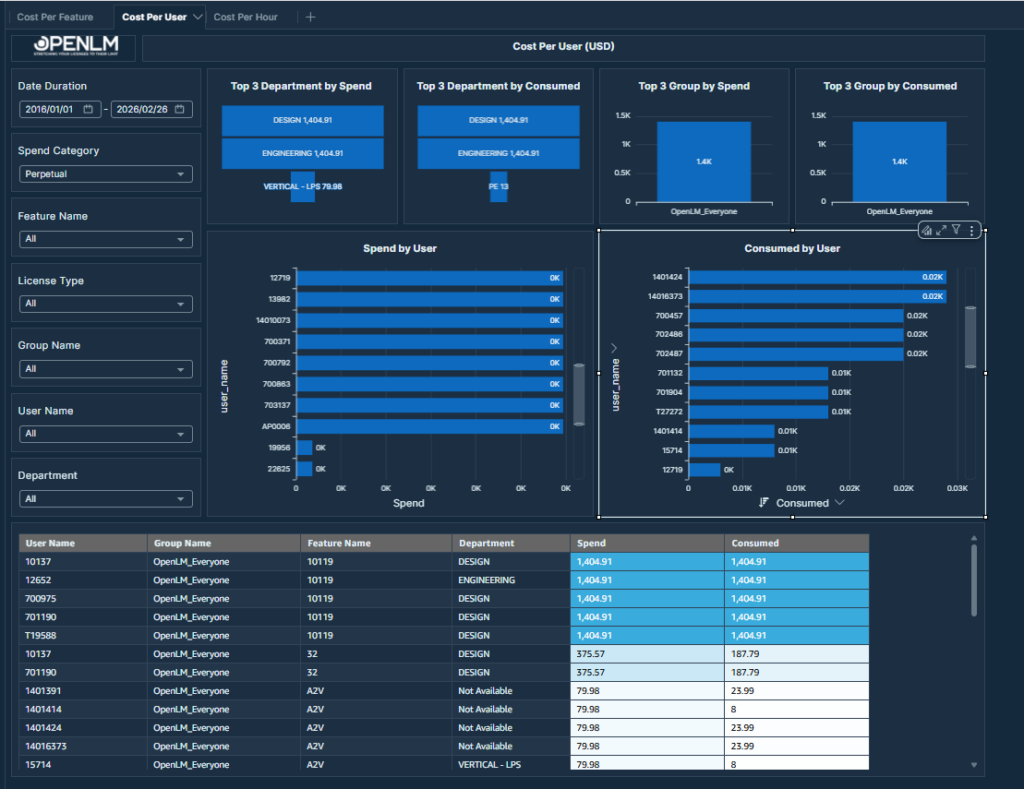
Analyze spending by user and department. Breaks down licensing costs and consumption at the user level, highlighting top departments and groups by spend and consumption.
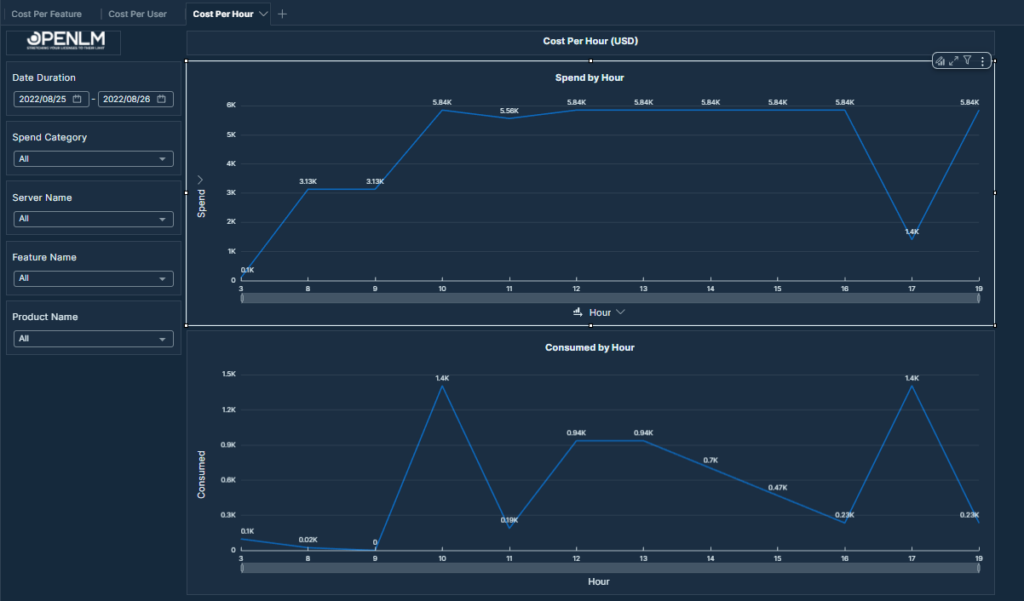
Identify cost distribution across the day. Shows an hourly breakdown of software licensing Spend and Consumed across the selected date range.
Migration plan for legacy customers
For all on-premise customers
You will be upgraded to the new “Standard Advanced Reporting” platform at no additional cost.
For on-premise “Reporting Hub” customers
- Fees associated with the legacy Reporting Hub will cease upon migration to the OpenLM Platform.
- We will address previous investments in the Reporting Hub on an individual basis.
- You are invited to migrate to the cloud to access advanced AI capabilities.
For cloud “Reporting Hub” customers
You will be upgraded to the new “Analytics and Automation Hub” at no additional cost. You will receive the superior embedded viewer and complimentary ‘Analytics Pro’ licenses based on your subscription tier.
Opt for our BI Services for your unique business needs
We also provide customized reporting dashboards for organizations’ unique business requirements.