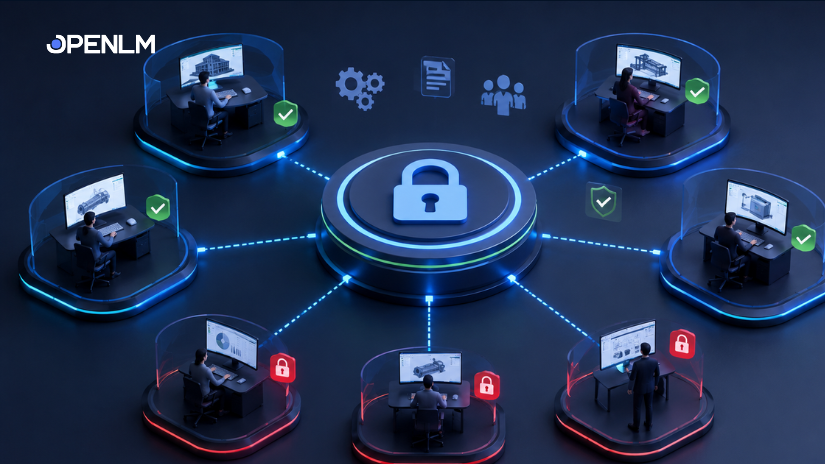
License Access Control (LAC) is the active brain of the OpenLM Platform. It is the automation engine that converts your high-level business policies—who gets what software and when—into technical enforcement across your entire IT estate.
For years, this capability was buried under a much narrower name: “Options File Management.” If you whispered those words to an IT Manager, they would shudder.
It was the dark art of Engineering IT. To control who got a license, you had to SSH into a server, open a text file (adskflex.opt), and type out arcane syntax like RESERVE 1 86985ACD user jsmith. One typo, and the entire engineering department lost access.
OpenLM originally built the Options File Manager to solve this. It provided a UI to write those text files safely. It was a great tool, but it was still just a “Syntax Writer” for FlexLM.
That era is over.
In our recent updates to the OpenLM Platform, we completely re-architected this subsystem. We have renamed it OpenLM License Access Control (LAC), and the change is not just cosmetic. It is a fundamental shift from “passive monitoring” to “active software license policy enforcement.”
1. Breaking the FlexLM monopoly: Universal vendor support
The original tool was strictly designed for FlexNet. But the engineering world is bigger than FlexNet.
The new LAC is vendor-agnostic. It targets any vendor OpenLM supports, utilizing whatever allocation mechanism that specific vendor requires.
- Legacy managers (FlexLM, RLM): It still generates the complex text-based option files they require.
- Modern/cloud managers (Autodesk, Adobe, SaaS): It bypasses files entirely and communicates directly via APIs or management interfaces.
The “target” shift:
Crucially, the “Output” of LAC is no longer just a text file on a server disk. The target can now be a SaaS Management Interface, a REST API endpoint, or a Database entry. OpenLM abstracts this complexity: you define the rule, and LAC handles the delivery method (File vs. API).
Additional Read: The virtualization of licensing: Why we need to treat licenses like compute power
2. Core capabilities: Granular control
LAC compiles user-defined business rules into these vendor-specific commands automatically.
- The actions: You can create rules to INCLUDE (allow), EXCLUDE (deny), or RESERVE (guarantee) licenses.
- The targets: Rules are no longer limited to just usernames. You can target groups (AD/LDAP), hostnames, and IP addresses.
- The granularity: Control isn’t just at the product level. You can set permissions at the feature level—for example, allowing general engineers to use standard MATLAB but restricting the expensive “Simulink” toolbox to Senior Staff only.
3. The three approaches to “named license” management
One of the most significant evolutions in LAC is how it handles the complex world of Named Licensing. It now supports three distinct technical approaches:
A. Simulation (The “pseudo-named” user)
For legacy floating licenses, LAC can simulate a Named User model. By permanently RESERVING a floating license for a specific user, LAC effectively turns a concurrent key into a named seat. This ensures that critical users always have access, regardless of the pool’s load.
B. Network named user (NNU) pools
Vendors like MathWorks often split their pools into “Floating” (expensive) and “Named” (cheaper).
LAC manages this by using advanced keywords (e.g., asset_info). It routes specific user groups to the cheaper “Named” pool while simultaneously EXCLUDING them from the expensive floating pool. This prevents “Double Dipping” and ensures the right people consume the right cost center.
C. Cloud provisioning (True SaaS)
For purely cloud-based apps, LAC automates the provisioning process via APIs. When a user is added to an Active Directory group, LAC detects the change and automatically provisions a seat in the vendor’s cloud portal. Conversely, when they leave the group, LAC harvests the license back.
Additional Read: The “December Trap”: Why annual subscriptions are costing you more than you think
4. License management automation: Directory Synchronization
LAC integrates deeply with your identity providers (Active Directory/LDAP/Azure AD).
This bridges the gap between “HR status” and “IT access.”
If an employee moves from the “Interns” group to the “Engineers” group in Active Directory, LAC detects the change immediately. It then automatically re-calculates the rules and redeploys the policy—whether that means rewriting a local license file or calling a Cloud API to grant new permissions. Zero manual edits are required.
5. The “time” dimension: Dynamic scheduling
Static rules are a thing of the past. LAC introduces dynamic, time-aware policies that maximize utilization.
You can now schedule rules to change based on the time of day:
- 9:00 AM – 5:00 PM: A license is RESERVED (named) for a specific user to guarantee productivity.
- 5:01 PM – 8:59 AM: The license switches to FLOATING (shared) so that night-shift teams or automated build scripts can utilize it.
6. Deployment and safety mechanisms
Writing rules is easy; deploying them safely is hard. LAC includes a safety layer to prevent accidental server crashes caused by bad syntax.
- Validation engine: LAC pre-validates all users, groups, and features before deployment. It ensures that the syntax is perfect before it ever touches the license manager.
- Operational modes:
- Read-only mode: Audits current option files without making changes, allowing you to “Test” logic before going live.
- Managed mode: Actively overwrites and enforces new policies on the server.
- Audit Trail: Every deployment attempt (success or failure) is logged, providing a full compliance trail for internal audits.
Conclusion: The new workflow
We have moved beyond the text editor. The new workflow for OpenLM License Access Control is a cycle of optimization:
Discover Asset $\rightarrow$ Define Rules (Include/Reserve) $\rightarrow$ Bundle into Policy (Schedule) $\rightarrow$ Validate & Deploy.
This is how you turn a license manager from a chaotic free-for-all into a disciplined, optimized engine.