
OpenLM Alerts Integration helps to automate ticket creation on Zoho Desk from OpenLM Alerts. Mainly on the Zoho side, it is just an application that leads the user to the OpenLM Cloud platform to register itself. After registration, the user will have to insert its Zoho credentials and other details using the Zoho Alerts Integration product that allows the OpenLM integration system to automate OpenLM Alerts to Zoho Desk tickets.

It is required following steps to start automating of OpenLM Alerts to Zoho Desk tickets
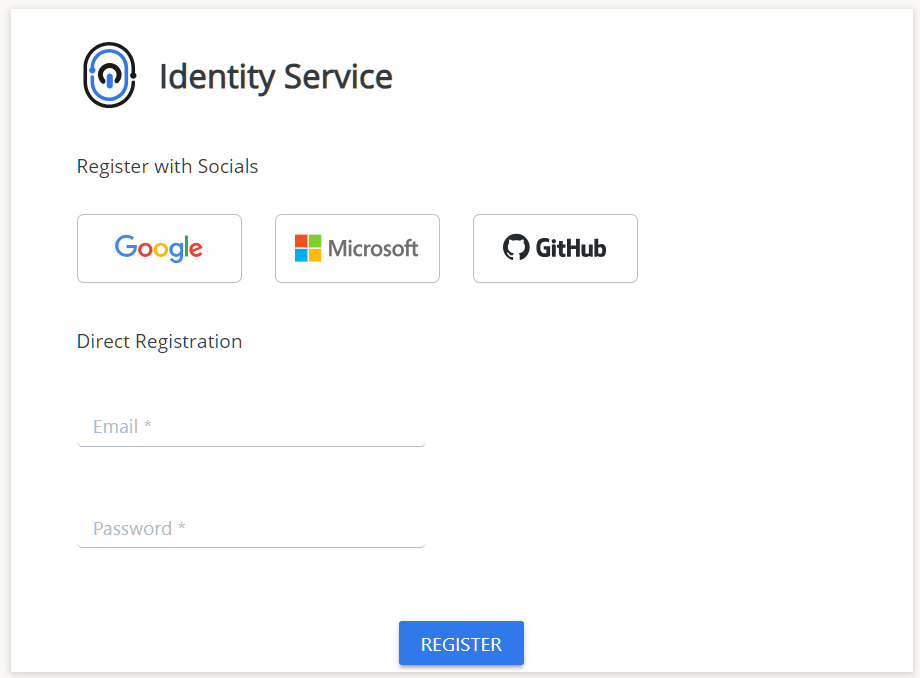
Register and create a new account, after that, Sign In with that account
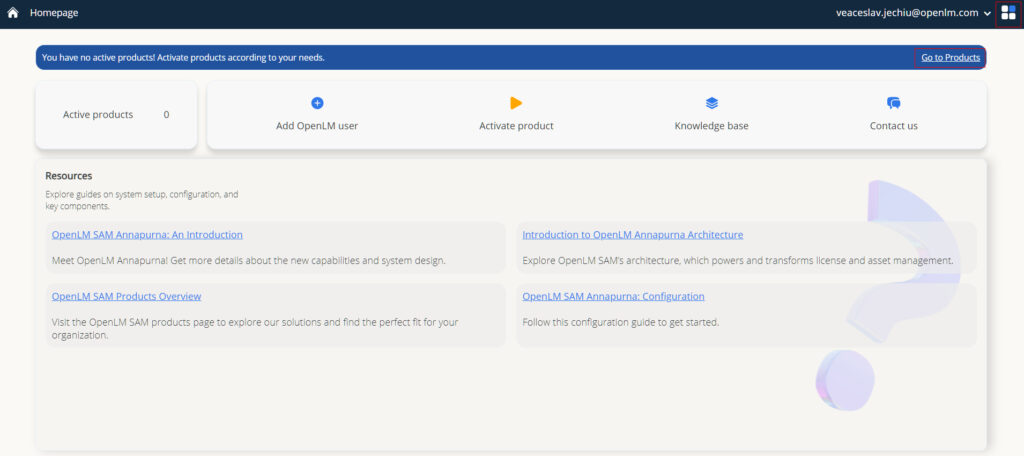
After Sign In, being on Homepage, click to Go to Products or choose Products service from menu to activate Zoho Alerts Integration product
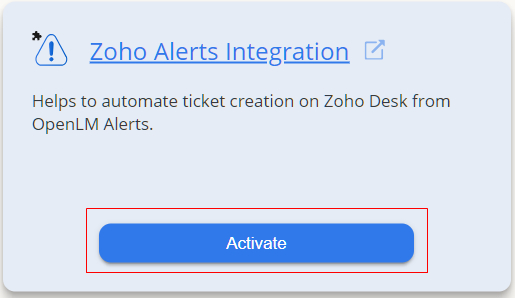
Being on Products service page, choose Zoho Alerts Integration product badge and click activate
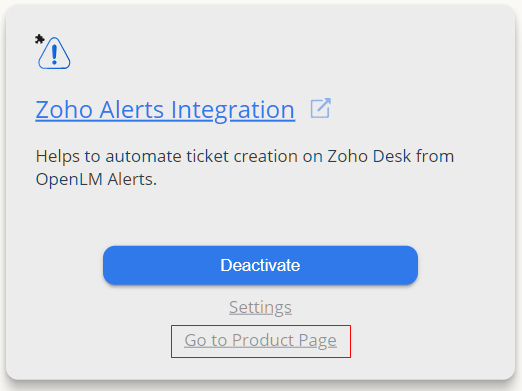
After Zoho Alerts Integration product is activated, click to Go to Product Page on same badge


To provide the best experiences, we and our partners use technologies like cookies to store and/or access device information. Consenting to these technologies will allow us and our partners to process personal data such as browsing behavior or unique IDs on this site and show (non-) personalized ads. Not consenting or withdrawing consent, may adversely affect certain features and functions.
Click below to consent to the above or make granular choices. Your choices will be applied to this site only. You can change your settings at any time, including withdrawing your consent, by using the toggles on the Cookie Policy, or by clicking on the manage consent button at the bottom of the screen.


