When your organization runs hundreds of high-cost software licenses across multiple teams, geographies, and job functions, “everyone gets access” is not a strategy. It is a budget problem waiting to happen.
Engineering firms, architecture and design studios, and infrastructure companies know this well. A single Autodesk or Bentley license can cost thousands of dollars per seat annually. When licenses go to people who rarely use them — or when the wrong person gets the wrong tool — costs spiral quickly, and the teams who actually need access get locked out.
However, enterprises can solve this with role-based entitlement management, a structured approach to assigning software access based on what people do, not just who they are. And in complex organizations, it may be the single most impactful change you can make to your software asset management practice.
What is role-based entitlement management?
Entitlement management is the process of defining, assigning, and enforcing which users have the right to access specific software licenses. When you add a role-based layer to this process, you move from managing individual users to managing access at the level of job function, team, project, or department.
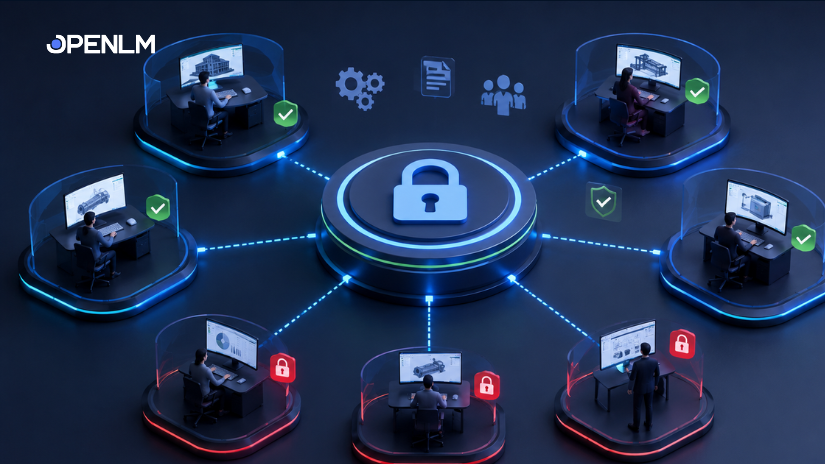
Instead of manually assigning a license to each person, you define a role — say, “structural engineer” or “BIM modeler” — and attach a set of license entitlements to that role. Every person assigned that role automatically inherits the correct access. When their role changes, so does their access. When they leave the organization, entitlements are revoked automatically.
This is not just about convenience. Role-based entitlement management gives license administrators a repeatable, auditable, and scalable framework for controlling access across the entire software estate.
Additional Read: Best-of-both-worlds ITAM: Combining ServiceNow with engineering license intelligence
Why complex organizations struggle without it
Most organizations start managing licenses reactively. Someone requests access, IT provisions a seat, and the process moves on. Over months and years, this creates a tangle of ad hoc assignments that no one fully understands.
Here is what that typically looks like in practice:
License sprawl. Users accumulate access to tools they no longer use. Licenses sit idle while active users wait in queues.
Inconsistent access. Two people in the same role on different teams have different tools. Project handoffs create confusion about who should have access to what.
Audit risk. When a software vendor audits your license usage, you cannot easily demonstrate that each seat is assigned to an eligible user with a legitimate business need.
Wasted spend. You renew licenses at full volume because you have no clear picture of which roles actually require which tools.
These problems get worse as organizations grow. A 200-person engineering firm has different complexity than a 5,000-person multinational with departments spread across 20 countries. But both face the same root cause: access decisions are made without a consistent framework.
How role-based entitlement management works in practice
With role-based entitlement management, you can connect three things: your organizational structure, your license inventory, and your usage data. Here is how the process typically works.
Define roles aligned to your organization
Start with your actual org structure. Roles should reflect how work happens — not just HR job titles. In an engineering organization, relevant roles might include:
- Civil engineer (design)
- Civil engineer (review)
- CAD technician
- Project manager
- Discipline lead
- External consultant
Each of these roles has a different software profile. A project manager may need read-only access to design files. A CAD technician needs full access to drafting tools but not simulation software. A discipline lead may need a floating license shared across a small group.
Map entitlements to each role
Once you have defined your roles, you match each one to a set of license entitlements. This includes:
- Which applications the role can access
- What license type (named user, floating, or concurrent) applies
- Any usage limits or scheduling constraints
- Project-specific or time-limited access, if applicable
This mapping becomes your entitlement policy. It is the source of truth for every access decision in the system.
Automate provisioning and de-provisioning
With entitlement policies in place, provisioning becomes a rule-based process. When someone joins a team or changes roles, their license access updates automatically based on their role assignment — without a manual ticket or approval chain.
De-provisioning works the same way. When a consultant’s engagement ends or an employee transfers to a different department, their entitlements change immediately. Licenses return to the pool and become available to other users.
Monitor usage against entitlements
Entitlement policies only hold value if you enforce and monitor them. OpenLM tracks real-time and historical usage across 90+ engineering license managers, giving you visibility into whether actual usage aligns with assigned entitlements. You can see:
- Which roles are consuming licenses at capacity
- Which entitlements go unused for 30, 60, or 90+ days
- Where users are accessing tools outside their assigned role
This data feeds directly into optimization decisions — reclaiming idle licenses, right-sizing renewals, and identifying roles where entitlement policies need adjustment.
Additional Read: Building a business case for engineering license optimization
Role-based entitlement management in engineering-heavy organizations
OpenLM supports 90+ engineering license types — more than any other platform. That depth matters when your software estate includes tools like:
- Autodesk (AutoCAD, Revit, Civil 3D, Navisworks)
- Bentley (MicroStation, OpenRoads, SITEOPS)
- ANSYS (Fluent, Mechanical, Electronics)
- Siemens NX, CATIA, SolidWorks, and many more
Each of these tools has a distinct licensing model. Some use named user licenses tied to a specific individual. Others use concurrent or floating licenses shared across a pool. Some vendors mix both in a single product family.
An effective role-based entitlement management policy handles this complexity by abstracting the licensing model from the access decision. Administrators define what access a role should have. OpenLM handles the mechanics of allocating the right license type from the right pool when a user in that role checks out a seat.
This is especially useful for project-based work, where teams form and dissolve around specific engagements. A project entitlement layer lets you create time-bound access policies for cross-functional project teams — without disrupting the broader role-based framework.
The compliance and audit advantage
Software vendors audit. When they do, you need to demonstrate that every active license maps to an authorized user with a documented business need.
With role-based entitlement management, you can make this straightforward. Your entitlement policies serve as documented access criteria. Every assignment ties back to a defined role with a clear business justification. Every revocation is logged automatically.
OpenLM generates audit-ready reports that show license usage by user, role, department, and time period. When an audit arrives, you are not scrambling to reconstruct months of access history. You pull the report and you are ready.
Additional Read: Every unused license has a cost — and the planet pays part of it
Getting started: What to do first
If you are moving toward role-based entitlement management for the first time, start with your most expensive license families. Prioritize the tools where a single unused seat represents the most waste.
Step 1: Inventory your current assignments. Identify who has access to what, and when they last used it. OpenLM’s usage analytics give you this data across all connected license managers.
Step 2: Identify your highest-cost roles. Which job functions consume your most expensive licenses? These are your highest-priority candidates for formal entitlement policies.
Step 3: Define a pilot role. Pick one role, map its entitlements, and run the policy for 60–90 days. Track usage alignment and identify gaps.
Step 4: Expand systematically. Use learnings from your pilot to refine your approach, then roll out to additional roles across the organization.
You do not need to overhaul everything at once. A structured, phased approach to role-based entitlement management delivers results incrementally and builds organizational confidence in the new model.
The bottom line
License management is not just an IT problem. It is a financial decision with direct impact on project costs, team productivity, and vendor relationships.
Role-based entitlement management gives you a framework to make those decisions deliberately — based on data, aligned to how your organization actually works, and scalable as your teams grow and change.
With OpenLM, you get the visibility and control to put that framework into practice across every license manager in your environment.
Frequently asked questions
What is role-based entitlement management?
Role-based entitlement management is a structured approach to assigning software license access based on a user’s job function or organizational role. Instead of managing access user by user, you define entitlement policies at the role level, and access is automatically assigned and revoked as roles change.
How is entitlement management different from license management?
License management focuses on tracking and optimizing the software licenses you own. Entitlement management focuses on who is authorized to use those licenses. Role-based entitlement management combines both by linking your license inventory to your organizational structure, so the right people get the right tools at the right time.
Can role-based entitlement management work with floating licenses?
Yes. Floating or concurrent licenses are shared across a pool of users, and role-based entitlement management works alongside them. You define which roles can access a floating license pool, set limits on how many seats a role can consume simultaneously, and let OpenLM manage the allocation in real time.
How does OpenLM support entitlement management for engineering software?
OpenLM supports 90+ engineering license managers across vendors like Autodesk, Bentley, ANSYS, and Siemens. Thus, with OpenLM, you can monitor licenses of 25,000+ engineering and specialty applications, which gives you unified visibility and control over entitlements across your entire engineering software estate.
What happens when a user’s role changes?
When a user’s role changes in your HR or identity management system, their entitlements update automatically based on the new role’s policy. Access to tools they no longer need is revoked, and access to tools required in their new role is provisioned — without manual intervention.
Is role-based entitlement management relevant for small organizations?
It is most impactful in complex or growing organizations, but any organization managing high-cost specialty software can benefit. If you have more than a few license types and multiple teams with different software needs, a role-based approach saves time, reduces waste, and improves audit readiness.
How does role-based entitlement management help with software audits? Entitlement policies create documented criteria for who can access each license. Every assignment and revocation is logged automatically. When a vendor audit occurs, OpenLM can generate reports showing usage by user, role, and time period — giving you a clear, auditable record of authorized access.
Can you apply entitlements at the project level, not just the role level? Yes. OpenLM supports project-based entitlement layers alongside role-based policies. This allows you to grant time-limited access to specific tools for cross-functional project teams, without changing each user’s underlying role entitlements.
Ready to take control of your license entitlements? Contact us to know how OpenLM helps engineering organizations manage role-based access across 90+ license managers.