Go beyond standard license monitoring
Introducing OpenLM Process Monitoring Solutions
Track process lifecycles, pinpoint idle time, and automatically release licenses for optimal usage and cost reduction.
What is Process Monitoring?
Core functionalities

Process tracking
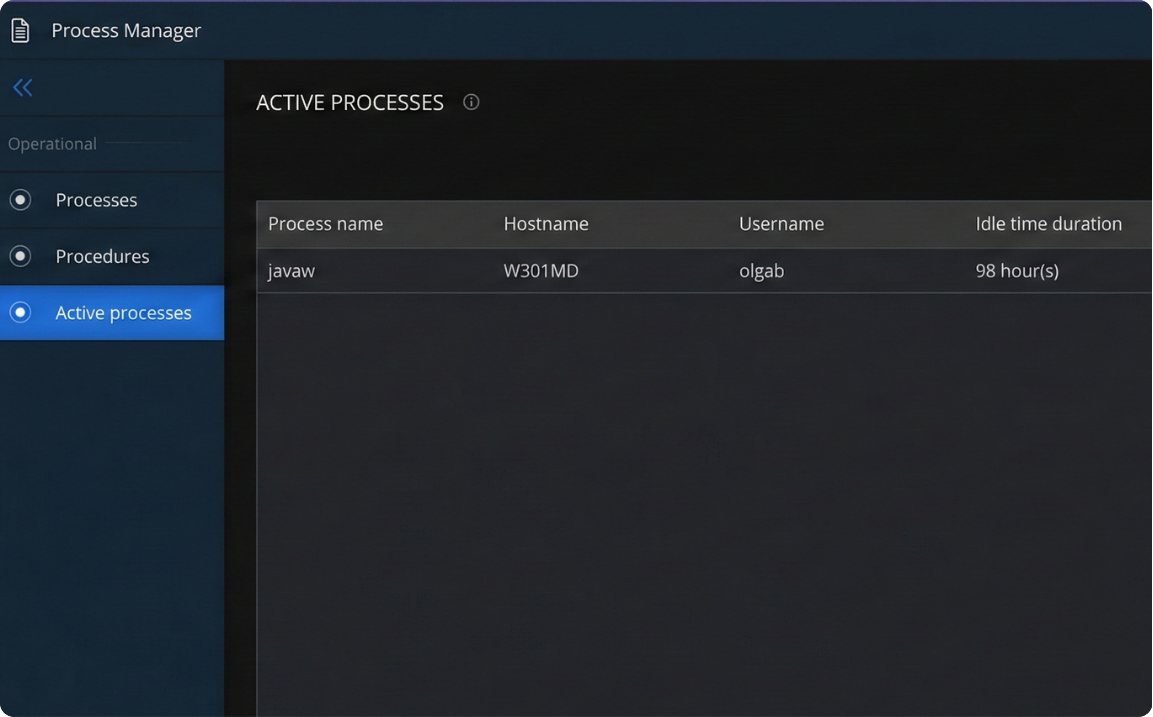
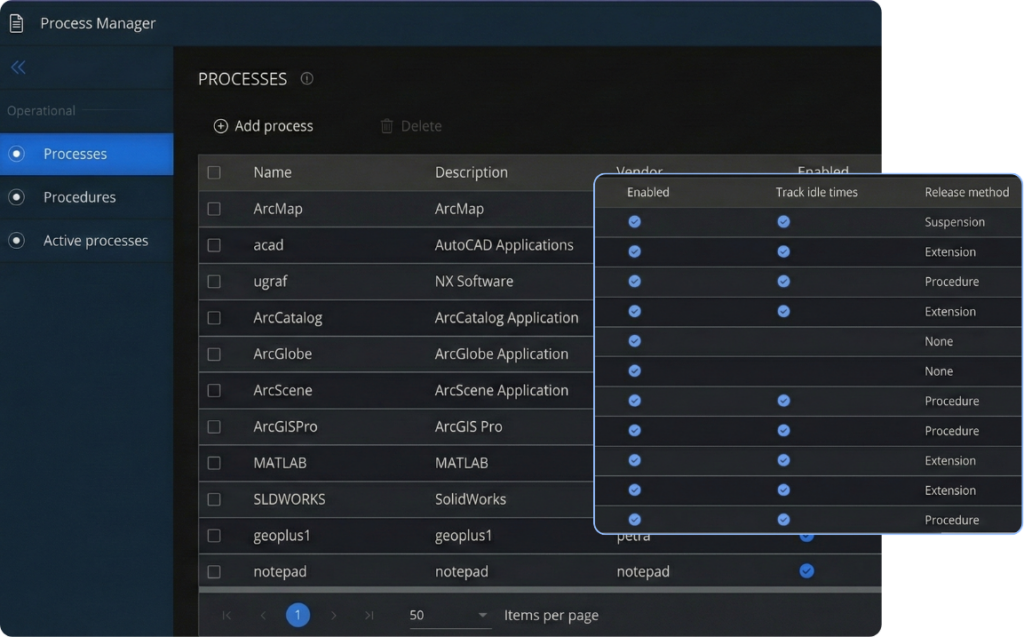
Like Dongle Monitoring (for USB devices), OpenLM Process Monitoring tracks the usage of specific software processes. This goes beyond simply tracking license checkouts and provides insight into the actual application usage on users' machines.

Idle time tracking
- Process Monitoring can track idle time based on different criteria, including:
- Process state: Whether the process is the currently focused window
- Resource consumption: A predefined threshold for input/output operations helps determine if the application is actively being used
Automatic license release
After a defined idle time threshold or maximum usage threshold, OpenLM Process Monitoring can automatically release the license used by a process. This feature optimizes license usage by ensuring that licenses are not held by idle processes. Notably, you can set the idle time threshold and license usage percentage threshold based on your organizational requirements.
DLL monitoring
Process Monitoring can also track the usage of Dynamic Link Libraries (DLLs), which often function as add-ins for specific software. This provides more granular usage data, allowing administrators to differentiate between the base application and its various extensions.
Introducing Offline Monitoring
With the new OpenLM Platform, we have added Offline Monitoring functionality to Process Monitoring.
Now, even when the user’s machine is offline, Process Monitoring continues to record usage data, which is then uploaded when the machine reconnects to the network.
This functionality is particularly useful for scenarios where users need to work remotely without a consistent internet connection.
Maximize license efficiency
Frequently Asked Questions (FAQs)
What is OpenLM Process Monitoring?
OpenLM Process Monitoring tracks the actual processes running on users’ machines and links them to corresponding license manager sessions. This provides a comprehensive view of application usage, helping administrators understand how licenses are being utilized and identify areas for optimization.
What functionalities does OpenLM Process Monitoring offer?
It offers:
- Process tracking: Tracks the usage of specific software processes, providing insight into actual application usage beyond just license checkouts.
- Idle time tracking: Monitors idle time based on process state (focused window) and resource consumption (predefined I/O threshold).
- Automatic license release: Automatically releases licenses after a defined idle time or maximum usage threshold to optimize license usage.
- DLL monitoring: Tracks the usage of Dynamic Link Libraries (DLLs) to provide granular usage data for add-ins and extensions.
What is Offline Monitoring?
With the OpenLM Platform Annapurna version, Offline Monitoring functionality has been added to Process Monitoring. This allows usage data to be recorded even when a user’s machine is offline, and then uploaded when the machine reconnects to the network. This is especially useful for remote workers without consistent internet access.
How does Process Monitoring help optimize license usage?
By tracking idle time and automatically releasing licenses from inactive processes, OpenLM Process Monitoring ensures that licenses are not held unnecessarily. This maximizes the utilization of existing licenses and can prevent the need for additional, costly license purchases.