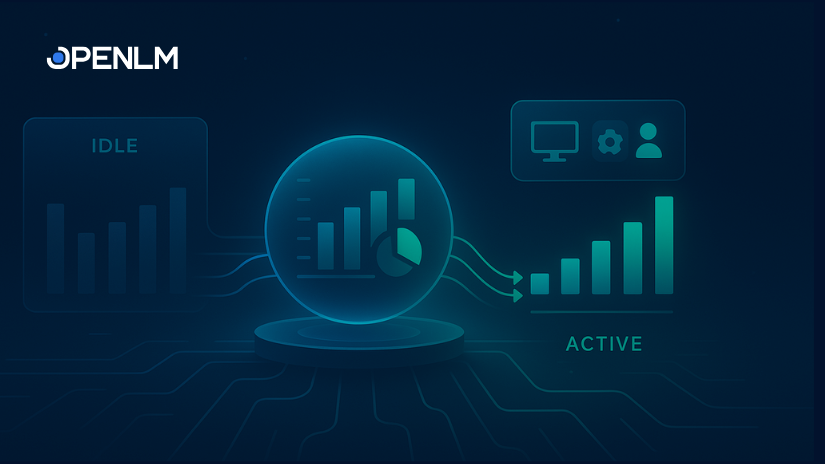
In the glossary of software license management, there’s a critical difference between a license that’s checked out and one that’s actually being used. Too often, licenses are open but idle, leading to wasted expenses and lost productivity. By tracking software license actual usage with OpenLM, you can put an end to this waste and significantly boost your organization’s ROI.
Using software license usage analytics gives you the power to make confident, agile decisions. Let’s explore how knowing your team’s actual usage of software licenses helps you optimize your entire software ecosystem for efficiency and cost savings.
The power of tracking active vs idle sessions
Imagine a scenario: a CAD designer named Isha checks out a license for AutoCAD. She gets pulled into a meeting without closing the application, and the license sits idle. A short time later, another designer, Billy, tries to get a license but is denied because the one Isha is holding is tied up.
This is a common, frustrating problem. By implementing idle license tracking, you can address this challenge and achieve these key benefits:
- Prevent software license denials. You can stop unnecessary denials by reallocating licenses that are held by idle users, ensuring everyone has the tools they need when they need them.
- Improve user habits. Our system helps you identify and correct common issues like “license hogging” and “license camping,” where users check out more licenses than they need or hold onto them for extended periods of inactivity.
- Optimize software license utilization. By monitoring how software use changes over time, you can better predict future needs and make smarter decisions about your license portfolio.
Additional Read: What is ESG integration: Understanding its value in SAM
How OpenLM’s Actual Usage feature works
Getting started with idle license tracking is simple and straightforward.
First, you install the OpenLM Workstation Agent on a user’s computer and configure the processes you want to monitor. The agent then sends real-time and historical application data to your OpenLM server. You can view this data in easy-to-read charts and graphs within the OpenLM Platform user interface for immediate insights.
Understanding idle session reporting
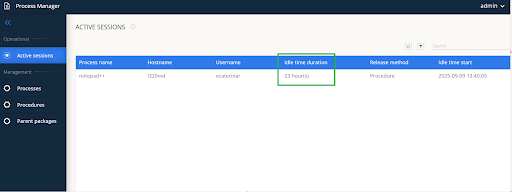
At its core, Actual Usage means tracking active vs idle sessions with the Workstation Agent. For example, you can set a threshold for a session to be considered “idle” after just one minute. In Image 2, the active session report reflects that the notepad++ process has been idle for 23 hours.
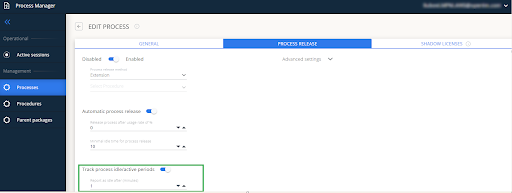
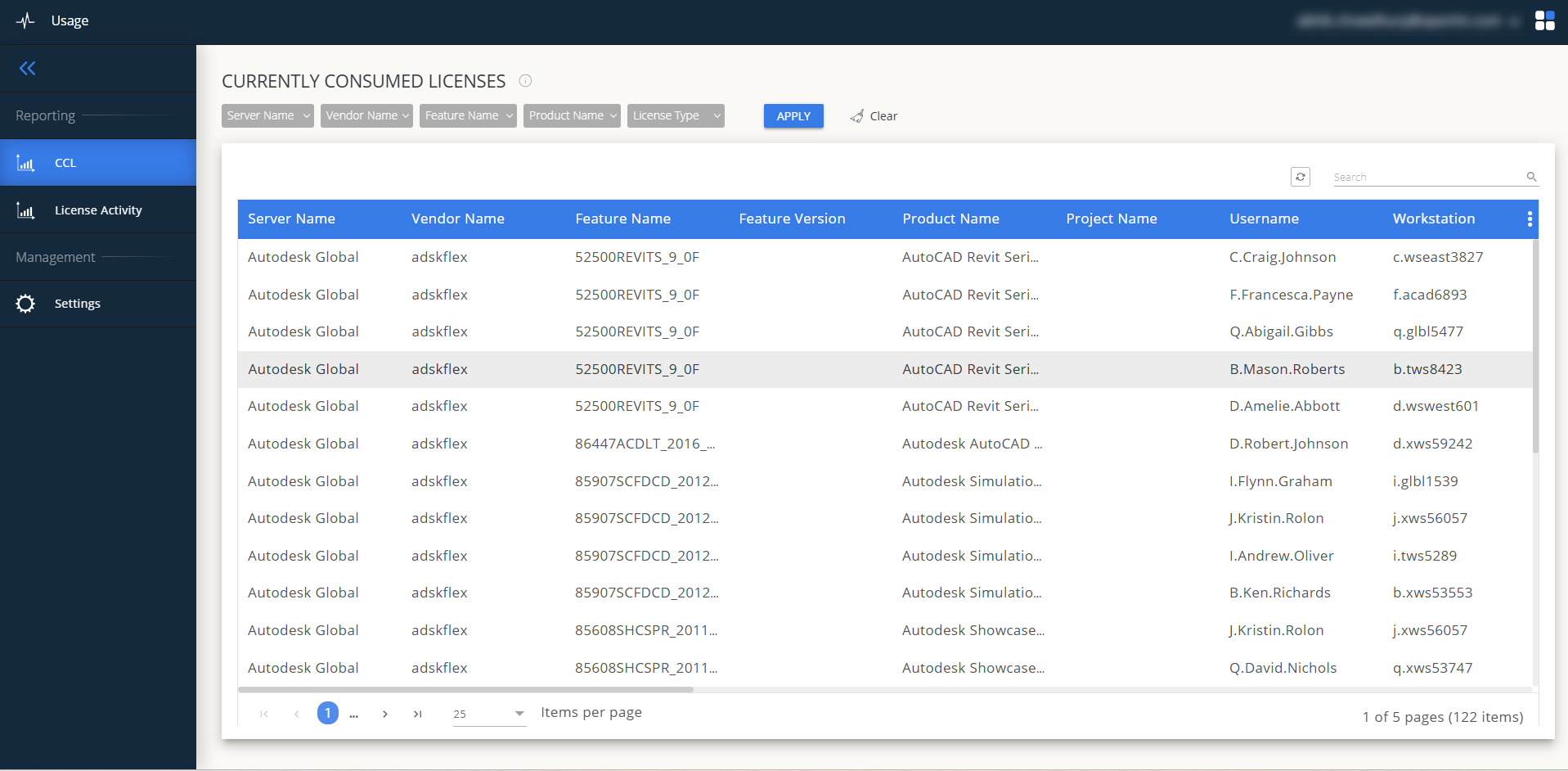
Even before a minute is up, you’ll see the idle time calculating from zero in the Process Manager. Once a process hits that one-minute threshold, the system flags it as idle and updates your reports. In the “Currently Consumed” view (Image 3), that one-minute idle period is reflected, making it easy to see which sessions are active and which are not.
By implementing this level of tracking, you can reduce idle license costs and say goodbye to guesswork. You’re not just monitoring licenses; you’re actively optimizing your entire software ecosystem.
Want a demo of Actual Usage tracking by OpenLM? Let us know here.
FAQs
What is Actual Usage in software license management?
Software license actual usage is a measurement of how actively a user is using a software application after they have checked out a license. Unlike traditional license management, which only tracks if a license is “in use,” actual usage monitors and reports on a session’s idle time. This gives you a more accurate picture of true software utilization and helps you see if a license is genuinely being used or is just sitting idle.
Why is tracking idle licenses important?
Idle license tracking is crucial for several reasons:
- Cost savings: By identifying and reallocating licenses that are checked out but not used, you can reduce idle license costs and avoid unnecessary software purchases.
- Improved efficiency: Idle licenses can lead to denials for other users who need them. By tracking idle sessions, you can automatically harvest and reassign licenses, preventing productivity roadblocks.
- Informed decision-making: The data you get from software license usage analytics gives you a better understanding of how your software is actually used. This insight helps you make smarter decisions about license agreements and future investments.
How does OpenLM’s Actual Usage feature work?
To begin, you need to install the OpenLM Workstation Agent on the user’s computer and set it to monitor the processes you choose. The agent then sends real-time and historical usage data to your OpenLM server. You can immediately see this data in easy-to-read charts and graphs within the OpenLM platform, giving you instant insights.