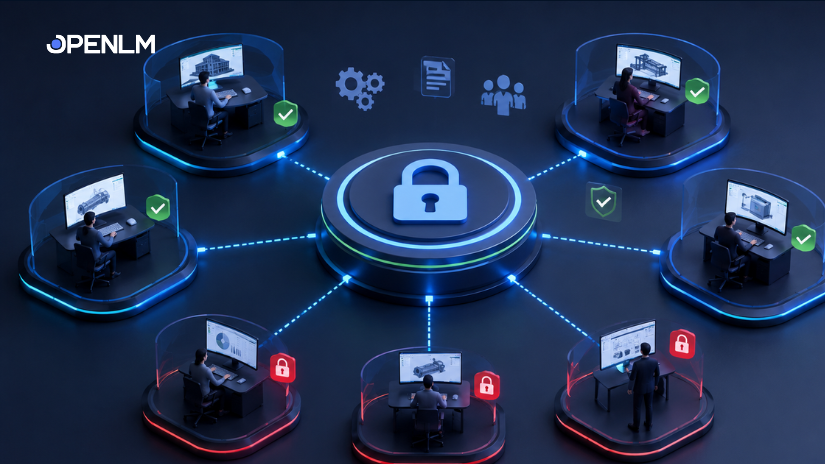
Software spend is rising. Here’s how IT and procurement leaders are using smarter license management to fight back—and win.
Organizations worldwide waste an estimated 30% of their software spend on licenses that sit idle, go unused, or never get reclaimed. In 2026, that’s no longer a rounding error—it’s a strategic liability. License cost reduction starts with visibility, and it ends with action.
Whether you manage a handful of Autodesk seats or thousands of licenses across Bentley, Adobe, MATLAB, and beyond, the same principles apply. You need data, automation, and a clear process to eliminate waste and control costs—before the next renewal cycle forces your hand.
This guide walks you through 10 proven strategies that IT leaders, license administrators, and procurement teams are using right now to drive meaningful license cost reduction.
Conduct a comprehensive software license audit
You cannot reduce what you cannot see. A software license audit gives you a complete picture of every license you own, what you’re paying, who is using it, and how often. Without this baseline, every cost-cutting effort is guesswork.
Start by centralizing data from all your license managers—FlexNet, DSLS, Reprise, and others—into a single dashboard. Map every license to a department, project, or user group. Identify licenses with no usage activity in the past 30, 60, and 90 days.
| OpenLM tip
OpenLM aggregates license data from 90+ engineering license managers—giving you a unified audit view without manual data collection. Schedule automated audit reports to run weekly or monthly so your baseline stays current. |
Reclaim unused and idle licenses
Idle licenses are the single largest source of avoidable software spend. A license assigned to an employee who left six months ago is still costing you money every day it stays active.
Define an inactivity threshold that makes sense for your organization—typically 30 to 90 days of zero usage. Any license that crosses that threshold becomes a candidate for reclamation. Reclaimed licenses can be reassigned, returned to the pool, or used to offset future purchases.
| By the numbers
Organizations that implement structured license reclamation programs report cost reductions of 15–25% in the first year—without reducing productive access for any active user. |
Switch from named-user to concurrent licensing where it makes sense
Named-user licenses lock a seat to one person. Concurrent licenses float—they’re checked out when needed and returned when a session ends. For tools used intermittently, concurrent models can reduce your license count by 30–60% compared to named-user allocations.
The key is knowing your usage patterns. If five engineers each use a CAD tool for two hours a day, three concurrent licenses might cover the same workload that previously required five named seats.
Not every tool supports concurrent licensing, and not every workflow benefits from it. Use real usage data to identify which software categories are strong candidates before you approach your vendor.
| What to look for
Tools with peak-hour usage clustering, irregular or shift-based work patterns, and usage rates below 60% are the strongest candidates for a concurrent licensing model. |
Automate license harvesting to reclaim seats in real time
Manual reclamation is slow and inconsistent. Automated license harvesting continuously monitors active sessions and reclaims licenses from users who have been idle for a configurable amount of time—typically 15 to 30 minutes.
This approach is especially powerful for high-cost specialty software like Autodesk products, Bentley applications, and MATLAB, where individual license costs can run into the thousands of dollars per seat annually.
A user who steps away for a meeting no longer holds a license that someone else on a different shift could be using. The license goes back to the pool immediately and becomes available to the next person who needs it.
| OpenLM tip
OpenLM’s license harvesting engine lets you set idle timeouts per application, notify users before reclamation, and log every harvested session—so you have a clear audit trail and users are never caught off guard. |
Right-size your license agreements at renewal
Most organizations renew software agreements at the same tier year after year. The reason is simple: without usage data, it’s hard to argue for a lower tier. Vendors default to maintaining or increasing seat counts, and procurement teams don’t have the evidence to push back.
Usage data changes that conversation. When you walk into a renewal negotiation with 12 months of granular usage reports—showing peak concurrent use, average daily active users, and months where utilization was below 40%—you have a factual basis to negotiate a smaller, cheaper agreement.
“The biggest negotiating mistake is renewing on the vendor’s terms. Renew on yours—backed by 12 months of your own usage data.”
Right-sizing isn’t about cutting access. It’s about aligning what you pay for with what you actually use. That’s good stewardship of IT budget, and vendors know it.
Consolidate overlapping tools across departments
Software sprawl is expensive. Engineering teams often run three different CAD tools. Design teams pay for overlapping creative suites. Project management uses four platforms simultaneously. Each overlapping tool adds cost, increases security risk, and complicates license management.
Consolidation audits ask a simple question: which tools serve the same function? From there, you analyze usage depth—not just frequency, but how central each tool is to the workflows that depend on it. The tool used for 90% of deliverables stays. The others get evaluated for removal or replacement.
| Watch out for shadow IT
Department-level software purchases made outside of central IT are a major source of overlap. Ensure your license discovery process includes these tools—not just enterprise agreements managed centrally. |
Implement self-service license request workflows
Over-provisioning happens when IT assigns licenses pre-emptively, anticipating future demand that may never materialize. A self-service request workflow flips this model: users request access when they actually need it.
This shift reduces over-provisioning significantly. It also gives IT a live demand signal—you can see which tools are in high demand, where queues are forming, and where licenses go weeks without a single request.
Request workflows don’t slow down work when they’re designed well. A user submits a request, it routes to an approver, and access is granted—often within minutes. The key is building a workflow that feels frictionless to the user while giving IT full visibility into demand.
| Workflow design tip
For high-frequency tools, configure auto-approval for users within authorized groups. Reserve manual review for tools with limited seats or unusually high per-seat costs. |
Set real-time alerts for utilization thresholds
Waiting until renewal to act on low utilization is too late. Real-time alerts let you respond to usage anomalies as they happen—before they turn into wasted budget.
Configure alerts for two scenarios: when utilization drops below a threshold (indicating potential waste) and when utilization consistently exceeds a threshold (indicating potential shortage). Both signals matter for license cost reduction, because one tells you where to cut and the other tells you where to negotiate smarter.
For high-cost tools—Autodesk, Bentley, ANSYS, or any engineering-grade software—even a 10% reduction in license count represents significant annual savings. Alerts give you the data to make that reduction with confidence.
Use denial and queue analytics to inform every purchasing decision
License denials—when users try to access a tool and are turned away because no license is available—are as important a data point as usage itself. They tell you where demand exceeds supply.
Queue analytics show you how often users wait for a license, how long they wait, and whether the wait affects productivity. This data is invaluable in two directions: it prevents you from cutting licenses that users actively need, and it identifies the specific tools where a small license increase would deliver a disproportionate improvement in throughput.
When you combine denial data with utilization data, you get a full picture of license health—not just how much a license is used, but how much it’s needed.
| OpenLM tip
OpenLM tracks denials and queue events across all supported license managers, giving you a consolidated view of license demand across your entire software portfolio—including the 90+ engineering license types we support. |
Build a license optimization culture across IT, finance, and operations
License cost reduction isn’t a one-time project. It’s a continuous discipline that requires alignment across IT, finance, and the business teams that consume software. When these groups operate in silos, licenses get purchased without IT’s knowledge, reclamation gets deprioritized, and renewals happen on the vendor’s terms instead of yours.
Building a license optimization culture means establishing regular cadences: monthly license reviews, quarterly optimization reports shared with finance, and annual right-sizing reviews ahead of every major renewal. It means giving department heads visibility into their team’s software spend—not just IT.
When everyone understands the cost of a license, the conversation about reclamation, consolidation, and right-sizing becomes much easier. Data is the common language. Make it accessible to everyone who needs it.
| Governance framework
Consider establishing a License Optimization Council—a small cross-functional group with representatives from IT, finance, and key business units. Meet quarterly, review utilization trends, and make joint decisions about purchasing and reclamation priorities. |
License cost reduction is a system, not a single action. The organizations that achieve the highest savings combine audit clarity, automated reclamation, data-driven negotiation, and continuous governance. No single strategy delivers maximum impact alone—but together, they can cut your software spend by 20–35% or more.
The good news is that you don’t need to implement all ten strategies at once. Start with a license audit to establish your baseline. Add automated harvesting for your highest-cost tools. Use that data to right-size at your next renewal. Build from there.
OpenLM supports 90+ engineering license managers, and thus monitors more engineering license types than any other solution on the market. That breadth of coverage means you get a complete, accurate picture of your software estate from day one.
Frequently asked questions (FAQs)
What is license cost reduction and why does it matter in 2026?
License cost reduction refers to the process of identifying, eliminating, and preventing unnecessary software license expenditure. It involves auditing your current license estate, reclaiming unused seats, optimizing license models, and using usage data to negotiate smarter vendor agreements.In 2026, it matters more than ever because enterprise software costs continue to rise—Gartner estimates software spending grows 8–10% year-over-year on average—while organizational budgets remain under pressure. Organizations that don’t actively manage license spend typically overpay by 20–30% or more.
How do I know if I’m overpaying for software licenses?
Several signals indicate overspending. The most common are low utilization rates (licenses in your estate with fewer than 60% of seats actively used), high numbers of idle licenses (seats with zero activity over 30–90 days), frequent renewals at the same tier without reviewing actual usage, and significant tool overlap across teams and departments.If you don’t have a system that tracks utilization, denials, and idle time across your license managers, you likely lack the visibility to know one way or the other—which is itself a signal that action is needed.
What types of software benefit most from license optimization?
High-cost specialty software delivers the greatest return from license optimization, because the per-seat cost is high enough that even a small reduction in license count translates into significant savings. This includes engineering software like Autodesk AutoCAD, Revit, Civil 3D, Bentley MicroStation, OpenRoads, ANSYS, MATLAB, and SolidWorks, as well as creative suites like Adobe Creative Cloud.OpenLM specifically supports 90+ engineering license types—more than any other solution in the market—making it particularly effective for engineering-heavy organizations in AEC, manufacturing, energy, and defense sectors.
How does automated license harvesting work without disrupting users?
Automated license harvesting monitors active sessions and detects when a user has been idle for a configurable period, typically 15 to 30 minutes. Before reclaiming the license, the system sends the user a notification giving them a short window (usually 2–5 minutes) to confirm they still need access.If the user confirms, the session continues uninterrupted. If there’s no response, the license is returned to the pool. The user’s work is not lost—only the license session ends. OpenLM lets you configure idle timeouts, notification messages, and grace periods on a per-application basis.
What’s the difference between named-user and concurrent licensing?
Named-user licensing assigns a license permanently to a specific individual. Only that person can use the software, regardless of whether they’re actively using it at any given moment.Concurrent (floating) licensing creates a pool of licenses that any authorized user can check out when needed and return when they’re done. The total number of licenses you need equals the peak number of simultaneous users, not the total number of people who might ever use the tool. For organizations with shift-based work or global teams across time zones, concurrent licensing can reduce license counts by 30–60%.
How often should we conduct a software license audit?
At a minimum, conduct a full software license audit once a year—ideally 60 to 90 days before your largest renewal cycles, so you have time to act on findings before the renewal window closes. For high-cost or high-volume software portfolios, a quarterly review cadence is more effective.In practice, the most effective approach is continuous monitoring with automated reporting, so the “audit” becomes an ongoing process rather than a periodic event.
Can license cost reduction negatively affect productivity?
Done correctly, license cost reduction has no negative impact on productivity. The strategies in this guide—particularly those involving denial analytics, queue monitoring, and self-service request workflows—are specifically designed to protect access for users who genuinely need it.The licenses you reclaim are idle, unused, or redundant. Denial and queue data ensure that no active user loses access as a result of optimization. Better license management often improves productivity by reducing wait times and ensuring the right users have access at the right time.
How does OpenLM support license cost reduction across different license managers?
OpenLM connects to 90+ engineering license managers—including FlexNet (FlexLM), DSLS, Reprise RLM, Sentinel RMS, LM-X, and more—and consolidates usage data from all of them into a single platform. This unified view means you don’t need to log into multiple systems to understand your software estate.On top of data aggregation, OpenLM provides license harvesting, utilization analytics, denial and queue tracking, automated reporting, and self-service request workflows.
Ready to reduce your software license costs?
See how OpenLM gives you the visibility, automation, and insights to start saving—from day one.