For decades, the backbone of enterprise GIS has been the “Concurrent Use” license. It was a model built on flexibility: a pool of licenses lived on a central server, and anyone in the organization could “check out” a seat, use the software, and return it to the pool when finished. It allowed GIS managers to support hundreds of users with a fraction of the actual license cost.
But that era is coming to a definitive end.
On March 1, 2026, Esri will officially retire Concurrent Use licensing for ArcGIS Pro. This isn’t just a technical update or a change in version number; it is a fundamental restructuring of how organizations access, pay for, and manage their spatial data infrastructure.
The great shift: From pools to people
The move to a “Named User” model means that software access is no longer tied to the machine or the pool, but to the individual identity. Every person who needs to open ArcGIS Pro must now have their own unique credentials and a license specifically assigned to them.
In this world, utilization metrics change completely. In a concurrent model, you cared about “Peak Usage” (how many people are in at once) and “Idle Time” (how to harvest licenses to serve more people). In a Named User model, those metrics are irrelevant for licensing. The requirement is binary: If a user needs the software—even for five minutes a month—they require a dedicated, paid license assigned to their name. Idle does not matter. Peak does not matter.
The “3-for-1” entitlement: A case study in math
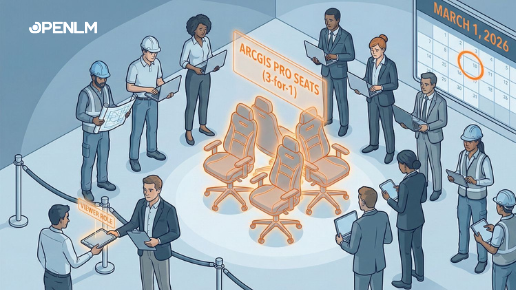
To ease the transition, Esri has introduced a standard entitlement offer: for every one Concurrent Use license you currently own, you will receive three Named User licenses.
The Scenario: The 100-license Org
Imagine a city government or an engineering firm that currently owns 100 Concurrent Use licenses.
- The current reality: Utilizing the official industry benchmark of 1:4, those 100 licenses support a rotating cast of 400 unique users.
- The harvesting advantage: Organizations using OpenLM License Harvesting frequently see ratios better than 1:4 (supporting 500 or 600 users) by reclaiming idle sessions to keep the pool open for others.
- The over-licensing opportunity: Many organizations are over-licensed, holding 100 seats when they only ever “used” 60. This migration is the perfect time to align your count to reality—don’t simply convert all your licenses! Use this as an opportunity to align your licensing to the actual number of seats required.
- The crisis: Even at a 1:4 ratio, trading 100 concurrent seats for 300 Named Users leaves a gap. You have 400 people who need the software, but only 300 “keys.”
The infrastructure ripple effect
The transition costs aren’t limited to the licenses themselves. Moving from a concurrent pool to a dedicated user model creates a significant “resource drag” across the entire IT infrastructure. From high-performance hardware requirements to unpredictable cloud-based credit consumption, the secondary costs can often outweigh the primary license fees.
We will discuss these two critical topics—The GPU Tax and The Credit Economy—in depth in our upcoming articles.
Surviving the 2026 lockout: The identity audit
To prepare for 2026, you must categorize your users into the correct “User Type.” The conversion follows a direct mapping to ensure continued ArcGIS Pro access:
- Concurrent Basic → Professional Basic (or Creator)
- Concurrent Standard → Professional Standard
- Concurrent Advanced → Professional Advanced
The goal is to determine if every user actually requires this high-tier functionality. Here is the breakdown of the tiers you should use to right-size:
- Viewer: For staff who only need to view maps, dashboards, and reports. They cannot edit data or use ArcGIS Pro. Moving an occasional concurrent user to a Viewer seat is a massive cost saver.
- Editor: For staff who only need to modify existing data or attributes via a web browser.
- Mobile Worker: For your field crews using apps like Survey123 or Field Maps.
- Creator: The baseline for users who create web maps and content, and use ArcGIS Pro Basic.
- Professional / Professional Plus: The direct replacements for “Standard” and “Advanced” concurrent tiers. These are your heavy analysts.
The strategy: If you can identify 100 users who only need to view data, move them to Viewer licenses. This frees up your high-tier 3-for-1 seats for the analysts who truly need the desktop power.
The human factor: Two warnings to watch for
Technical right-sizing is one thing; organizational politics is another.
- The occasional user “entitlement”
Some users will insist on a full Professional license because “that’s what they’ve always had,” despite only using the software once a month. In the Named User era, this is an expensive luxury. You must be prepared to move these users to browser-based interfaces. - Licensing as a status symbol
In many organizations, license tiers are viewed as a proxy for seniority. An analyst might view a move to a “Viewer” license as a “demotion.” Managing the 2026 migration requires managing the human ego as much as the technical infrastructure.
Conclusion
March 1, 2026, is a hard deadline. In the concurrent era, we managed capacity. In the Named User era, we manage identities.
The goal for 2026 is to right-size by identity. Evaluate every user’s actual needs and decide who gets a seat and who moves to the web. The lockout is coming; make sure your list is ready.