AMP
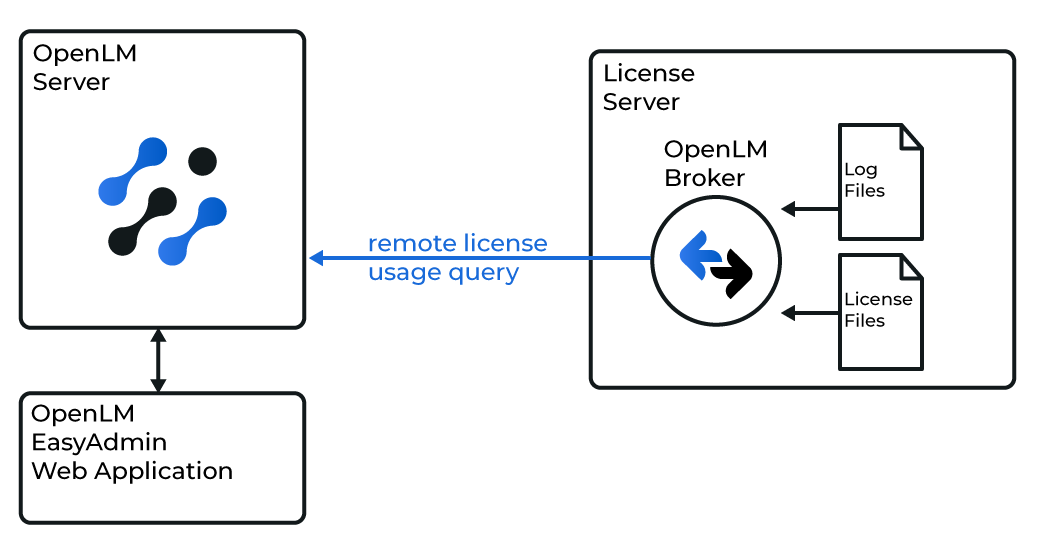
OpenLM は AMP と連携してライセンス使用状況を監視し、統計情報を取得できます。
AMP は定期的に XML ファイルを生成し、OpenLM がそれを解析して EasyAdmin に表示します。
要件
- OpenLM Broker が AMP ライセンスサーバーマシンにインストールされていること
- OpenLM Server がネットワーク内の任意の Windows マシンにインストールされていること(AMP サーバーと同一でも可)
OpenLM Broker の設定
-
最新の OpenLM Broker をインストールします。
-
License Managers ノードで Add Port をクリックします(自動検出が失敗した場合)。
-
AMP のポート番号を入力します(例:
2306)。 -
License Manager Type で OpenLM Generic を選択します。
-
Commands で
AMP_OpenLM.exeのパスを設定します(ベンダーから提供、または AMP のインストールフォルダー内)。
例:C:\Program Files (x86)\AMPORTAKAMP\AMP_OpenLM.exe -
Update → Apply をクリックします。
-
Execute をクリックしてデータ取得が動作することを確認します。
-
Statusコマンドでも同様に実行します。 -
Vendors に
AMP YAZILIMを入力します(大文字小文字は区別されます)。 -
Apply をクリックし、Restart Broker を実行します。
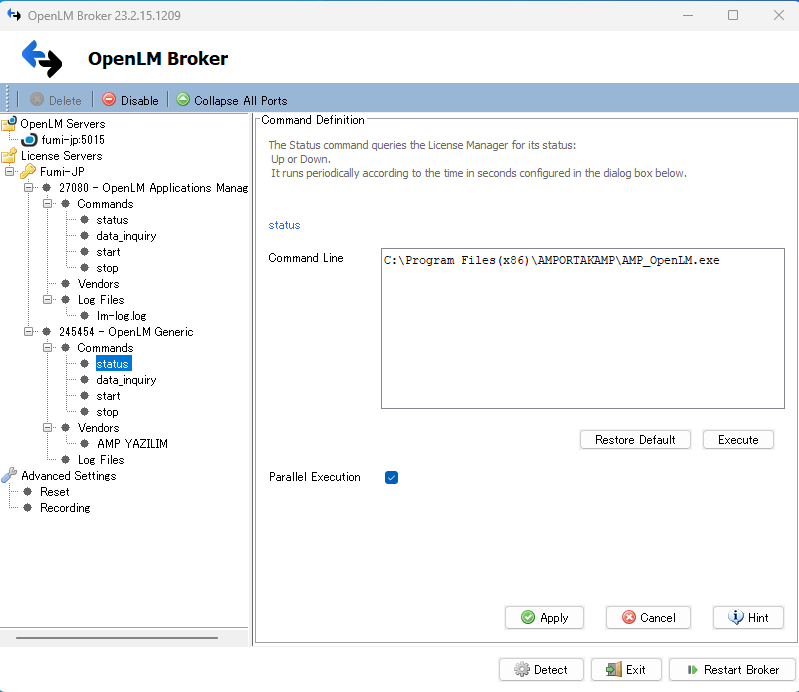
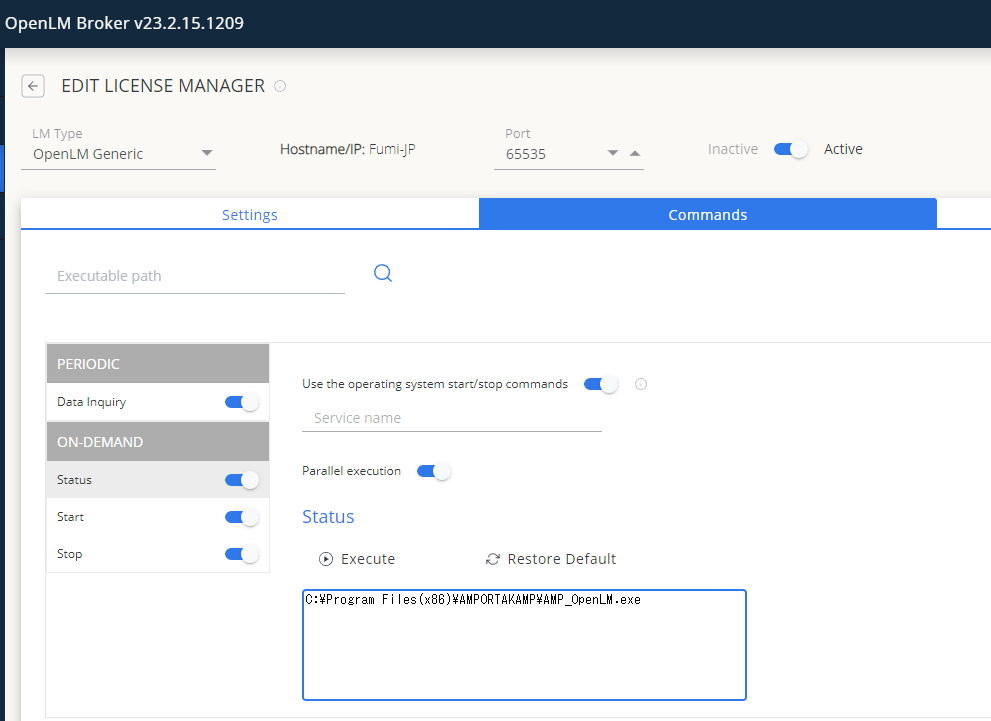
設定には Broker Web UI も使用できます。
OpenLM Server の設定(手動)
- EasyAdmin → Start → Administration → License Manager Servers で Add LM をクリックします。
- Type で OpenLM Generic を選択します。
- Display Name を入力します(例:
My AMP License Server)。 - サーバーの Time Zone を選択します。
- Hostname と Port を入力します(例:
amp_license_serverと2306)。 - Use Broker にチェックを入れます。
- Save をクリックし、OpenLM Server サービスを再起動します。
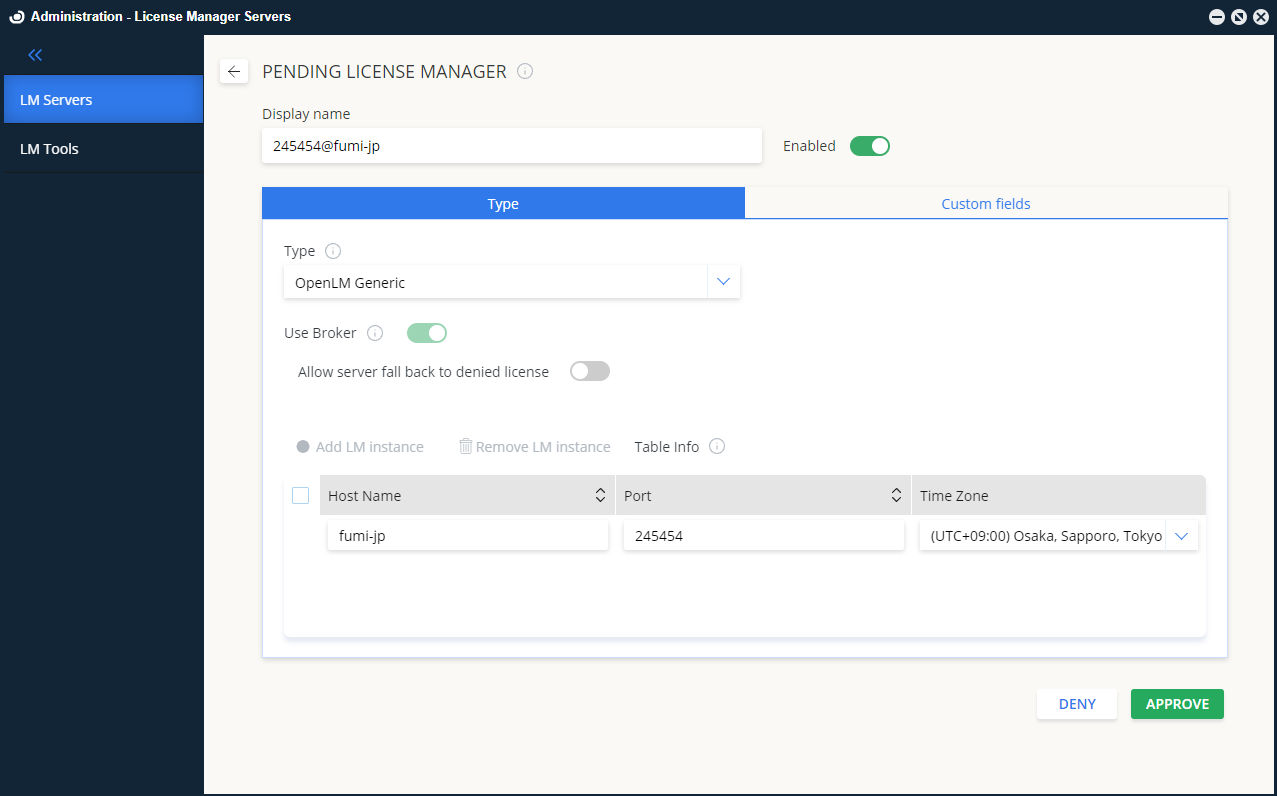
EasyAdmin での確認
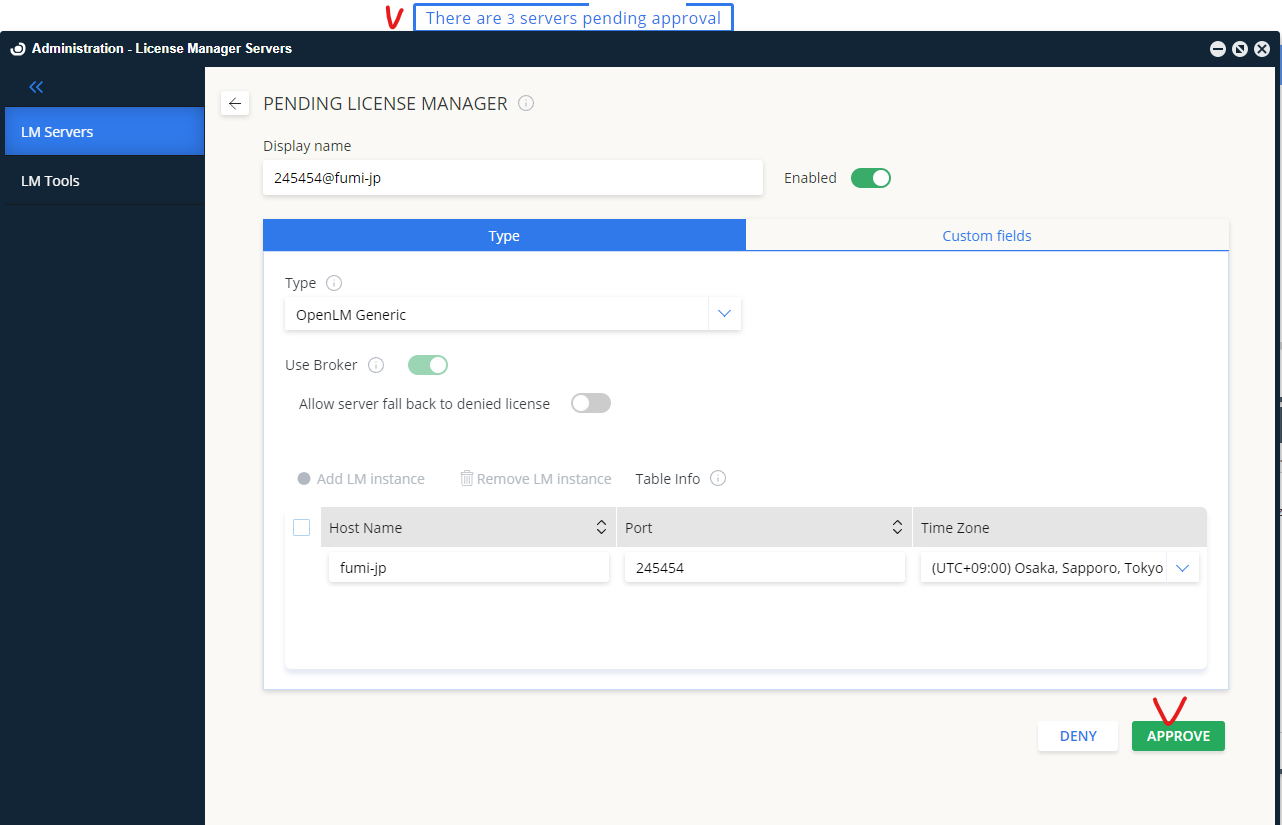
- EasyAdmin を開き、保留中の AMP ライセンスマネージャーを承認します。
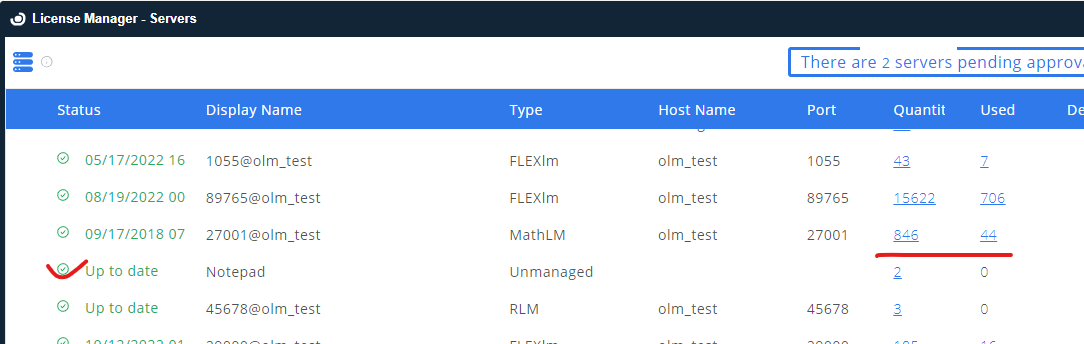
- License Servers の一覧に表示されることを確認します。
- 緑色の丸 は接続がアクティブであることを示します。